


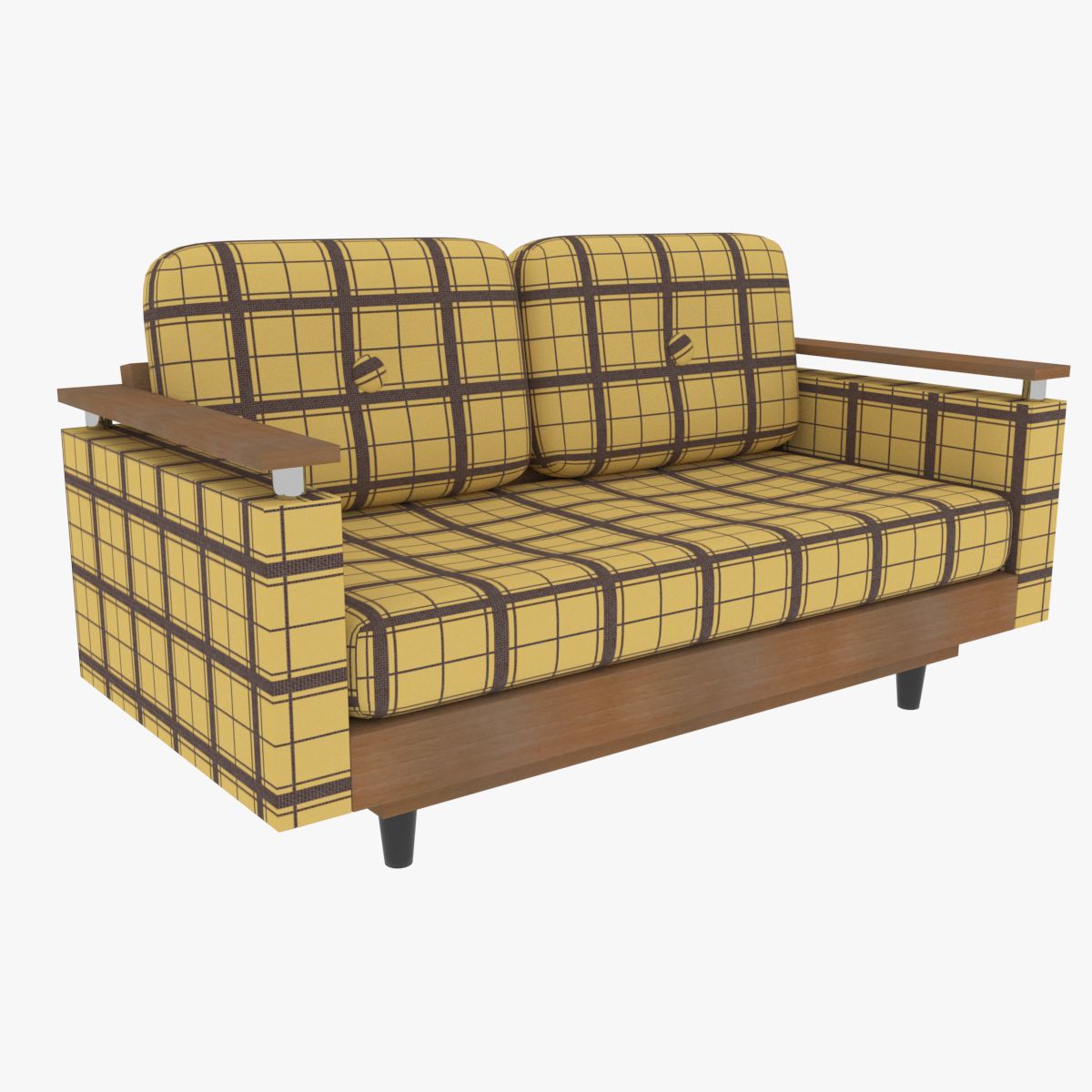
Loveseat de los 70 modelo 3d
0


Licencia Libre de DerechosTodos los usos extendidos
Devoluciones simples
Mejor precio garantizado
Trabaja fuera de la caja
2
visitas

Presentado por
Rick62
Presupuesto
- Geometríapolygonal_quads only
- Poligonos3,236
- Vértices3,274
- TexturasYes
- AparejadoNo
- AnimadoNo
- Listo para imprimir en 3DNo
- Juego listo (polietileno baja)No
- Mapeado UVYes
- UV sin envolvernon-overlapping
Descripción
Downloadable 3D model of a 70s style loveseat. Model is suitable for close-up renders, design visualization and real time applications.
Features:
- Ready to render.
- Originally created with 3DS Max 2018.
- You can change the cloth pattern by replacing a single png file (Pattern.png).
- All objects and materials are descriptively and uniquely named.
- All objects are logically grouped, for easy selection and management.
Geometry:
- Model geometry consists of quads only.
- Model is compatible with subdivision without changing its original format.
- Model contains 19 separate objects.
- Each object geometry is independent from the others (no instances or references).
- All objects have sealed geometry (no openings where backfaces would be visible).
- All objects have unwrapped UVs.
- No object have UV overlapping.
- No isolated or coincident vertices.
- No overlapping faces.
Poly count:
- Model contains 3236 quads without subdivision (Turbosmooth disabled on Max versions).
- Model contains 3274 vertices without subdivision.
Materials and textures:
- All texture paths are stripped.
- Each object uses only one material (no submaterials).
- Includes 2 PNG textures at 1024 x 1024 (Cloth_B.png and Pattern.png) and 3 PNG textures at 512 x 512 (Wood2.png, Wood2_B.png and Wood2_S.png).
- On 3DS Max, materials can be found on Slate Material Editor.
Preview images:
- Preview images depict the actual model, with no post processing.
- All rendered preview images use subdivision level 1, except when otherwise informed.
- All wireframe preview images use no subdivision, except when otherwise informed.
- All preview images, including wireframe ones, are rendered with V-Ray 3.60 for 3DS Max 2018, except when otherwise informed. The use of other versions may produce variations in the results.
- Only default pose included. Other poses shown on preview images are possible by moving and rotating elements as pivots are placed properly.
- Floor plane depicted on some preview images is not included in the files.
Units and measurement:
- Model uses real world scale.
- Unit system is metric (centimeters).
- Complete model dimensions: 152.0cm width x 82.8cm height x 72.2cm deep (60" x 32-1/2" x 28-3/8").
Native and converted formats:
- 3DS Max 2018 / V-Ray 3.60.
- 3DS Max 2018 / Arnold.
- 3DS Max 2018 / Default Scanline.
Interchange formats:
- FBX 2011, which preserves the hierarchical grouping and is recommended for import in other 3D software.
- OBJ. The obj format contains a single object (all objects combined), which uses submaterials with pre-tiled textures (so texture tiling is always 1:1). This is done to increase compatibility with some software that do not follow the obj format specifications entirely.
- Both FBX and OBJ formats use simplified versions of the complex materials and will not render like the preview images.
Additional notes:
- This is a downloadable 3D model, not a real world object.
- V-Ray format requires V-Ray for 3DS Max properly installed on the computer. No other third-party plugin is required.
- Arnold and Default Scanline 3DS Max formats do not require any third-party plugin installed.
- For your convenience, all 3DS Max files have Subdivision Level 1 applied to the top group of the model by default. You can disable it by unchecking TurboSmooth on the modifiers stack.
Nov 04, 2019
Fecha Agregada
Sep 20, 2021
última actualización
Opiniones
Actualmente no hay opiniones para este producto.
¿Por qué no ser el primero en romper el hielo?