-->
ArquitecturaVehículosCaracteresAeronaveMuebleElectrónicaAnimalesPlantasArmasDeportesComidaAnatomía
Marcado
Marcador eliminado

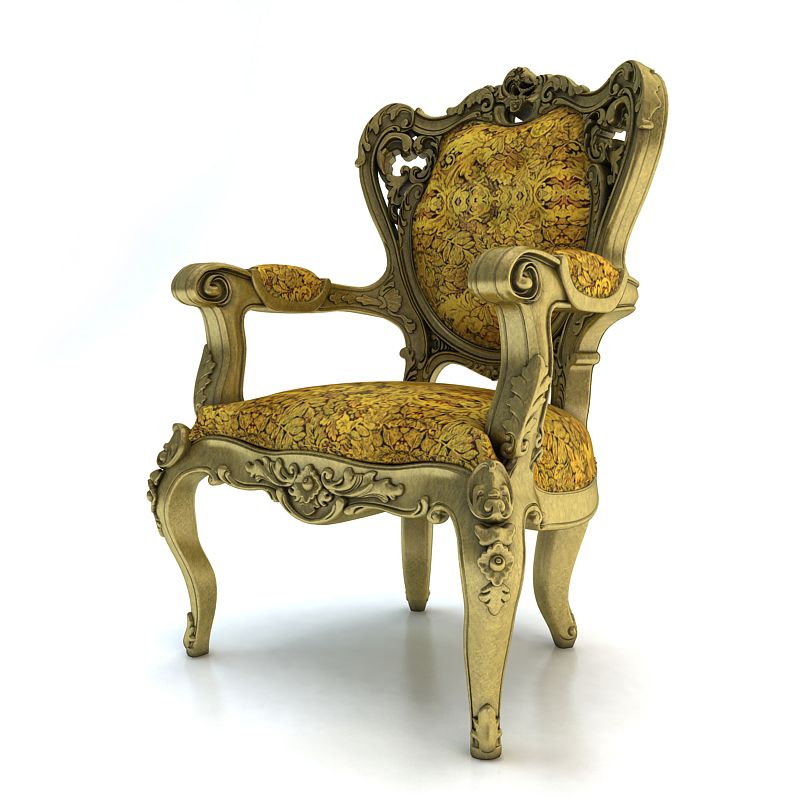
Pilaster2 modelo 3d

0
Pilaster2 royalty-free modelo 3d - Preview no. 1
Pilaster2 royalty-free modelo 3d - Preview no. 2
Pilaster2 royalty-free modelo 3d - Preview no. 3
Pilaster2 royalty-free modelo 3d - Preview no. 4
Pilaster2 royalty-free modelo 3d - Preview no. 5
Pilaster2 royalty-free modelo 3d - Preview no. 6
Pilaster2 royalty-free modelo 3d - Preview no. 7
Pilaster2 royalty-free modelo 3d - Preview no. 1
Pilaster2 royalty-free modelo 3d - Preview no. 2
Pilaster2 royalty-free modelo 3d - Preview no. 3
Pilaster2 royalty-free modelo 3d - Preview no. 4
Pilaster2 royalty-free modelo 3d - Preview no. 5
Pilaster2 royalty-free modelo 3d - Preview no. 6
Pilaster2 royalty-free modelo 3d - Preview no. 7
Licencia Libre de DerechosTodos los usos extendidos
Devoluciones simples
Mejor precio garantizado
Trabaja fuera de la caja
416 visitas
flint83

Presupuesto

  • Geometríapolygonal
  • Poligonos19,382
  • Vértices10,965
  • TexturasNo
  • AparejadoNo
  • AnimadoNo
  • Listo para imprimir en 3DNo
  • Juego listo (polietileno baja)No
  • Mapeado UVYes
  • UV sin envolvernone

Formatos y archivos

3ds Max
(.max)

vray 2.30
pilaster2.max
3DS
(.3ds)

pilaster2.3DS
FBX
(.fbx)

pilaster2.FBX
OBJ
(.obj)
1 MB

pilaster2.obj
(.gltf)

281-gltf-extended.gltf.zip
(.gltf)

281-gltf-extended.glb
(.gltf)

281-gltf_ktx2_draco_optimized-extended.gltf.zip
(.gltf)

281-gltf_ktx2_draco_optimized-extended.glb
3ds Max
(.max)

281-max-extended.max.zip
(.usdz)
4 MB

281-usdz-extended.usdz

Descripción

The poly count was done with the model using turbosmooth lvl1 in 3d max 2012.Detailed enough for close-up renders.in the .max file you can choose smoothing level. High detailed and accurate model. The model is exposed on zero coordinates. Model has the real size.
Apr 25, 2018 Fecha Agregada
Oct 17, 2022 última actualización

Opiniones

This is a very good detailed model, easy to use. However,upon purchasing, and uploading the model to Blender, I realised that the top and bottom are not fully cover and instead are left unfinished. So this is money wasted and couldn't be used afterall, please fix it
Por maxyeung707 en hace 5 años Respuesta
Fácil de usar
Valor para el dinero
Tiempo ahorrado