




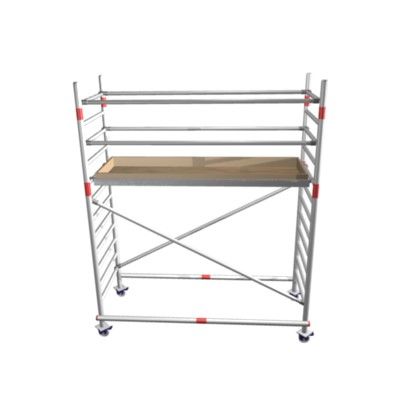


Parte inferior del andamio modelo 3d
0


Licencia Libre de DerechosTodos los usos extendidos
Devoluciones simples
Mejor precio garantizado
Trabaja fuera de la caja
0
visitas

Presentado por
GR3AVE5Y
Presupuesto
- Geometríapolygonal
- Poligonos520
- Vértices664
- TexturasYes
- AparejadoNo
- AnimadoNo
- Listo para imprimir en 3DNo
- Juego listo (polietileno baja)No
- Mapeado UVYes
- UV sin envolvernon-overlapping
Descripción
The scaffolding model was initial produced for a Half Life 2 Mod, therefore it's actually produced for games rather than visual, but I am sure it wouldn't look bad in your scene, it just means it's lower poly compared to other models of it's kind but will on the other hand render out quicker.
Originally modelled in 3ds max 2012. Final images rendered with mentalray.
--------------------------------------------------------------------------------------------------------------------------
Features:
- Low Polycount
- Model is fully textured with all materials applied.
- No part-name confusion when importing several models into a scene.
- No cleaning up necessary, just drop the model into your scene and start rendering.
- No special plugin needed to open scene.
--------------------------------------------------------------------------------------------------------------------------
Model File formats:
- 3ds Max 2012
- OBJ
- FBX
--------------------------------------------------------------------------------------------------------------------------
Textures format:
PNG (.png) (2048x2048)
I pretty much always use PNG due to it's lossless file format and smaller file size.
--------------------------------------------------------------------------------------------------------------------------
© GR3AVE5Y - 2012
Aug 13, 2020
Fecha Agregada
Jan 31, 2022
última actualización
Opiniones
Actualmente no hay opiniones para este producto.
¿Por qué no ser el primero en romper el hielo?