-->
建築乗り物キャラクター航空機家具エレクトロニクス動物たち植物兵器スポーツのフード解剖学
ブックマーク済み
ブックマークを削除しました

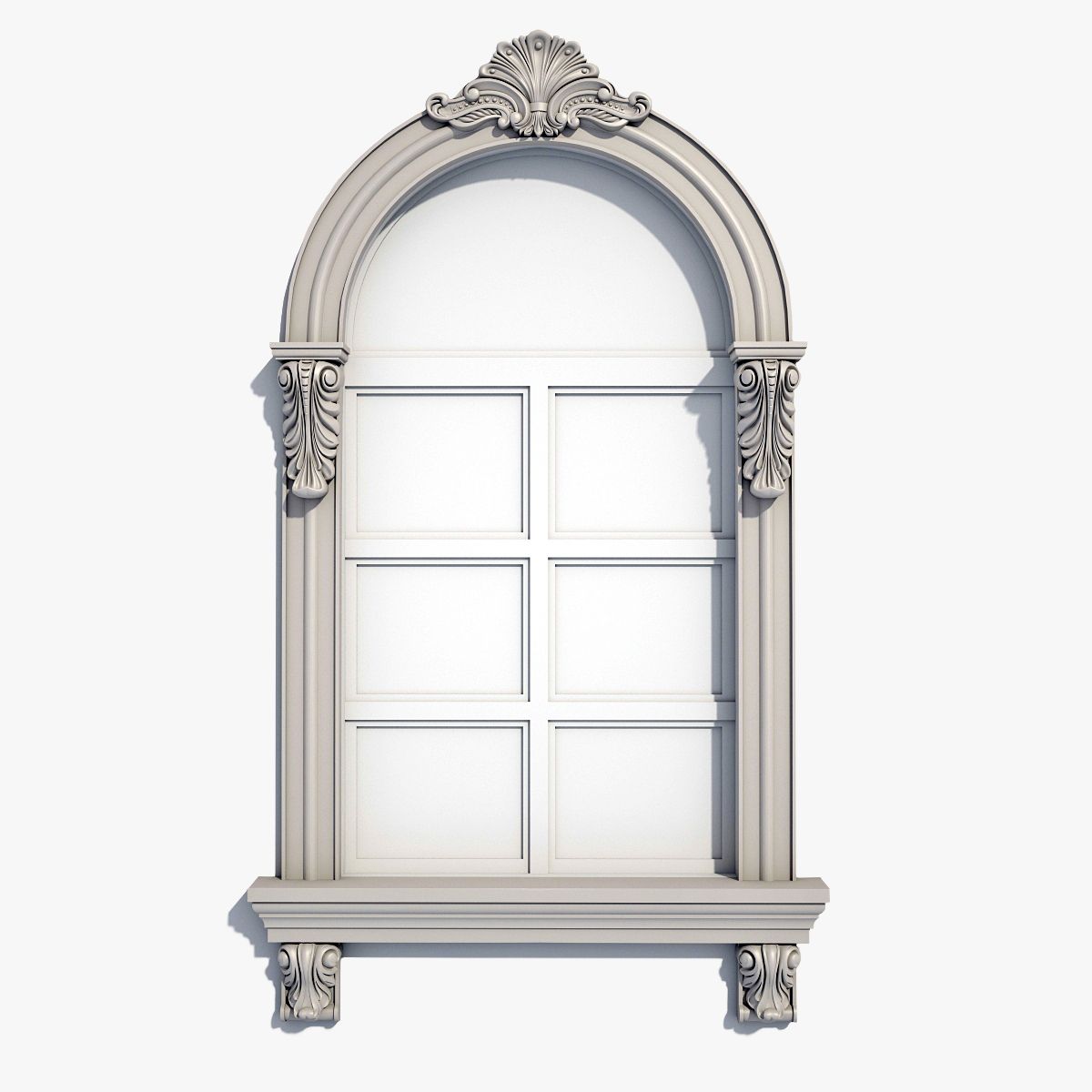
窓枠04 3Dモデル

0
窓枠04 royalty-free 3d model - Preview no. 1
窓枠04 royalty-free 3d model - Preview no. 2
窓枠04 royalty-free 3d model - Preview no. 3
窓枠04 royalty-free 3d model - Preview no. 4
窓枠04 royalty-free 3d model - Preview no. 5
窓枠04 royalty-free 3d model - Preview no. 6
窓枠04 royalty-free 3d model - Preview no. 7
窓枠04 royalty-free 3d model - Preview no. 8
窓枠04 royalty-free 3d model - Preview no. 9
窓枠04 royalty-free 3d model - Preview no. 10
窓枠04 royalty-free 3d model - Preview no. 11
窓枠04 royalty-free 3d model - Preview no. 12
窓枠04 royalty-free 3d model - Preview no. 13
窓枠04 royalty-free 3d model - Preview no. 14
窓枠04 royalty-free 3d model - Preview no. 15
窓枠04 royalty-free 3d model - Preview no. 16
窓枠04 royalty-free 3d model - Preview no. 17
窓枠04 royalty-free 3d model - Preview no. 1
窓枠04 royalty-free 3d model - Preview no. 2
窓枠04 royalty-free 3d model - Preview no. 3
窓枠04 royalty-free 3d model - Preview no. 4
窓枠04 royalty-free 3d model - Preview no. 5
窓枠04 royalty-free 3d model - Preview no. 6
窓枠04 royalty-free 3d model - Preview no. 7
窓枠04 royalty-free 3d model - Preview no. 8
窓枠04 royalty-free 3d model - Preview no. 9
窓枠04 royalty-free 3d model - Preview no. 10
窓枠04 royalty-free 3d model - Preview no. 11
窓枠04 royalty-free 3d model - Preview no. 12
窓枠04 royalty-free 3d model - Preview no. 13
窓枠04 royalty-free 3d model - Preview no. 14
窓枠04 royalty-free 3d model - Preview no. 15
窓枠04 royalty-free 3d model - Preview no. 16
窓枠04 royalty-free 3d model - Preview no. 17
単純な返品
ベストプライスギャランティ
箱から出して動作
612 訪問
Makhota

仕様

  • ジオメトリpolygonal_quads/tris
  • 多角形40,017
  • 頂点42,424
  • テクスチャNo
  • 堅いNo
  • アニメ化No
  • 3Dプリント可能No
  • ゲームレディ(低ポリ)No
  • UVマップYes
  • ラップされていないUVnone

フォーマットとファイル

FBX
(.fbx)
1 MB

wf04_FBX.zip
OBJ
(.obj)
1 MB

wf04_OBJ.zip
3ds Max
(.max)
3 MB

vray 1.5 RC5
wf04_max.zip
3DS
(.3ds)
1 MB

wf04_3DS.zip

説明

Classical Window Frame is a high quality model to decorate the classical facades. Hand modelled clean geometry. Every little detail in the model is achieved through vertex, edge and polygon manipulating. Model resolutions are optimized for polygon efficiency, in 3DS MAX the meshsmooth function can be used to increase mesh resolution if necessary. NOTE: The model consists of three parts: Cornice, Pilaster and Ornament. Smooth modifier can be applied only to Pilaster and Ornament. Each file is individually tested. The number of polygons is shown for max version. No cleaning up necessary, just drop model into your scene and start rendering. Hope you like it! Also check out my other models, just click on my user name to see complete gallery.
Sep 19, 2018 追加日
Jan 27, 2022 最後の更新

レビュー

この商品のレビューはまだありません。
氷を砕いた最初の人になろう。