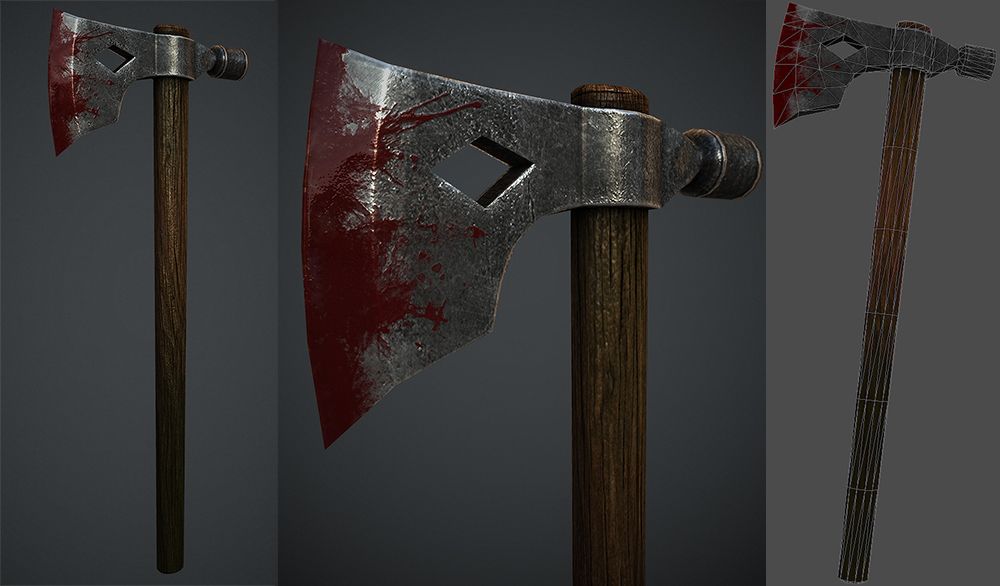


피 도끼 3D 모델
1


7
방문

에 의해 제출 된
Vorkun
명세서
- 기하학polygonal_quads/tris
- 다각형7,708
- 정점들7,601
- 텍스처Yes
- 딱딱한No
- 생기 있는No
- 3D 인쇄 가능 준비No
- 게임 준비 (낮은 폴리)No
- UV 매핑 됨Yes
- 포장되지 않은 자외선non-overlapping
기술
This content pack includes:
- Low Poly model
- Scene in Maya - .mb format
- Two 3D formats - .obj and .fbx
- PBR-textures (Metallic-Roughness Workflow) 1K/2K/4K resolution is TGA
IMPORTANT NOTES:
Render, which can be seen in screenshots, was produced in Unreal Engine 4 and Substance Painter (scenes are not included in this pack). You can find three different texture resolution options for this model. The difference can be estimated in the screenshots there are comparisons between 1k-2k-4k resolutions.
MB format contains a scene in the Maya, where the grouped together elements of low-poly model are located separately. Real dimensions of the axe: ~ 50 centimeters. You can scale the model if you need it.
FBX and OBJ formats have a combined low-poly model, so when you open these files, you will see assembled model. FBX will include material names (standard Blinn material in Maya), which were added to individual elements of the model before texturing. If you open OBJ in Maya (or any other editor), DO NOT REMOVE OR CHANGE the face-sets which perform the same role as various names of different materials in the FBX format. If something happens with sets, then you can not correctly apply textures to model.
All textures are divided by their texture sets (see screenshots), which are only four - Arm, Tail_Rings, Razors and Skull. Each texture set contains the following texture maps:
* Ambient Occlusion (only Arm and Skull)
* Base Color
* Metallic
* Roughness
* Normal
* Height
In total, there are 22 texture maps that are named according to the group they represent on model: "Arm" is the handle and its "winding"; "Tail_Rings" is tail from handle bottom and the ring on handle; "Razors" is the axe blade; "Skull" is decorative element in the shape of skull and its horn. When importing into game engines it is recommended to use the FBX format, because it contains the exact names of groups that will allow you to quickly assign the necessary textures to desired slot of material!
UV do not overlap each other, if we bear in mind for each specific UV-set! When you select the entire model (group or combine), you will see multiple overlaps, but actually because of different materials assigned to different model elements, the UV coordinates do not overlap.
Polygon Count: 7601 vertices, 7708 faces
Oct 27, 2019
추가 된 날짜
Nov 11, 2021
마지막 업데이트
리뷰
현재이 제품에 대한 리뷰가 없습니다.
얼음을 깬 첫 번째 사람이되지 않겠습니까?