



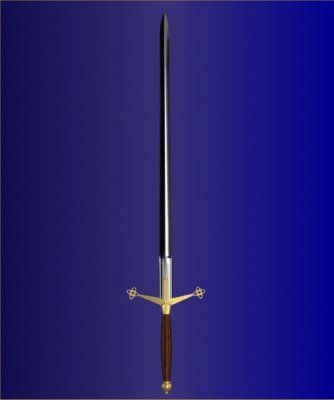

볼 스틱 보이기 3D 모델
0


532
방문

에 의해 제출 된
Pixel Bandit
명세서
- 기하학polygonal_quads/tris
- 다각형6,520
- 정점들6,184
- 텍스처No
- 딱딱한No
- 생기 있는No
- 3D 인쇄 가능 준비No
- 게임 준비 (낮은 폴리)No
- UV 매핑 됨Yes
- 포장되지 않은 자외선none
기술
FOR FILE CONVERSION ASK SUPPORT
************************************************************************************************************************
~ Modeled and rendered with 3ds Max 9 / v-ray, V-ray scene requires V-ray plugin, the Scanline scene requires no plugins.
~ 3ds Max 9 is the native file
~ High quality modeling, detailed, excellent for closeups, and architectural visualization.
~ Model is scaled to real world.
~ Added 3ds Max 9 format with vray materials, and with standard materials for Default Scanline Render.
~ The rendering scene you see in the second image is not included.
~ Materials are named logicaly.
~ Model does not need textures.
~ Objects in the files are named logicaly.
~ 3ds Max files are with smooth (subdivision) level 2.
~ All other files where saved at 3 smooth levels.
~ Smooth Level 0: Polys: 6520 (720 tris), Verts: 6184
~ Smooth Level 1: Polys: 25360, Verts: 25384
~ Smooth Level 2: Polys: 101440, Verts: 101464
************************************************************************************************************************
Please submit a rating :)
(+) feedback helps me to improve my library
Thank you!
Apr 25, 2018
추가 된 날짜
Feb 04, 2022
마지막 업데이트
리뷰
현재이 제품에 대한 리뷰가 없습니다.
얼음을 깬 첫 번째 사람이되지 않겠습니까?