


인테리어 도어 콜렉션 3D 모델
0


665
방문

에 의해 제출 된
aeche
명세서
- 기하학polygonal
- 다각형1,000
- 정점들0
- 텍스처Yes
- 딱딱한No
- 생기 있는No
- 3D 인쇄 가능 준비No
- 게임 준비 (낮은 폴리)No
- UV 매핑 됨No
- 포장되지 않은 자외선unknown
기술
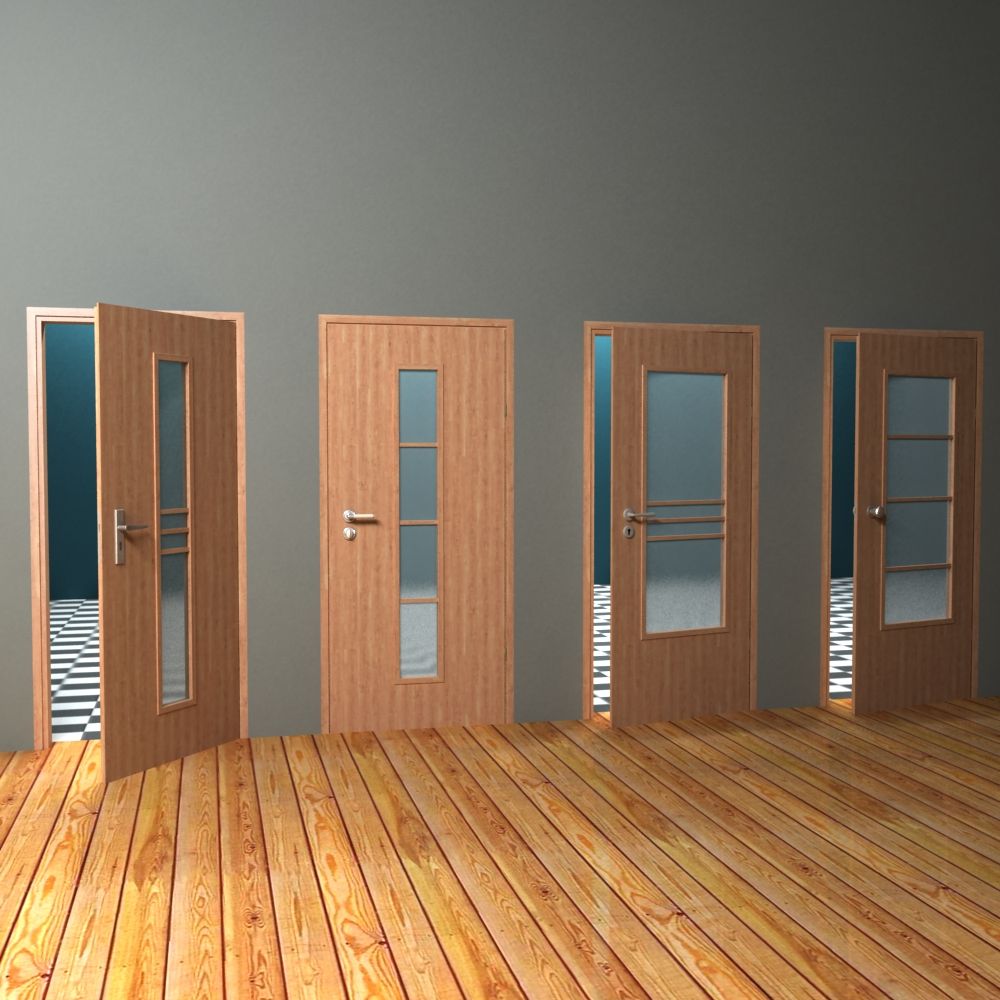
Interior door collection
General Description:
37 Panels + 50 Textures + 10 Handles + 8 Frames + 9 Sashes
Product Specifications:
All objects are exported in 3ds, fbx,dgw and obj
You can choose from 37 different panels with low poly count (between 100 and 800), 50 HQ textures (1600 x 700 p) and 10 different handles to create your desired door.
If you want to add some complexity to the door make sure you add a frame and/or sashes.
-The handles are all collapsed and linked to the door. They have between 2650 and 8200 polygons (depending on their complexity)
-The default frame has a depth of 150 mm but can be easily changed if necesary.
-The door has the pivot well placed and it"s ready to use for animations.
-The frame and the door have UV"s coordinates applied to them so you can easily switch between textures.
-The overall dimension of a door is : 2165x1030x150 mm - with panles
2125x950x140 mm - without panels
2115x930x40 mm - the door alone
The panel scene contains materials made for V-Ray and Scanline or you can build your own material using the textures.
If you plan to use several doors in one scene make sure that you check Auto-Rename and Use Scene Materials
------------------------------------------------------------------------------------------------
How to create your custom door:
Select the desired panel to work with (this wil contain the panel, the main frame and a default handle). Merge it with your current scene and make sure that you choose Use Object Material.
If you want to change the door handle, delete the current one and select another handle and merge it into your scene (it will automaticaly be linked to
the door).
To add a sash or a frame just select one and again merge it into your scene.
You can obtain more than 100 diferrent doors like this.
Sep 14, 2018
추가 된 날짜
Sep 09, 2021
마지막 업데이트
리뷰
현재이 제품에 대한 리뷰가 없습니다.
얼음을 깬 첫 번째 사람이되지 않겠습니까?