


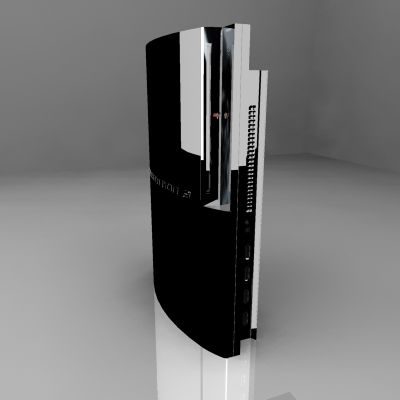
PS3 3D 모델
0




610
방문

에 의해 제출 된
marbortas
명세서
- 기하학unknown
- 다각형0
- 정점들0
- 텍스처No
- 딱딱한No
- 생기 있는No
- 3D 인쇄 가능 준비No
- 게임 준비 (낮은 폴리)No
- UV 매핑 됨No
- 포장되지 않은 자외선unknown
기술
PS3 an absolutely great model at a reasonable price with high textures and great bump maps.
This Maya model is made out of polygons with very good bump maps for faster render.
DIRECTIONS FOR BEGINNERS:
If coming across problems like not finding some textures, its easy all textures are kept in source images folder.
For best results extract it first, then copy or drag the WORK folder in your Local Disk , the project will find everything without problems.
For BLACK or WITH PS3 try black or white background in the PERSPECTIVE VIEW,
Go to Attribute Editor, find Environment bellow Output Settings and change the color there, that’s changing the model"s color because its very reflective but if you don’t want that you can turn down reflectivity and have only a black PS3, its original color.
This is been used in TV commercials and works brilliant,its amazing how much you can achieve with this model.
If having any problems contact me on my email even for tips and tricks.
ENJOY !!!!!!
Apr 24, 2018
추가 된 날짜
Oct 06, 2022
마지막 업데이트
리뷰
현재이 제품에 대한 리뷰가 없습니다.
얼음을 깬 첫 번째 사람이되지 않겠습니까?