




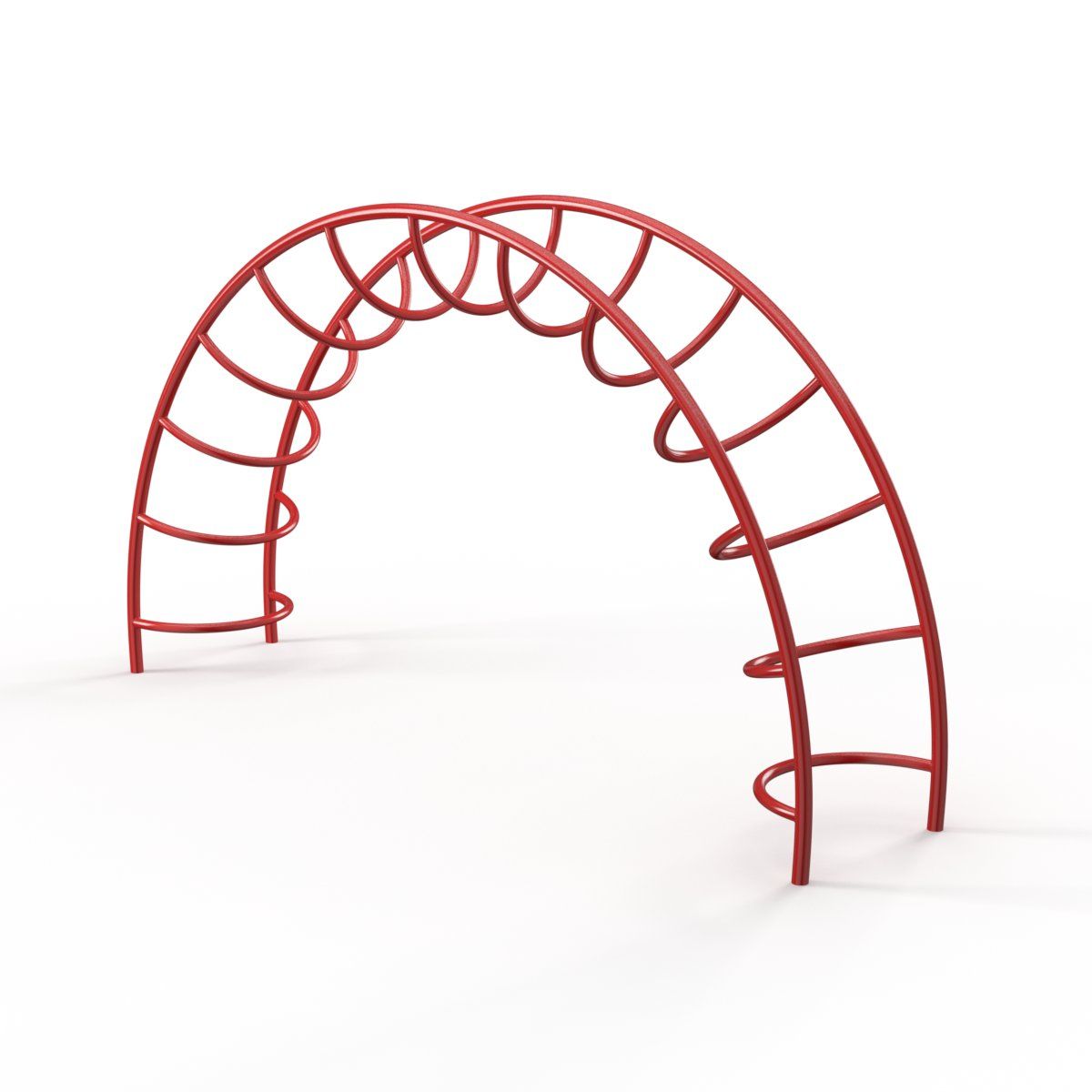

놀이터 레인보우 등산 3D 모델
0


32
방문

에 의해 제출 된
Monaco Felice
명세서
- 기하학polygonal_quads only
- 다각형10,560
- 정점들12,376
- 텍스처No
- 딱딱한No
- 생기 있는No
- 3D 인쇄 가능 준비No
- 게임 준비 (낮은 폴리)No
- UV 매핑 됨Yes
- 포장되지 않은 자외선none
기술
High quality and detailed 3D model of a Rainbow Climber for Playground.
But thus 3D model can also be easily converted into a Low Poly!
_______________________________________
3D model has a very good quality and can be used in the near foreshortenings and for panoramic 3D visualizations (level of detail is very easily controlled by a simple connecting or disconnecting modifier TurboSmooth)
I wanted to create a very high quality and highly detailed model, so I decided to also simulate the welding seams on the pipe joints. But if you do not need such high detail and you would like to reduce the number of polygons, then you can easily do this by simply selecting welding seams as 'Elements' and hide or delete them.
Likewise, the model can easily be converted to a Low Poly - because of the very good surface quality and following edges, just select and delete unnecessary Loop Edges.
With this you get quality Low Poly model, which can be used in large-scale scenes!
Duplicate items are made as instances, which makes the model even more easy and convenient for editing and use in large scenes.
_______________________________________
Model in the format 3ds Max has shaded for V-Ray and ready to render.
Model in the format MODO has materials and ready to render.
Model in FBX format was saved with support TurboSmooth modifier.
Model in OBJ format was saved as original geometry without subdivision.
_______________________________________
3D model created in real units (mm).
Sep 24, 2019
추가 된 날짜
Aug 28, 2025
마지막 업데이트
리뷰
현재이 제품에 대한 리뷰가 없습니다.
얼음을 깬 첫 번째 사람이되지 않겠습니까?