


Brandkraan Game Prop 3d model
0


Royalty-vrije LicentieAlle uitgebreide toepassingen
Eenvoudig rendement
Beste prijsgarantie
Werkt uit de doos
1,766
bezoeken

Ingezonden door
cybog
bestek
- Geometriepolygonal
- polygonen960
- hoekpunten1,188
- texturesYes
- opgetuigdNo
- AnimatedNo
- Geschikt voor 3D-afdrukNo
- Game Ready (laag poly)No
- UV-gemappedYes
- Onverpakte UV'soverlapping
Omschrijving
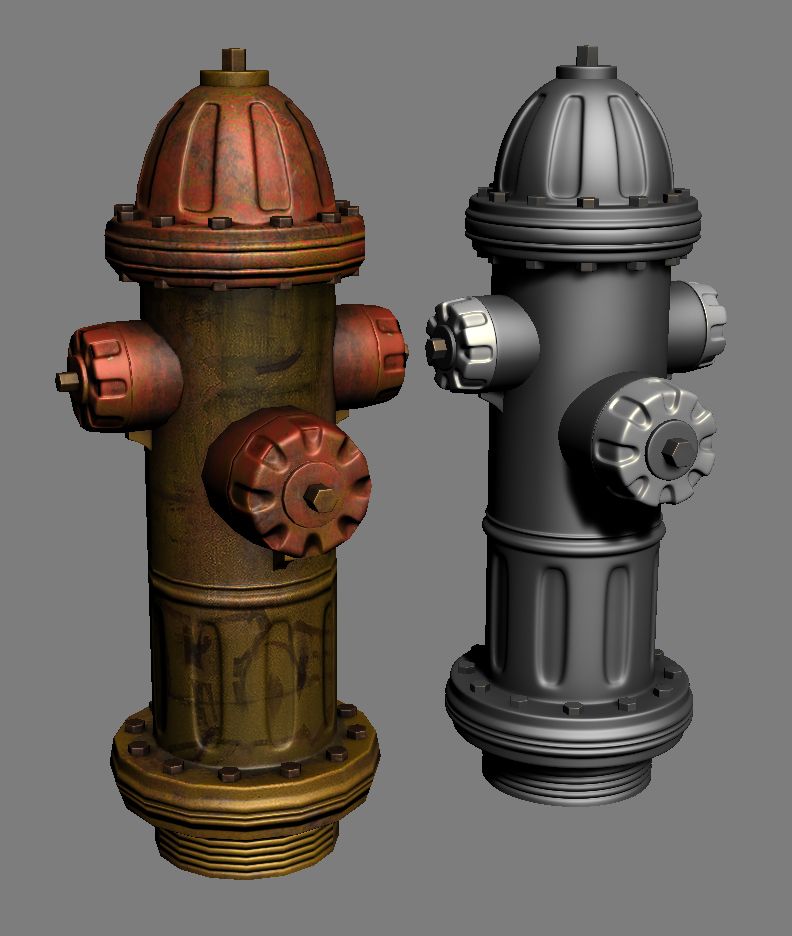
Low and High poly Fire Hydrant!
The high poly fire hydrant used to create the normal map is included, and the low poly is ready for in-game use!
All screenshots above are taken in real-time from the 3dsMax viewport. The low poly is UVW unwrapped with clean UVs.
Also included - High resolution 1024 .tga Diffuse, Spec, and Normal maps, as well as the uncollapsed .PSD file! The .PSD is well organized with accurate descriptions of the texture painting, as well as a lot of usages of layer masks to allow for quick alterations to color, saturation, etc. (See screenshot above!)
Created with 3dsMax 2011,and the download includes .FBX and .OBJ versions of the low poly as well.
These objects were created using 3dsMax"s "Project File" for clean organization of the scene. (Don"t dig for textures!) To utilize this, simply set your project folder first, then open the scene and everything will line up correctly.
The uncompressed .PSD file can be found in the following folder:
FireHydrant_ProjectFolder\sceneassets\images
Mar 13, 2018
Datum toegevoegd
Jan 26, 2022
laatste update
beoordelingen
Er zijn momenteel geen beoordelingen voor dit product.
Waarom niet de eerste zijn om het ijs te breken?