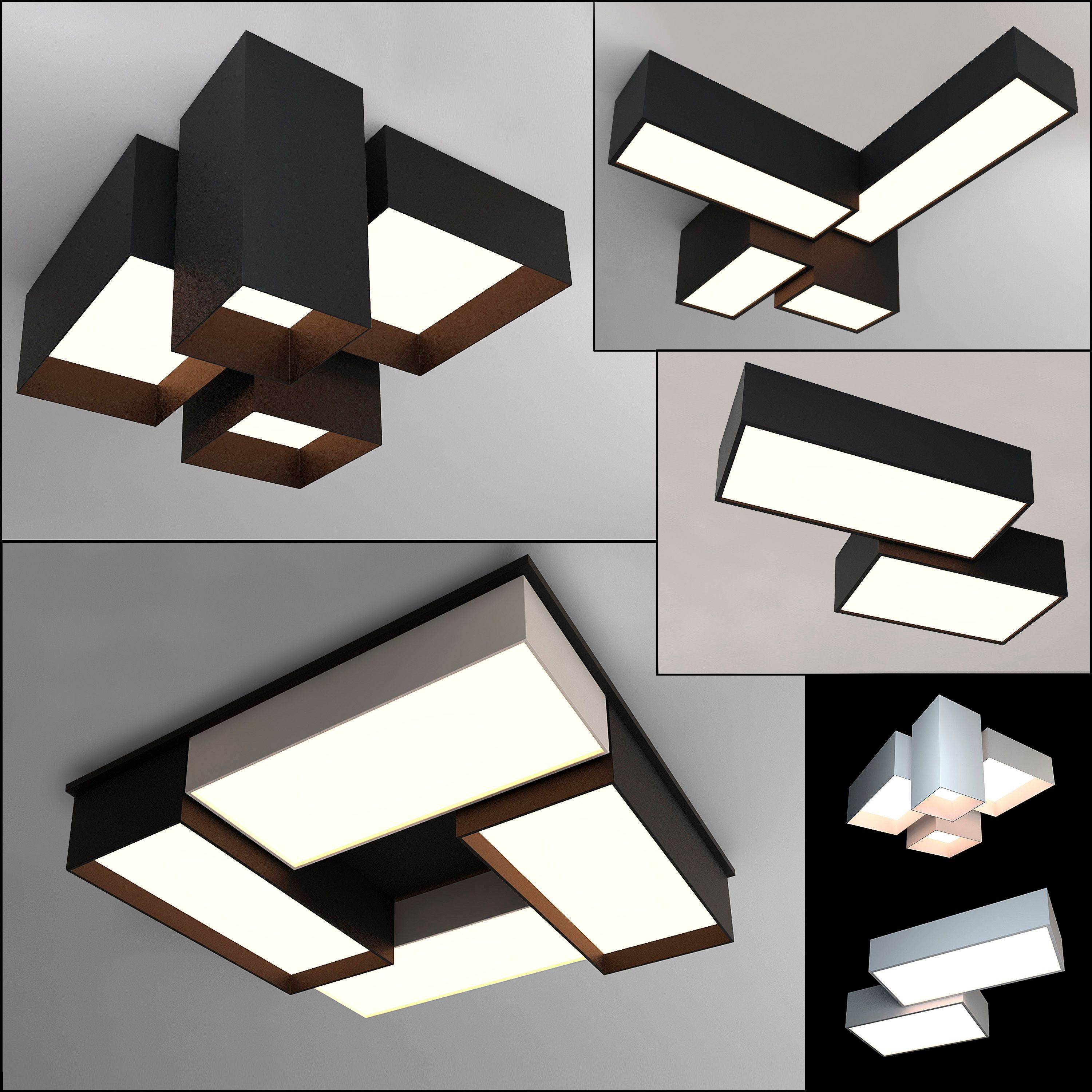




Luminária 08 Modelo 3D
0


Licença isenta de direitosTodos os usos estendidos
Retornos simples
Melhor Preço Garantido
Trabalha fora da caixa
22
visitas

Enviado por
Luchador
Especificações
- Geometriapolygonal_quads/tris
- Polígonos501
- Vértices545
- TexturasYes
- RiggedNo
- AnimadoNo
- Pronto para impressão em 3DNo
- Jogo pronto (baixo poli)No
- Mapeado por UVYes
- UVs não enroladosnon-overlapping
Descrição
Light Fixture 08 is a high quality, low poly asset originally modeled in 3DS Max 2016. The normal map was baked from a high poly model, making this product look very detailed without using many polygons. This product is intended for game/real time/background use. This model is not intended for subdivision.
The main renders and wireframes were done in Marmoset Toolbag 2. Default renders in 3ds Max will NOT look like the preview images. The Marmoset scenes for the renders and wireframes ARE included with the model.
||SPECS||
Low Poly Model (1 Object)
-lightfixture08
|| Geometry ||
978 Total Tris
501 Total Polys
545 Total Verts
Polygons are all quads or tris, no n-gons
Model unwrapped manually to make most efficient use of the UV space.
All materials and objects named appropriately
Scaled to approximate real world size (inches)
Dimensions: 25'' x 25 '' x 32 ''
Tested in Marmoset Toolbag 2 (see renders)
Tested in Source Engine
Tested in Unreal Engine 4
No special plug-ins needed to use this product
.obj and .fbx versions exported from 3ds Max 2016
|| Textures ||
1024x1024 diffuse, roughness, metalness, emissive, normal and AO (ambient occlusion) maps
Textures designed for physically based rendering (PBR)
Textures in .tga format
Model texture paths are stripped
This texture was made with Substance Painter. The Substance Painter file is available as a separate download upon purchase.
Final adjustments made in Photoshop. .psd file also included.
|| Bonus ||
The high poly model used to bake the texture maps is also included as a separate download upon purchase of this product.
* Unfortunately there's no universal standard for normal map orientation between game engines. If the normals don't look correct try inverting the green channel of the normal map in an image editor. Unreal Engine 4 and Source Engine will need the green channel inverted.
Oct 01, 2019
data adicionada
Feb 27, 2022
última atualização
Rever
Atualmente não há comentários para este produto.
Por que não ser o primeiro a quebrar o gelo?


