-->
ArkitekturFordonTeckenFlygplanMöbelElektronikDjurVäxterVapenSporterMatAnatomi
bokmärkt
Bokmärke borttagen

Dörr 022 3D-modell

0
Dörr 022 royalty-free 3d model - Preview no. 1
Dörr 022 royalty-free 3d model - Preview no. 2
Dörr 022 royalty-free 3d model - Preview no. 3
Dörr 022 royalty-free 3d model - Preview no. 4
Dörr 022 royalty-free 3d model - Preview no. 5
Dörr 022 royalty-free 3d model - Preview no. 6
Dörr 022 royalty-free 3d model - Preview no. 7
Dörr 022 royalty-free 3d model - Preview no. 1
Dörr 022 royalty-free 3d model - Preview no. 2
Dörr 022 royalty-free 3d model - Preview no. 3
Dörr 022 royalty-free 3d model - Preview no. 4
Dörr 022 royalty-free 3d model - Preview no. 5
Dörr 022 royalty-free 3d model - Preview no. 6
Dörr 022 royalty-free 3d model - Preview no. 7
Royaltyfria LicensAlla utökade användningsområden
Enkel retur
Bästa prisgaranti
Fungerar ur lådan
42 besök
Runnriot

Specifikationer

  • Geometripolygonal
  • polygoner7,735
  • hörn8,829
  • strukturerNo
  • riggadeNo
  • AnimeradNo
  • 3D Printable ReadyNo
  • Spelklar (låg poly)No
  • UV MappadYes
  • Unwrapped UVsnone

Formater och filer

3DS
(.3ds)

Door-022.3DS
AutoCAD
(.dwg)

Door-022.DWG
FBX
(.fbx)

Door-022.FBX
3ds Max
(.max)
1 MB

vray 3.00.07
Door-022.max
OBJ
(.obj)

Door-022.obj
(.wire)
1 MB

Door-022_MAX 2012.max
Vue
(.vue)
1 MB

Door-022_MAX 2014.max
Vue

Door-022.mtl
(.gltf)

4184-gltf-extended.gltf.zip
(.gltf)

4184-gltf-extended.glb
(.gltf)

4184-gltf_ktx2_draco_optimized-extended.gltf.zip
(.gltf)

4184-gltf_ktx2_draco_optimized-extended.glb
3ds Max
(.max)
1 MB

4184-max-extended.max.zip
(.usdz)
1 MB

4184-usdz-extended.usdz

Beskrivning

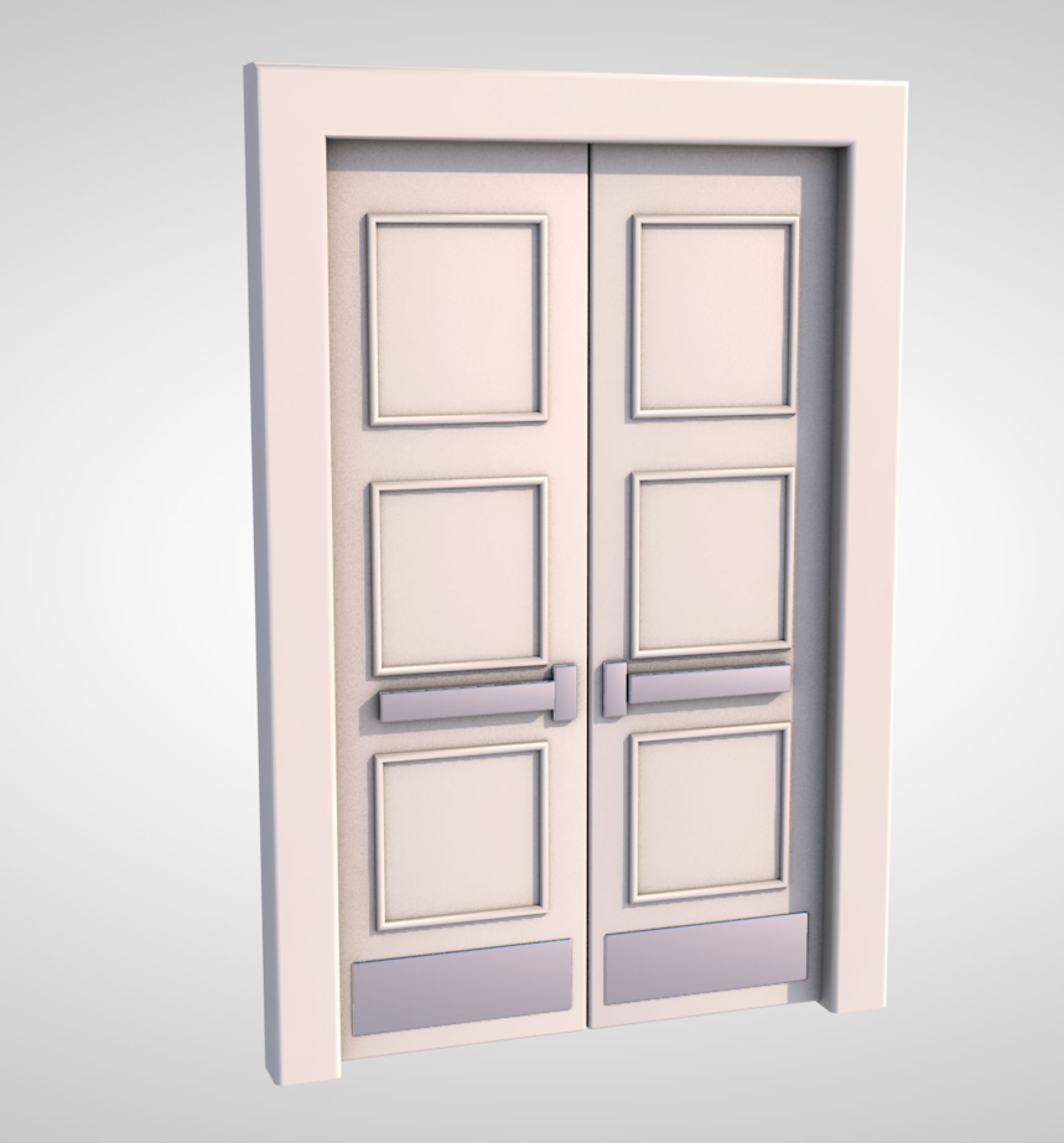
High Detail 3d Model of a modern White Door With Black Accent Stripe Reflection on door may have to be adjusted based on scene Door is Rigged Pivot to Rotate on Hinges so you can render it open and closed. -Modeled in 3ds Max 2015, rendered in Vray -Modeled to Scale and Dimensions- 34' W x 86' H, can easily be adjusted for different dimensions. -Hinges, Door lever,strike plates,threshold included. -Ready for Close up -Object is Grouped into one group-Frame with Hinges & Door with hinges and hardware. -Set to 0,0,0 Axis and grouped for easy scene movement. -To render door in open position open group, click on door, rotate to desired position. Door Pivot is set to Hinges. If pivot gets reset go to 'Hierarchy' tab, click on 'Affect Pivot Point' and move the pivot to the center of the hinge, another trick if its temporarily reset is to hit affect pivot point, hit the rotate button and then click out of the pivot. Happy Modelling, Enjoy!
Oct 02, 2019 datum tillagt
Oct 22, 2021 senaste uppdateringen

recensioner

Det finns för tillfället inga recensioner för denna produkt.
Varför inte vara den första som bryter isen?