-->
MimariAraçlarKarakterlerUçakMobilyaElektronikHayvanlarBitkilerSilahlarSpor DallarıGıdaAnatomi
Yer işareti
Yer imi kaldırıldı

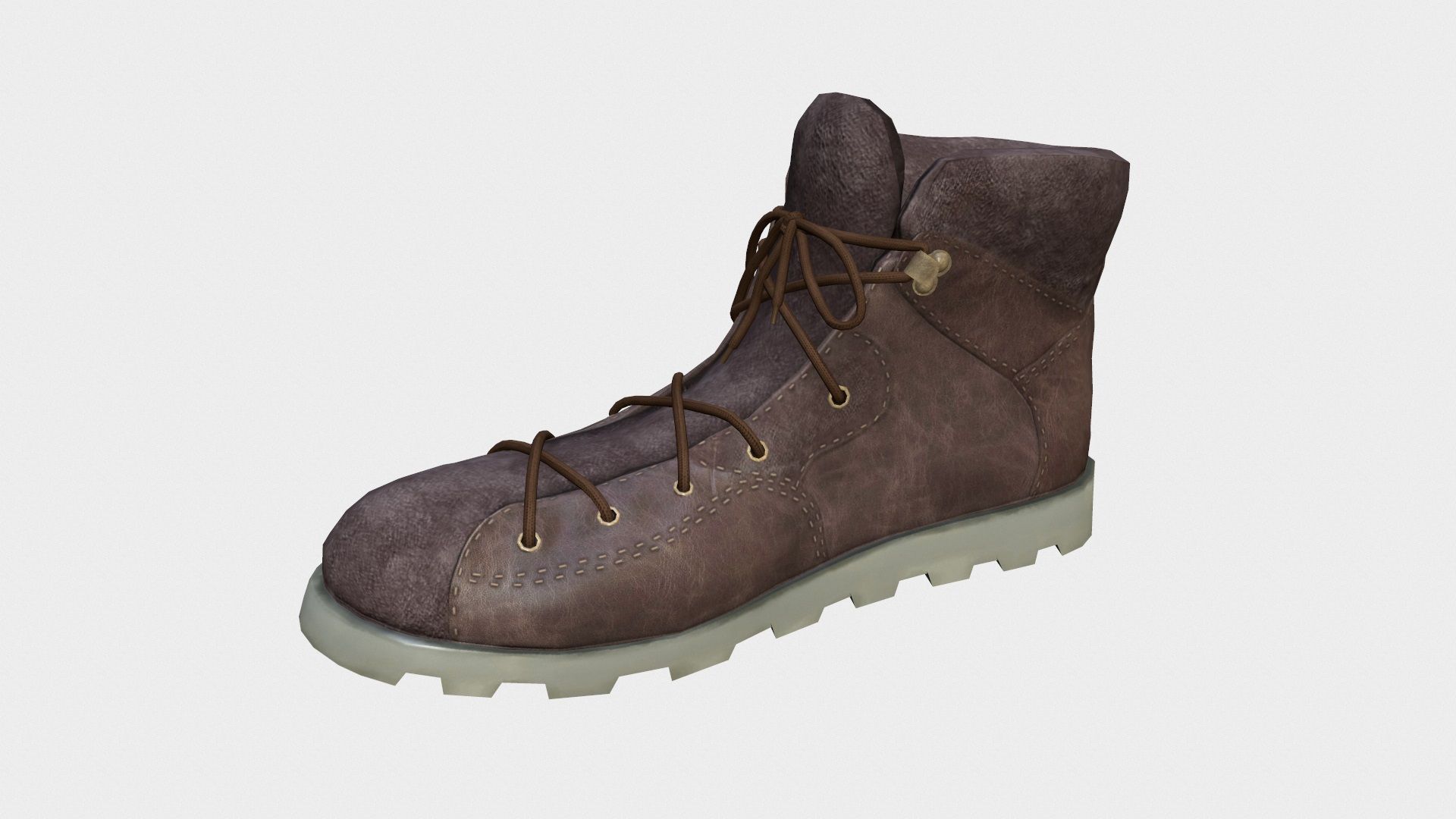
mans boot 2 3D model

0
mans boot 2 royalty-free 3d model - Preview no. 1
mans boot 2 royalty-free 3d model - Preview no. 2
mans boot 2 royalty-free 3d model - Preview no. 3
mans boot 2 royalty-free 3d model - Preview no. 4
mans boot 2 royalty-free 3d model - Preview no. 5
mans boot 2 royalty-free 3d model - Preview no. 6
mans boot 2 royalty-free 3d model - Preview no. 7
mans boot 2 royalty-free 3d model - Preview no. 8
mans boot 2 royalty-free 3d model - Preview no. 9
mans boot 2 royalty-free 3d model - Preview no. 1
mans boot 2 royalty-free 3d model - Preview no. 2
mans boot 2 royalty-free 3d model - Preview no. 3
mans boot 2 royalty-free 3d model - Preview no. 4
mans boot 2 royalty-free 3d model - Preview no. 5
mans boot 2 royalty-free 3d model - Preview no. 6
mans boot 2 royalty-free 3d model - Preview no. 7
mans boot 2 royalty-free 3d model - Preview no. 8
mans boot 2 royalty-free 3d model - Preview no. 9
Royalty Free LisansSadece editoryal
Basit iadeler
En iyi fiyat garantisi
Kutunun dışında çalışır
40 ziyaret
perfect wirefly

Özellikler

  • Geometripolygonal
  • Çokgenler10,000
  • Tepe Noktaları10,000
  • DokularYes
  • hileliNo
  • canlandırılmışNo
  • 3D Yazdırılabilir HazırNo
  • Oyuna Hazır (düşük poli)No
  • UV HaritalıYes
  • Sarılmamış UV'lernon-overlapping

Biçimler ve Dosyalar

3DS
(.3ds)

manxboot-3ds.3DS
3ds Max
(.max)
3 MB

default_scanline
mansboot2-max2011.max
Shockwave 3D
(.w3d)

mamxboot-w3d.W3D
FBX
(.fbx)

mansboot-fbx.FBX
OBJ
(.obj)
2 MB

R1.obj
Collada
(.dae)
4 MB

L.dae
Collada
(.dae)
4 MB

R.dae
Collada

UV-alpha bg.png
Collada

UV-black bg.jpg
Collada

texture sample.jpg
Collada

UV-black bg.jpg
Collada

baked texture.jpg

Açıklama

manxboot 2 non-rigged fit second life,you could use it in another world,like inworldz etc. and you can't sell it any lower than 20% of it's price on second life marketplace. 1. High quality polygonal model 2. Model resolutions are optimized for polygon efficiency(in 3DS MAX the meshsmooth function can be used to increase mesh resolution if necessary). 3. all maps inside 4. Max models grouped for easy selection & objects are logically named for ease of scene management. 5. No cleaning up necessary, just drop model into your scene and start rendering. 6. No special plugin needed to open scene.
Sep 30, 2019 Ekleme Tarihi
Dec 07, 2021 son Güncelleme

Yorumlar

Bu ürün için henüz hiç yorum yapılmamış.
Neden buzu kıran ilk kişi değilsin?