


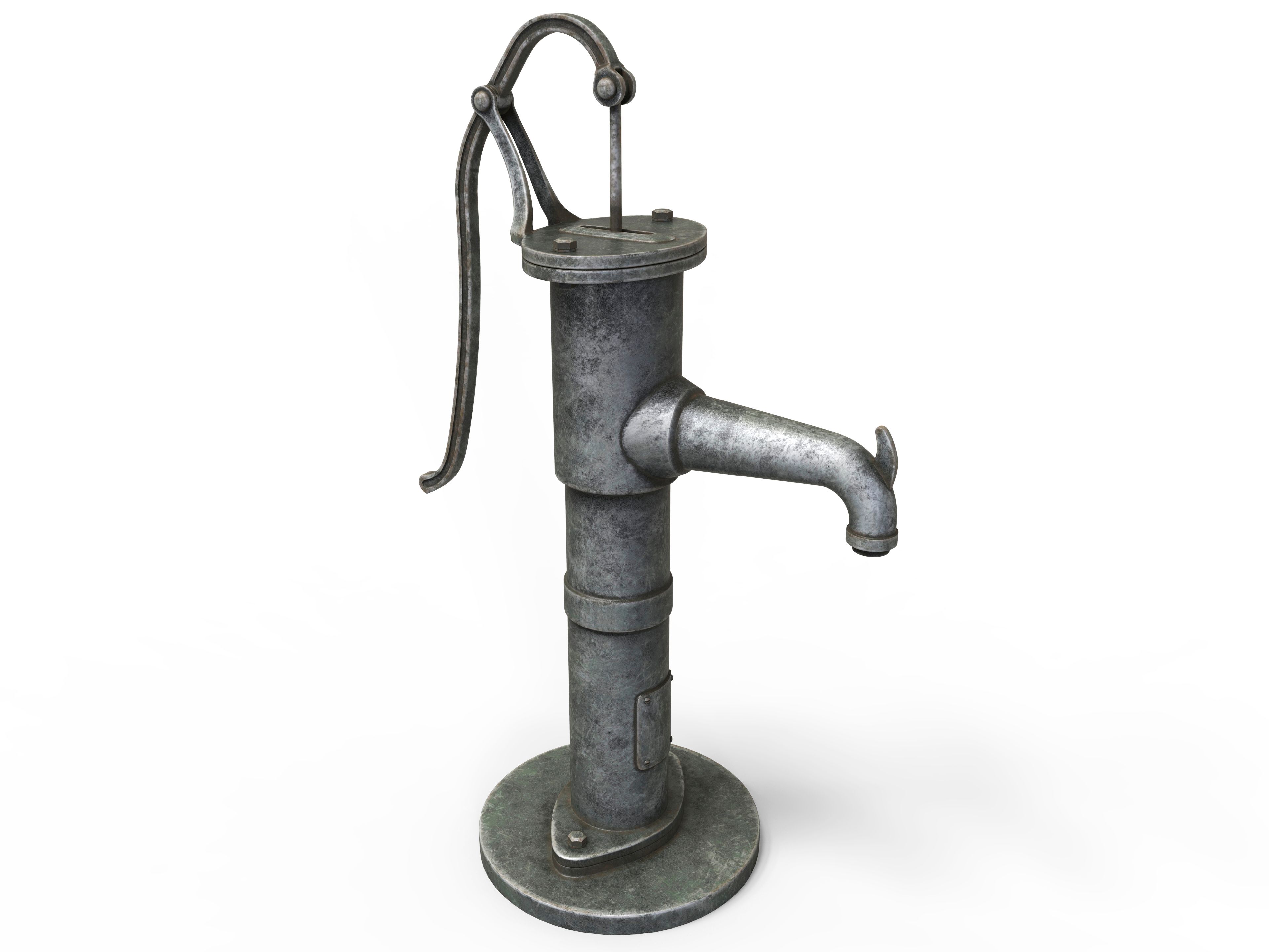


古董手动水泵 3D模型
0


0
访问量

提交者
yiomultimedia
规格
- 几何polygonal_quads/tris
- 多边形20,088
- 顶点20,108
- 纹理Yes
- 索具化Yes
- 动画Yes
- 适合3D打印No
- 适合游戏(低多边形)No
- UV映射Yes
- 未封装UVnon-overlapping
描述
An antique hand water pump, rigged and animated, subdividable.
Geometry/Mesh topology made of quads and tris (99.49% quads).
Units: cm
Real world scale: Width = 20.155 cm , Height = 139.896 cm , Depth = 100.249 cm
Originally created in Maya 2013. Tested in 3Ds max 2014 and Cinema 4D R15.
By smoothing it to a subdivision level of 2 you get a high level of details on close ups.
Preview images were rendered in Maya using Mentalray at different levels of smoothing.
Two different groups of texture/bump/specular/UV maps, one for the painted parts, the other for nuts, bolts threads and tap handle.
Two UV snapshots (.png) are provided as additional/supporting items (Accompanying Product Files / Other files) for easy texture editing (they are not included in the rar files, you have to download them separately).
Textures maps / resolution / description / Maya name:
Antique_Hand_Water_Pump_0001-bump-painted.jpg / 4096x4096 / Bump map for the green painted parts / Water_Pump_mat->Painted_Bump
Antique_Hand_Water_Pump_0001-bump-silvery.jpg / 4096x4096 / Bump map for the silvery parts (nuts, bolts, threads and tap handle) / Bolts_mat->Silvery_Bump
Antique_Hand_Water_Pump_0001-color-painted.jpg / 4096x4096 / Color o diffuse map for the green painted parts / Water_Pump_mat-> Painted_Color
Antique_Hand_Water_Pump_0001-color-silvery.jpg / 4096x4096 / Color o diffuse map for the silvery parts (nuts, bolts, threads and tap handle) / Bolts_mat->Silvery_Color
Antique_Hand_Water_Pump_0001-spec-painted.jpg / 4096x4096 / Specular color map for the green painted parts / Water_Pump_mat-> Painted_Specular
Antique_Hand_Water_Pump_0001-spec-silvery.jpg / 4096x4096 / Specular color map for the silvery parts (nuts, bolts, threads and tap handle) / Bolts_mat->Silvery_Specular
Subdivision/Smoothing:
This object needs at least one level of smoothing, two levels for close ups.
Maya: If needed select the whole object and hit 3 key. For close ups is recommended to perform 2 times the smooth command at Polygons menu set -> Mesh -> Smooth at its default settings (Division levels = 1) or in one single operation setting
Division levels to 2 or 3.
3ds max: The .max file objects have been already smoothed with Turbosmooth at level 2 (each geometry part has a Turbosmooth modifier)
C4D: There is a Subdivision Surface object named Smooth at the top of the objects groups with its Attributes set to Subdivision Editor = 2, Subdivision Render = 4, Subdivide UVs = boundary
Selecting/moving:
Since this object is animated you must select it properly to avoid separating parts of the object or its controllers.
If you import the object into your own scene, just select the layer/group created while importing/inserting.
If you work within the original file do as follows.
In Maya select the group node called Antique_Hand_Water_Pump_0001
In 3ds max select the group/dummy called Antique_Hand_Water_Pump_0001 or go to Manage Layers and select the layer 0 or the layer called Antique_Hand_Water_Pump_0001
In C4D you must select the parent object named Antique_Hand_Water_Pump_0001 or right click the Layer with the same name -> Select from Layer
All of them includes the controller object called ikHandle_Pumping that moves the water pump mechanism.
Animation: In order to pump you have to shift up and down the Translate Y (Z Position in 3Ds max) of ikHandle_Pumping node/object.
The actual animation is set to pump twice from frame 1 to frame 72 (keys are set at frames 1, 19, 37, 55, 73)
Nov 30, 2019
添加日期
Oct 01, 2022
最后更新
评测
此产品当前没有评测。
为什么不做第一个评测者呢?