







台灯 3D模型
0


0
访问量

提交者
3DVoid
规格
- 几何polygonal
- 多边形3,725
- 顶点4,038
- 纹理Yes
- 索具化No
- 动画No
- 适合3D打印No
- 适合游戏(低多边形)No
- UV映射Yes
- 未封装UVnon-overlapping
描述
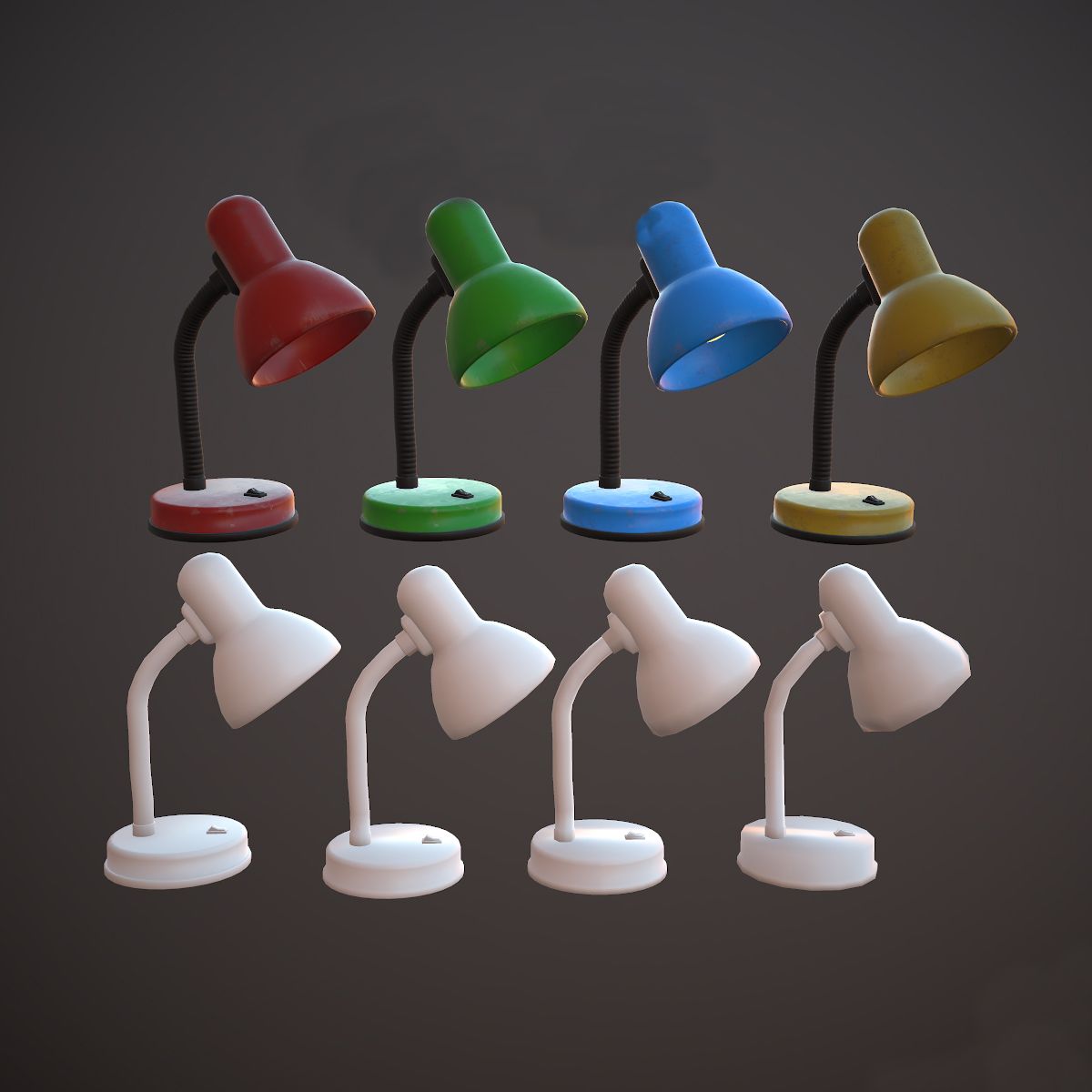
Desk Lamp - PBR, Low poly - game ready.
Made in Blender, textured in Substance Painter and Rendered in Marmoset Toolbag 3
Lamp as a model contains 2 meshes: Lamp and lightbulb, this is done for easier material manipulation Lamp has 4 colors and lighbulb has emissive yellow (for when its turned on) or light blue base color (for when its turned off)
Contains: 3 main texture maps for Unity, Unreal Engine, and Standard Texture maps and each of these maps contains Base Color folder where you can choose your lamp base color yellow, red, green or blue.
[You have been provided with Substance Painter save file, if you own that piece of software you could change texture properties, eg. more tear and wear or a different color.]
There are 2 main prefabs in .unityasset files: v.1 and v.2 v.1 has high poly mesh: (2.131verts) as starting mesh (LOD0) v.2 has high poly mesh: (1.043verts) as starting mesh (LOD0) wich is LOD1 in v.1
So you have been given 2 mesh starting options.
There is FBX, OBJ and COLLAD map that contains each LOD as a separate file.
Unity Map that contains .unityasset package and three maps: Collad_LOD_READY FBX_LOD_READY OBJ_LOD_READY in these maps you will find two files v.1 and v.2 (what they do is previously mentioned) They are 4 lods exported into one file that can be dragged into Unity and they are automatically set up as lods for you. You can just use .unityasset pack instead, where everything is prepared for you.
At last, there is Unreal Engine map where lods(fbx) are exported and optimized for Unreal Engine. !!BUT I did not set them up in unreal as I did in unity, you will have to do that yourself!!
There are 2 blender files: One source file from where everything is exported another is optimized for Unreal Engine Exporting.
VERTS FACES TRIANGLES
LOD0: 2.131 | 2.008 | 4.120 LOD1: 1.043 | 964 | 1.992 LOD2: 573 | 504 | 1.088
LOD3: 291 | 250 | 528
Texture Size: Lamp-4k | Bulb-2k PNG files(Textures can always be scaled down, in any software if needed) [For texture setup read my short tutorial at the end of this description, or in notepad provided in the texture zip file.]
Real world size: 24x15x32cm System units: centimeters
___________UE4 Textures Setup_______
Import Base color, Normal map and Roughness-AO-Mettalic (all baked into one map) Double click Roughness-AO-Metallic and disable sRGB.
Create Material: Drag these 3 maps into it. Base color and normal map connect to their inputs. [Some of my assets don't have a normal map, so proceed without it]
Set Roughness-AO-Metallic node to linear color (Only works if you turned off sRGB before)
Connect RED channel to AO GREEN to Roughness BLUE to Metallic
That's it.
___________Unity Note_____________ FOR UNITY USE FBX!
For Better results in Unity:
I went to Edit>Project Settings>Player>Other Settings>ColorSpace and set it to Linear.
That's what I did in my Unity photo example.
[Set Normal map texture type in the inspector to normal map and apply]
??You can always message me if you have any questions??
Jun 09, 2020
添加日期
Oct 03, 2022
最后更新
评测
此产品当前没有评测。
为什么不做第一个评测者呢?
