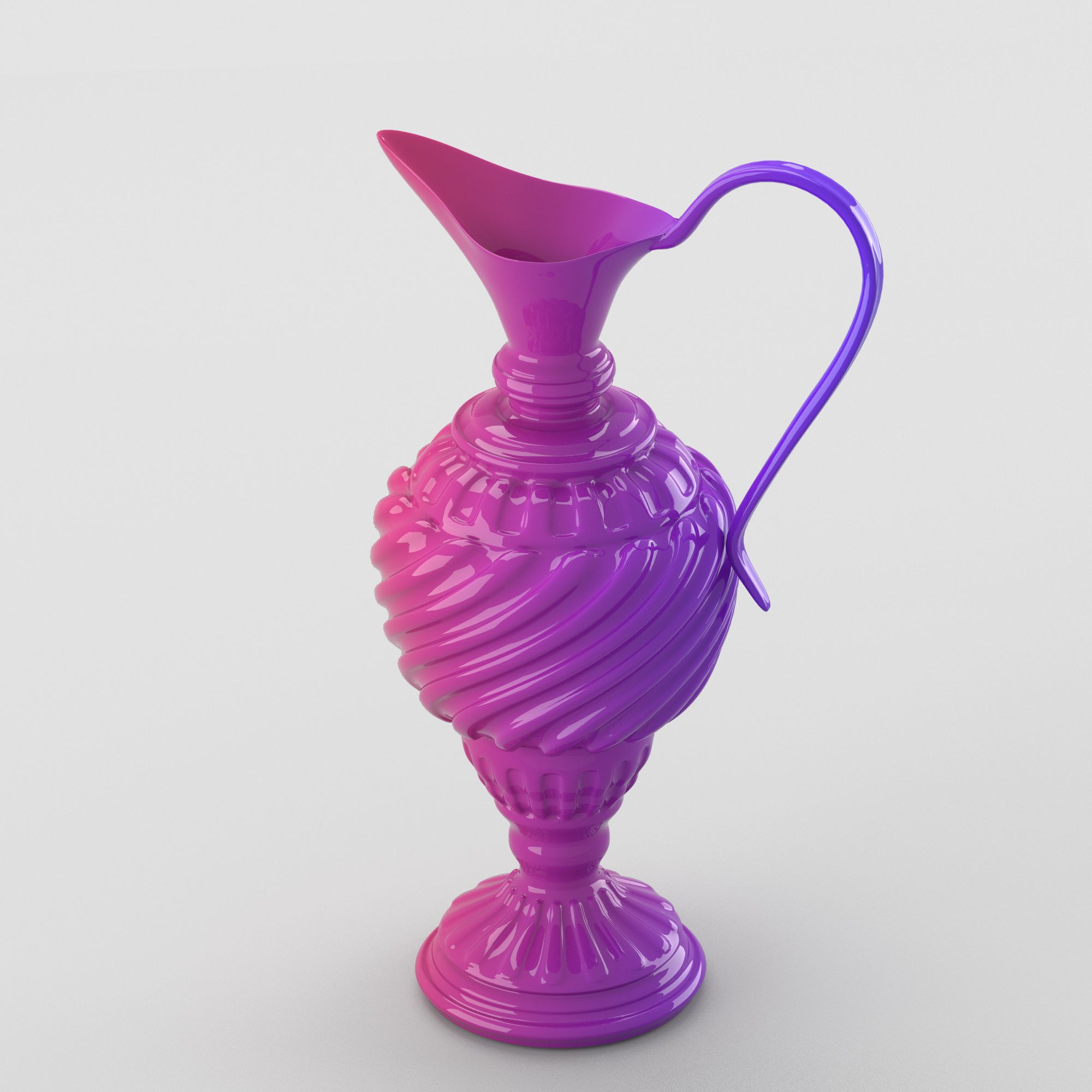





闪亮的装饰罐 3D模型
0


0
访问量

提交者
Deanora
规格
- 几何polygonal
- 多边形32,160
- 顶点32,149
- 纹理No
- 索具化No
- 动画No
- 适合3D打印No
- 适合游戏(低多边形)No
- UV映射Yes
- 未封装UVnone
描述
Shiny decorative jar in green tones.
=====================
Modeled in Blender 2.74.5 with .blend file format. Rendered with Cycles.
Also available in .obj, .fbx, .stl and .dae file formats (which do not include materials and the scene, only the model itself).
=====================
Blender scene (.blend) contains the jar and the scene (three light sources, a camera and a backdrop). The scene is ready for render with materials applied ("F12") .
=====================
Polygon count:
Without scene - 32160 polygons,32149 vertices.
With scene - 32931 polygons,32994 vertices.
This is the 2nd level of subdivision and subdivision modifier is not applied permanently in .blend file.
Other formats (.obj, .fbx, .stl, .dae) include only the model itself without the scene, with subdivision modifier applied to them permanently, with 32160 polygons and 32149 vertices.
=====================
If your graphic card doesn't support CUDA technology and rendering process does not start, please press small button with a picture of camera on the right side of the screen, two lines above selected line with the name of material and then, in "Device" dropdown menu, instead of 'GPU Compute', select CPU.
=====================
Objects and materials are named distinctively so you can apply materials of your choice if needed.
The model is centered and has the appropriate size (23 x 23 x 50 cm//9 x 9 x 20 inches).
=====================
Feel free to contact me if you have any questions, I would be glad to respond.
Thank you for choosing my models!
Deanora.
May 26, 2020
添加日期
Feb 21, 2022
最后更新
评测
此产品当前没有评测。
为什么不做第一个评测者呢?