-->
ArchitectureVehiclesCharactersAircraftFurnitureElectronicsAnimalsPlantsWeaponsSportsFoodAnatomy
Bookmarked
Bookmark removed

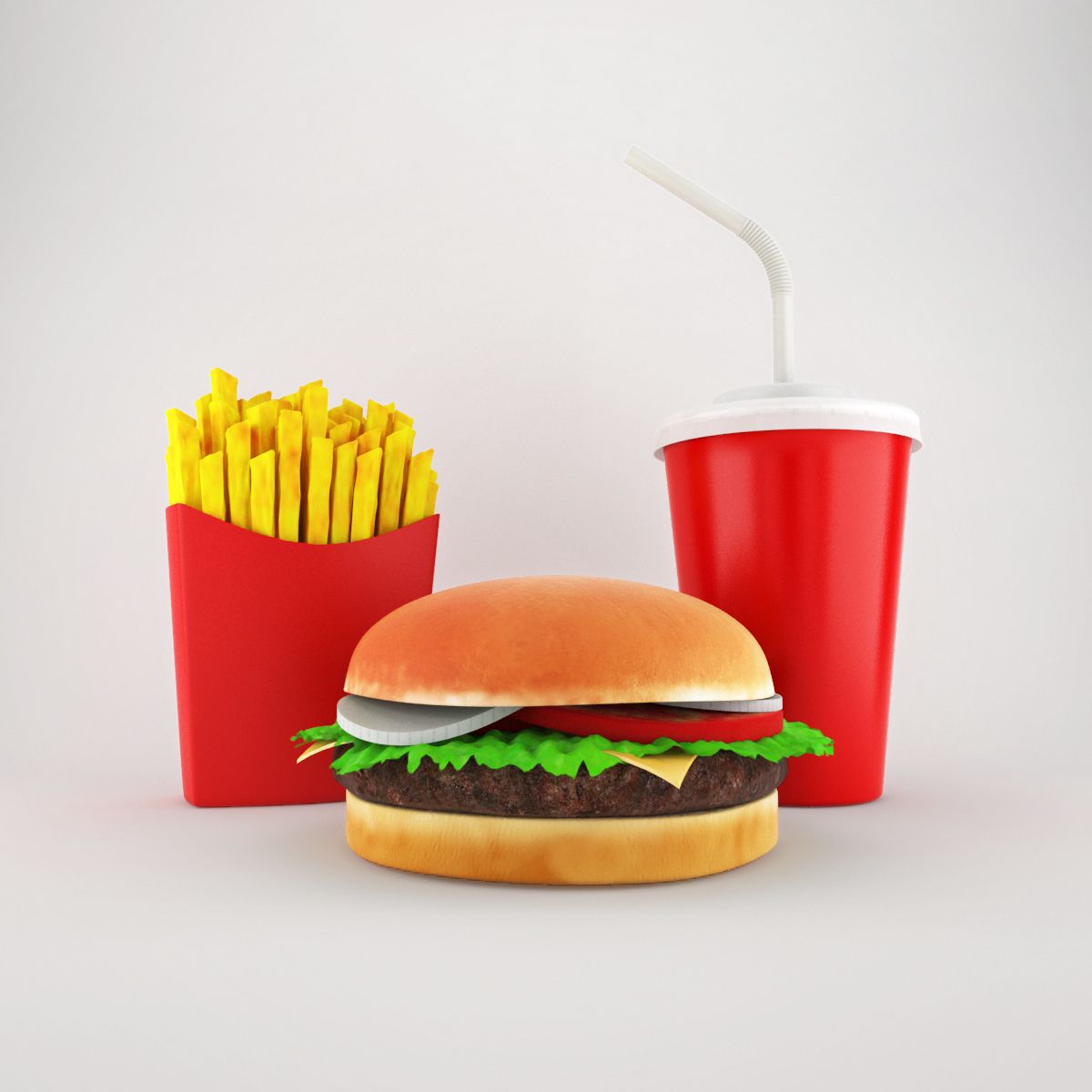
Cheeseburger Menu 3D Model

0
Cheeseburger Menu royalty-free 3d model - Preview no. 1
Cheeseburger Menu royalty-free 3d model - Preview no. 2
Cheeseburger Menu royalty-free 3d model - Preview no. 3
Cheeseburger Menu royalty-free 3d model - Preview no. 4
Cheeseburger Menu royalty-free 3d model - Preview no. 5
Cheeseburger Menu royalty-free 3d model - Preview no. 6
Cheeseburger Menu royalty-free 3d model - Preview no. 7
Cheeseburger Menu royalty-free 3d model - Preview no. 8
Cheeseburger Menu royalty-free 3d model - Preview no. 1
Cheeseburger Menu royalty-free 3d model - Preview no. 2
Cheeseburger Menu royalty-free 3d model - Preview no. 3
Cheeseburger Menu royalty-free 3d model - Preview no. 4
Cheeseburger Menu royalty-free 3d model - Preview no. 5
Cheeseburger Menu royalty-free 3d model - Preview no. 6
Cheeseburger Menu royalty-free 3d model - Preview no. 7
Cheeseburger Menu royalty-free 3d model - Preview no. 8
Royalty Free LicenseAll extended uses
Simple returns
Best Price Guarantee
Works out of the box
0 visits
Lurisay

Specifications

  • Geometrypolygonal
  • Polygons183,504
  • Vertices135,139
  • TexturesYes
  • RiggedNo
  • AnimatedNo
  • 3D Printable ReadyNo
  • Game Ready (low poly)No
  • UV MappedYes
  • Unwrapped UVsnon-overlapping

Formats & Files

3ds Max
(.max)
6 MB

vray 2,4
Hamburger_01.rar
3ds Max
(.max)
2 MB

vray 2,4
Cips_02.rar
3ds Max
(.max)
2 MB

vray 2,4
Cips_01.rar
3ds Max
(.max)

vray 2,4
Breverage_Cup_01.rar

Description

Cheeseburger Menu This 3d models were created to imitate simple cheeseburger, beverage and chips in any 3d scene. All objects in 3d max files has an unique name and individual uniquely named Vray material. All objects were grouped to move and rotate easily. Each group has it is own name. Each object has a clean UVW map. You can easily add your company logo on the beverage cup and chips pack, if you want. Textures used on 3d objects were added in each object's archive file. Object were moved to zero point of virtual viewport. Just import 3d object in to your scene, you will find it easily. Thanks for choosing my 3d model.
Nov 13, 2021 date added
Aug 11, 2025 last update

Reviews

There are currently no reviews for this product.
Why not be the first one to break the ice?