



Machete modelo 3d
0


Licencia Libre de DerechosTodos los usos extendidos
Devoluciones simples
Mejor precio garantizado
Trabaja fuera de la caja
0
visitas

Presentado por
3DVoid
Presupuesto
- Geometríapolygonal
- Poligonos540
- Vértices552
- TexturasYes
- AparejadoNo
- AnimadoNo
- Listo para imprimir en 3DNo
- Juego listo (polietileno baja)No
- Mapeado UVYes
- UV sin envolvernon-overlapping
Descripción
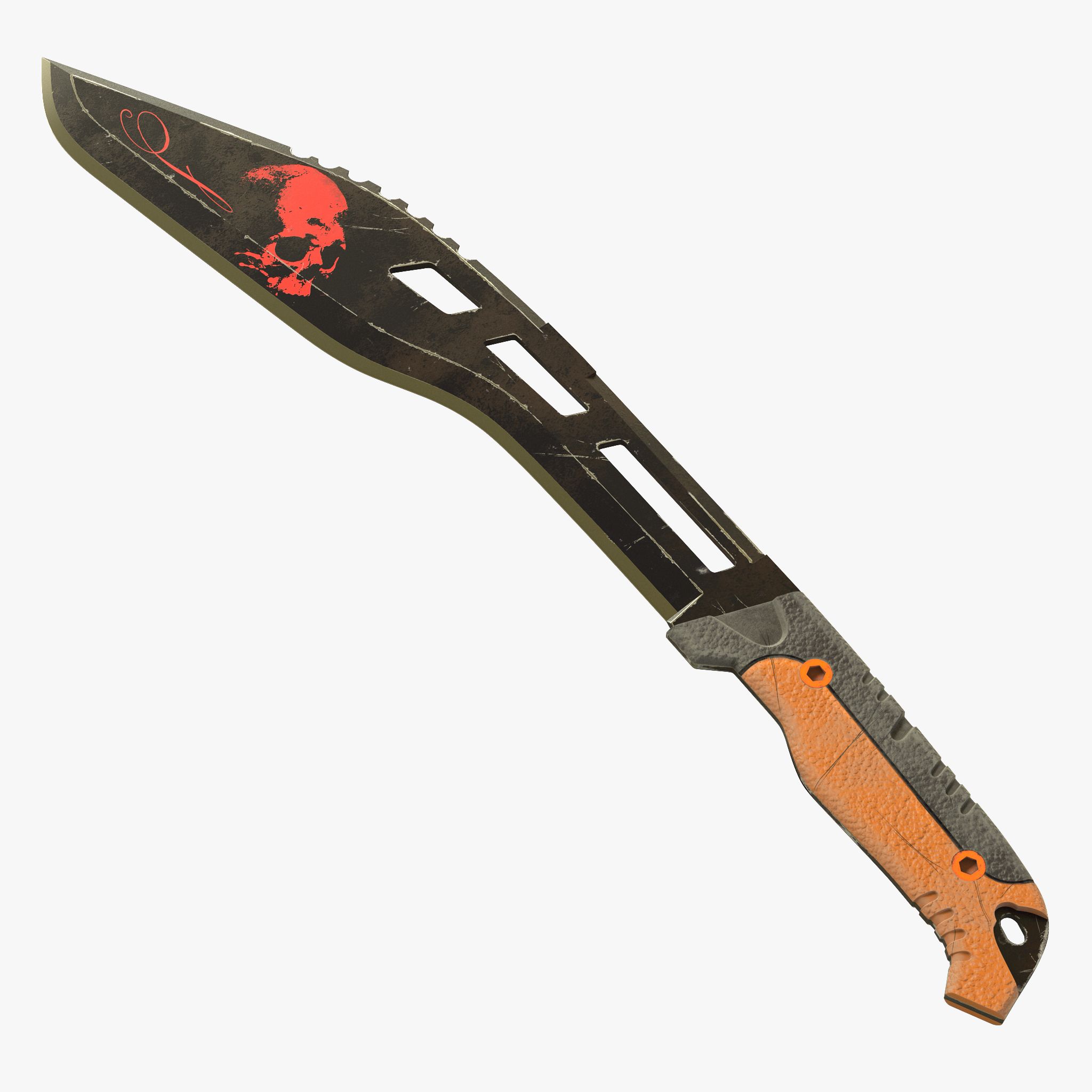
Machete - PBR, Low poly - game ready.
Made in Blender, textured in Substance Painter and Rendered in Marmoset Toolbag 3
Contains: 1 Machete -> 552_verts, 540_faces, 1088_tris
Texture Workflow: Metallic
Texture Sets: Standard, Unity, UE4
Texture Size: 4k, PNG (Textures can always be scaled down, in any software if needed)
[For texture setup read my short tutorial at the end of this description, or in notepad provided in the texture zip file.]
Formats: FBX, OBJ, COLLAD[DAE], BLENDER[ORIGINAL]
System units: centimeters
NOTE: I only provide you with Unity and Unreal Engine Textures and Not project example. You have to Drag in, Textures and file formats into your project yourself.
___________UE4 Textures Setup_______
Import Base color, Normal map and Roughness-AO-Mettalic (all baked into one map) Double click Roughness-AO-Metallic and disable sRGB.
Create Material: Drag these 3 maps into it. Base color and normal map connect to their inputs. [Some of my assets don't have a normal map, so proceed without it]
Set Roughness-AO-Metallic node to linear color (Only works if you turned off sRGB before)
Connect RED channel to AO GREEN to Roughness BLUE to Metallic
That's it.
___________Unity Note_____________
FOR UNITY USE FBX!
For Better results in Unity:
I went to Edit>Project Settings>Player>Other Settings>ColorSpace and set it to Linear.
That's what I did in my Unity photo example.
[Set Normal map texture type in the inspector to normal map and apply]
Jun 09, 2020
Fecha Agregada
Dec 06, 2021
última actualización
Opiniones
Actualmente no hay opiniones para este producto.
¿Por qué no ser el primero en romper el hielo?