-->
ArchitetturaVeicoliPersonaggiAereoMobiliaElettronicaAnimaliPianteArmiGli SportCiboAnatomia
segnalibro
Segnalibro rimosso

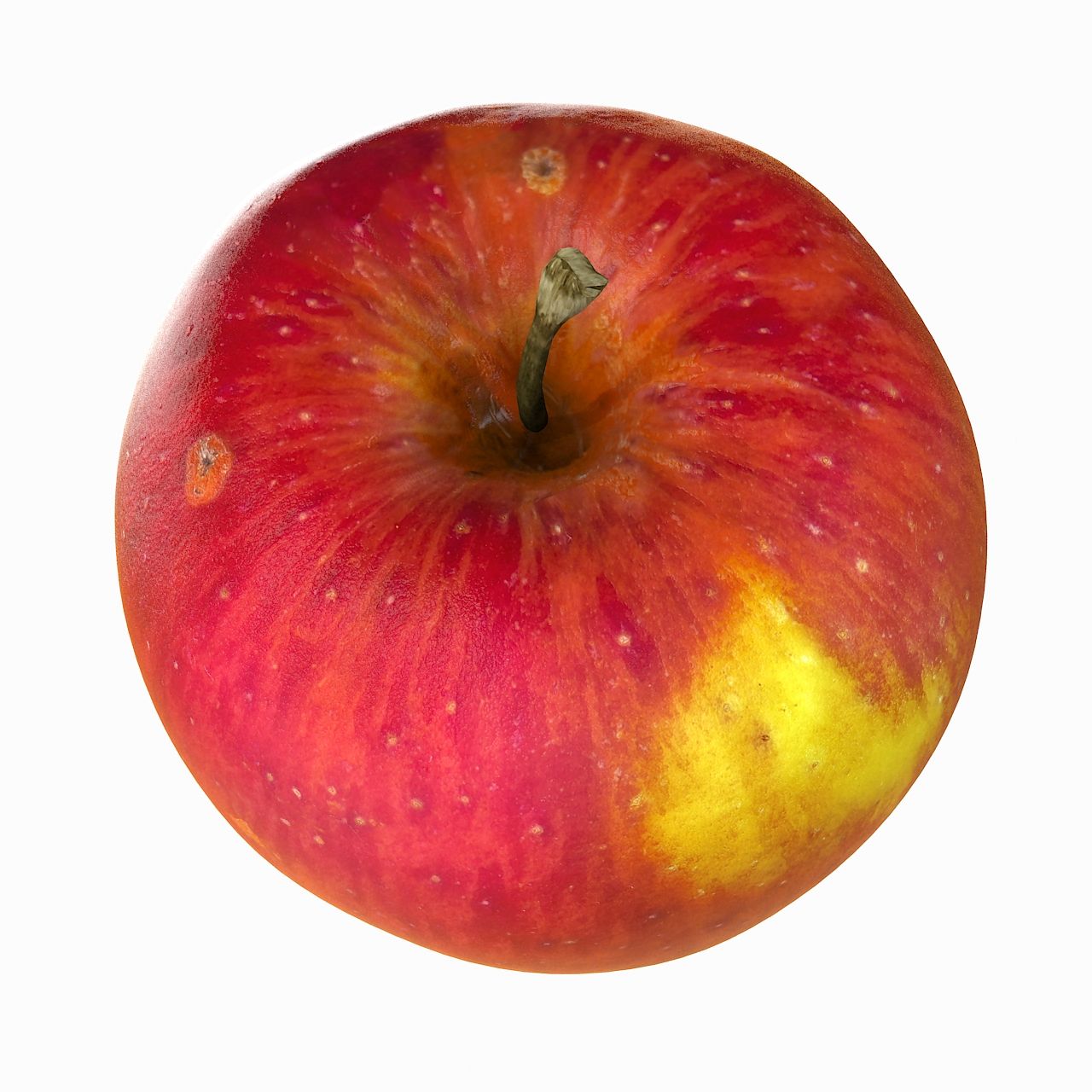
Apple Realistic Red Common (2) Modello 3D

0
Apple Realistic Red Common (2) royalty-free 3d model - Preview no. 1
Apple Realistic Red Common (2) royalty-free 3d model - Preview no. 2
Apple Realistic Red Common (2) royalty-free 3d model - Preview no. 3
Apple Realistic Red Common (2) royalty-free 3d model - Preview no. 4
Apple Realistic Red Common (2) royalty-free 3d model - Preview no. 5
Apple Realistic Red Common (2) royalty-free 3d model - Preview no. 6
Apple Realistic Red Common (2) royalty-free 3d model - Preview no. 7
Apple Realistic Red Common (2) royalty-free 3d model - Preview no. 8
Apple Realistic Red Common (2) royalty-free 3d model - Preview no. 9
Apple Realistic Red Common (2) royalty-free 3d model - Preview no. 10
Apple Realistic Red Common (2) royalty-free 3d model - Preview no. 11
Apple Realistic Red Common (2) royalty-free 3d model - Preview no. 12
Apple Realistic Red Common (2) royalty-free 3d model - Preview no. 13
Apple Realistic Red Common (2) royalty-free 3d model - Preview no. 14
Apple Realistic Red Common (2) royalty-free 3d model - Preview no. 15
Apple Realistic Red Common (2) royalty-free 3d model - Preview no. 16
Apple Realistic Red Common (2) royalty-free 3d model - Preview no. 17
Apple Realistic Red Common (2) royalty-free 3d model - Preview no. 18
Apple Realistic Red Common (2) royalty-free 3d model - Preview no. 19
Apple Realistic Red Common (2) royalty-free 3d model - Preview no. 20
Apple Realistic Red Common (2) royalty-free 3d model - Preview no. 21
Apple Realistic Red Common (2) royalty-free 3d model - Preview no. 22
Apple Realistic Red Common (2) royalty-free 3d model - Preview no. 1
Apple Realistic Red Common (2) royalty-free 3d model - Preview no. 2
Apple Realistic Red Common (2) royalty-free 3d model - Preview no. 3
Apple Realistic Red Common (2) royalty-free 3d model - Preview no. 4
Apple Realistic Red Common (2) royalty-free 3d model - Preview no. 5
Apple Realistic Red Common (2) royalty-free 3d model - Preview no. 6
Apple Realistic Red Common (2) royalty-free 3d model - Preview no. 7
Apple Realistic Red Common (2) royalty-free 3d model - Preview no. 8
Apple Realistic Red Common (2) royalty-free 3d model - Preview no. 9
Apple Realistic Red Common (2) royalty-free 3d model - Preview no. 10
Apple Realistic Red Common (2) royalty-free 3d model - Preview no. 11
Apple Realistic Red Common (2) royalty-free 3d model - Preview no. 12
Apple Realistic Red Common (2) royalty-free 3d model - Preview no. 13
Apple Realistic Red Common (2) royalty-free 3d model - Preview no. 14
Apple Realistic Red Common (2) royalty-free 3d model - Preview no. 15
Apple Realistic Red Common (2) royalty-free 3d model - Preview no. 16
Apple Realistic Red Common (2) royalty-free 3d model - Preview no. 17
Apple Realistic Red Common (2) royalty-free 3d model - Preview no. 18
Apple Realistic Red Common (2) royalty-free 3d model - Preview no. 19
Apple Realistic Red Common (2) royalty-free 3d model - Preview no. 20
Apple Realistic Red Common (2) royalty-free 3d model - Preview no. 21
Apple Realistic Red Common (2) royalty-free 3d model - Preview no. 22
Licenza RoyaltyTutti gli usi estesi
Ritorni semplici
Miglior prezzo garantito
Funziona fuori dalla scatola
828 visite
Litarvan

specificazioni

  • Geometriapolygonal_quads/tris
  • poligoni389
  • vertici275
  • TexturesYes
  • riggedNo
  • AnimatoNo
  • Prontabile in 3DNo
  • Gioco pronto (low poly)No
  • UV mappatoYes
  • UV non avvoltonon-overlapping

Formati e file

3ds Max
(.max)
4 MB

default_scanline
Apple_2009_Standard_max.rar
3ds Max
(.max)
12 MB

vray 2
Apple_2012_V-Ray_max.rar
3DS
(.3ds)

Apple_3ds.rar
FBX
(.fbx)

Apple_fbx.rar
OBJ
(.obj)

Apple_obj.rar
OBJ
102 MB

Apple_TIFFtextures.rar

Descrizione

- V-Ray and standard materials - Hi-Res Realistic product - Compatible with 3ds Max 2009 and higher versions. Maps in max archives: Diffuse 4096*4096px JPG Normals 2048*2048px JPG 32 bit Displacement 8192*8192px exr 16 bit Displacement 2048*2048px jpg These are optimized and are indistinguishable from 8192*8192px TIFFs (which take more RAM during rendering etc.) Nevertheless if you want 100% quality, you can download the separate hires TIFF textures archive, which contains: Diffuse 8192*8192px TIF Normal 8192*8192px TIF Displacement 16bit 8192*8192px TIF Displacement 32bit 8192*8192px EXR (in 2012 version) - Different formats avaiable (max, obj, fbx, 3ds) - Correctly scaled accurate representation of the original object, no additional work needed. If you need just the original mesh without using displacement map during rendering, take the low poly version, subdivide it a couple of times and use the displacement map in 'displace' modifier (in 3ds max) or similiar in other applications, which will deform your mesh in viewport realtime, so you get the original hipoly mesh. You can use it, or use it as proxy or decimated it etc. Objects are in their own layer called '_Merged_Buyed'. No part-name confusion when importing. Centered on 0,0,0.
- V-Ray e materiali standard - Prodotto realistico ad alta risoluzione - Compatibile con 3ds Max 2009 e versioni successive. Mappe in max archivi: Diffuse 4096 * 4096px JPG Normali 2048 * 2048px JPG 32 bit Dislocamento 8192 * 8192px exr 16 bit Displacement 2048 * 2048px jpg Questi sono ottimizzati e non sono distinguibili da 8192 * 8192px TIFF (che richiedono più RAM durante il rendering ecc.) Ciononostante, se si desidera una qualità al 100%, è possibile scaricare l'archivio TIFF delle tratte separate che comprende: Diffuso 8192 * 8192px TIF Normale 8192 * 8192px TIF Dislocamento 16 bit 8192 * 8192px Dislocamento TIF 32 bit 8192 * 8192px EXR (versione 2012) - Diversi formati disponibili (max, obj, fbx, 3ds) - Rappresentazione accurata in scala corretta dell'oggetto originale, senza lavoro aggiuntivo necessario. Se hai bisogno solo della mesh originale senza usare la mappa di spostamento durante il rendering, prendi la versione low poly, suddividila un paio di volte e usa la mappa di spostamento nel modificatore "displace" (in 3ds max) o simile in altre applicazioni, che si deformerà la tua mesh in viewport in tempo reale, in modo da ottenere la mesh Hipoly originale. Puoi usarlo, o usarlo come proxy o decimarlo ecc. Gli oggetti sono nel loro stesso livello chiamato "_Merged_Buyed". Nessuna confusione tra nomi durante l'importazione. Centrato su 0,0,0.
Apr 24, 2018 Data aggiunta
Jun 30, 2023 ultimo aggiornamento

Recensioni

Al momento non ci sono commenti per questo prodotto.
Perché non essere il primo a rompere il ghiaccio?