






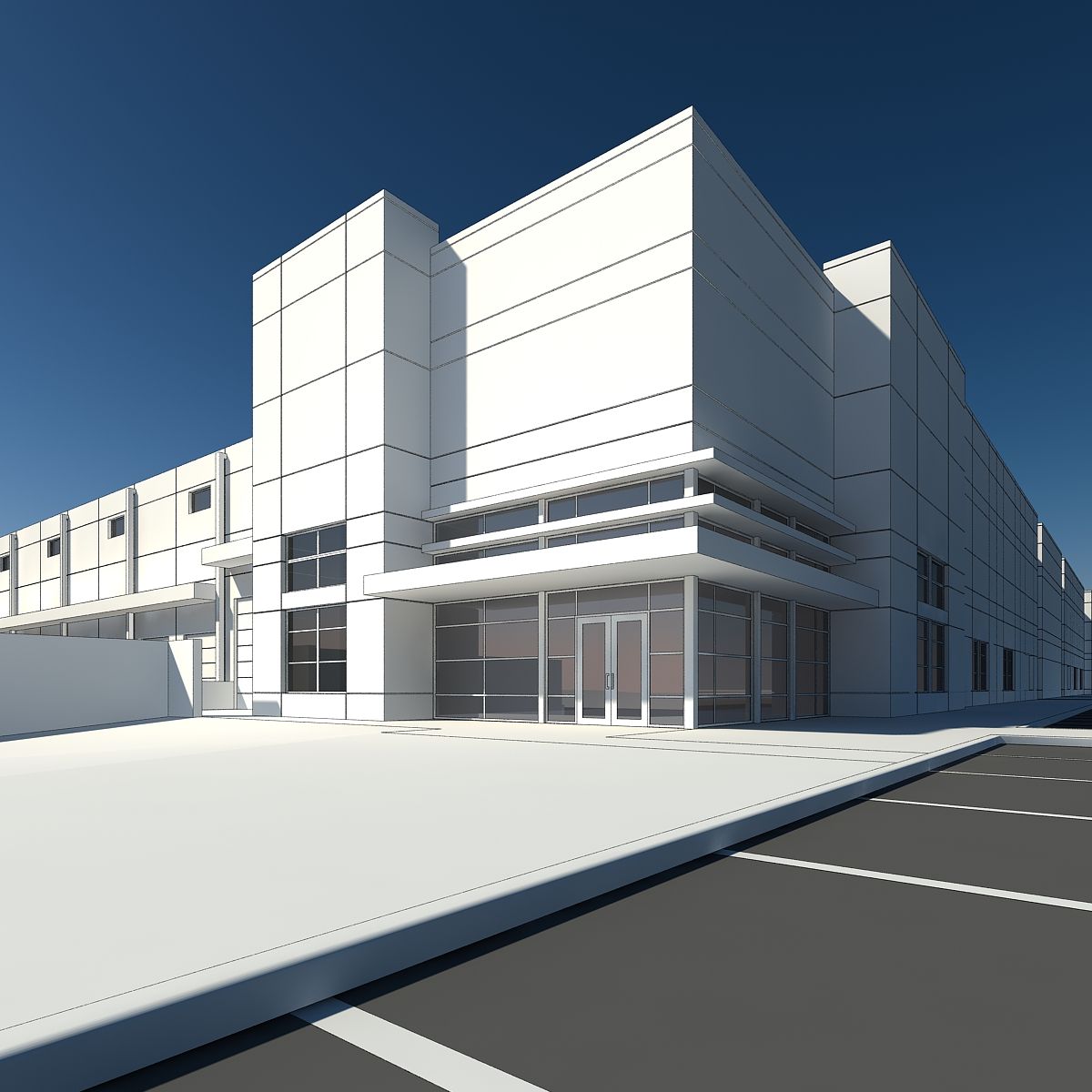


巨大な無限倉庫 3Dモデル
0


0
訪問

から提出された
NULL_
仕様
- ジオメトリpolygonal
- 多角形7,984
- 頂点5,484
- テクスチャYes
- 堅いNo
- アニメ化No
- 3Dプリント可能No
- ゲームレディ(低ポリ)No
- UVマップYes
- ラップされていないUVnone
説明
My intention with this warehouse was to create a scene that seemed infinitely big in at least one direction. I modeled the structure in Rhino where each object was a closed polysurface. It was then exported as an OBJ and thus came into C4D as editable meshes. I then used the clone tool in C4D to repeat it to the horizon. Using the clone tool really helped manage the file size and kept it from slowing down my computer as i continued to increase the length of the warehouse! If it still isn't long enough for you, it is relatively easy to extend it further. The truss structure and lights are all included in a single clone, so by just extending the one clone object further you will extend all the detail items together. Walls and roof will have to be updated manually to fit the new length, but that will only require a simple move.
Dec 18, 2019
追加日
May 18, 2022
最後の更新
レビュー
この商品のレビューはまだありません。
氷を砕いた最初の人になろう。