



RIGGED PBR War Cannon 3D 모델
0


0
방문

에 의해 제출 된
Francesco Furneri
명세서
- 기하학polygonal
- 다각형21,027
- 정점들21,746
- 텍스처Yes
- 딱딱한Yes
- 생기 있는Yes
- 3D 인쇄 가능 준비No
- 게임 준비 (낮은 폴리)No
- UV 매핑 됨Yes
- 포장되지 않은 자외선non-overlapping
기술
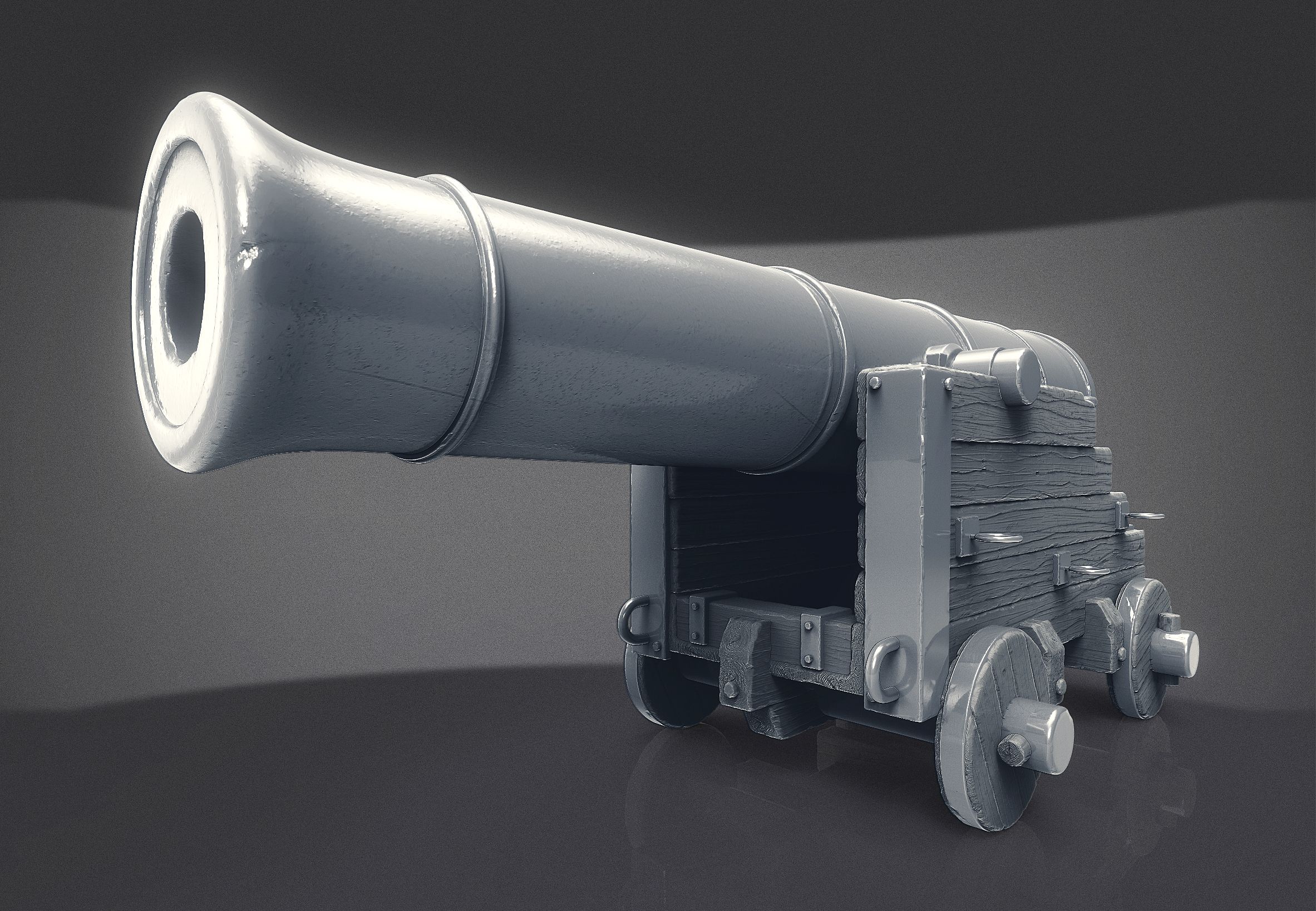
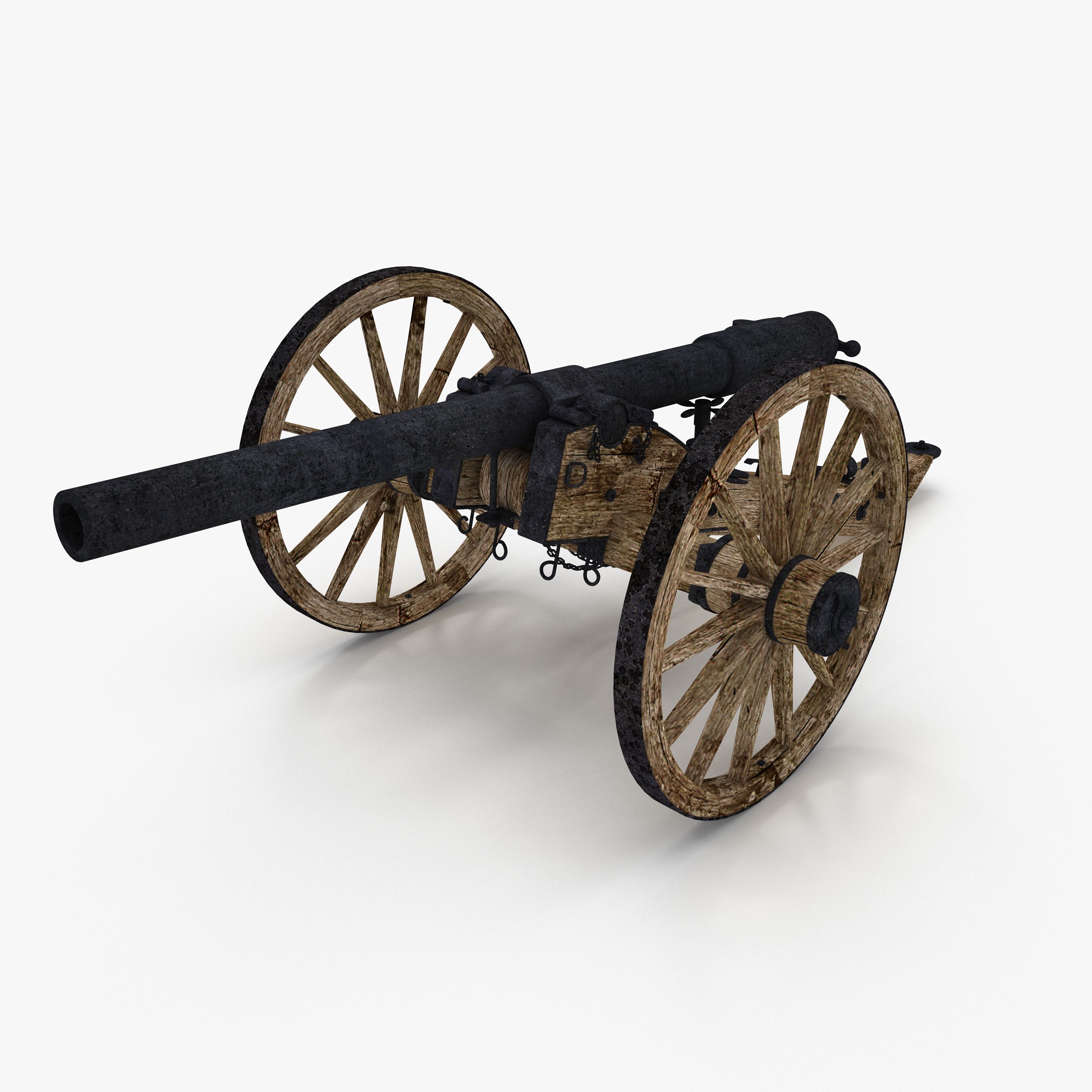
High Quality RIGGED PBR War Cannon
The provided model has been created inside of Autodesk Maya (version 2016) - Sculpted in Pixologic Zbrush, textured in Substance Painter and rendered with different render engines ( Arnold 4 By Solid Angle and Marmoset Toolbag 3 package).
The cannon has been rigged in Autodesk Maya. The chains react based on physics and the wheel movement is driven by Maya Expressions
I provide the shot scene, with fluid setup and recoil animation
Along with the forementioned material I produced a tutorial for the rig that you can find on Vimeo (putting /277851939 after the web domain).
I also produced another video (putting /277782449 after the web domain) that shows the cannon shot with smoke
------------------------------------------------------------------------------------------
PRODUCT DETAILS:
* 21027 polygons
* 21746 vertices
* Real size model
* Unwrapped UVs with NO overlapping
* High Quality Textures
* Scene files included
* Clean Maya Outliner
------------------------------------------------------------------------------------------
INCLUDED MATERIAL:
* Maya Zip file with the following folder structure:
- cannon.mb ( version 2016 with light setup and NO rig)
- Cannon_rig.mb ( version 2016 with material setup and RIG)
- Cannon_rig_no_mat.mb ( version 2016 - just the RIG without material setup)
* shot-scene zip
- shot-scene.mb ( version 2016 - the scene with fluid simulation, animation and simple light setup)
- Skydome Texture ( the texture mapped to the skydome, to render the shot) - file name: "Ditch-River_TMap"
- Background Comp ( the fortress background used in the comp of the shot)
* .fbx file format
* .obj file format
* Marmoset Toolbag 3 complete scene file (version 3.04): with all textures and lights setup (static cannon)
* High Quality PBR Textures (zip) (metal / roughness workflow) for both upper part and lower part of the 3D model
* High Quality Textures for Arnold (zip) : used for old versions of arnold ( < version 5)
* An example video (.mp4) that shows the cannon shot
* A video tutorial (.mp4) that explain the rig features
------------------------------------------------------------------------------------------
TEXTURES WITH METAL / ROUGHNESS WORKFLOW
* High Quality textures (4096 X 4096) - Metal / Roughness
2 sets of PBR Textures: one for the upper part and one for the lower part of the cannon. I also included versions with and without padding (the former just in case you need to generate MIPMAPS)
------------------------------------------------------------------------------------------
ARNOLD TEXTURES (for aiStandard shader with old versions of Arnold - before version 5)
* High Quality textures (4096 X 4096)
* diffuse Map
* specular map
* roughness map
* f0 map (mapped in Arnold Reflectance at normal)
* Normal Map
IMPORTANT: for recent Arnold renderer versions ( from version 5 on) you can ignore these textures and use the general PBR textures with metal / roughness workflow
------------------------------------------------------------------------------------------
NOTES
* Moving the wheels is really simple: translate the Global Controller and the wheels are driven by expressions
* It's always possible to animate the wheel offset separately with custom attributes bound to the Global Controller
* The Axis orientation of the global controller needs to be set to "object", in order to rotate and animate the cannon in other directions
Nov 13, 2021
추가 된 날짜
Nov 13, 2021
마지막 업데이트
리뷰
현재이 제품에 대한 리뷰가 없습니다.
얼음을 깬 첫 번째 사람이되지 않겠습니까?