




Vehicle Barrier 3D-modell
0


983
besök

Insänd av
mTonic
Specifikationer
- Geometripolygonal_tris only
- polygoner362
- hörn230
- strukturerYes
- riggadeNo
- AnimeradNo
- 3D Printable ReadyNo
- Spelklar (låg poly)No
- UV MappadYes
- Unwrapped UVsnon-overlapping
Beskrivning
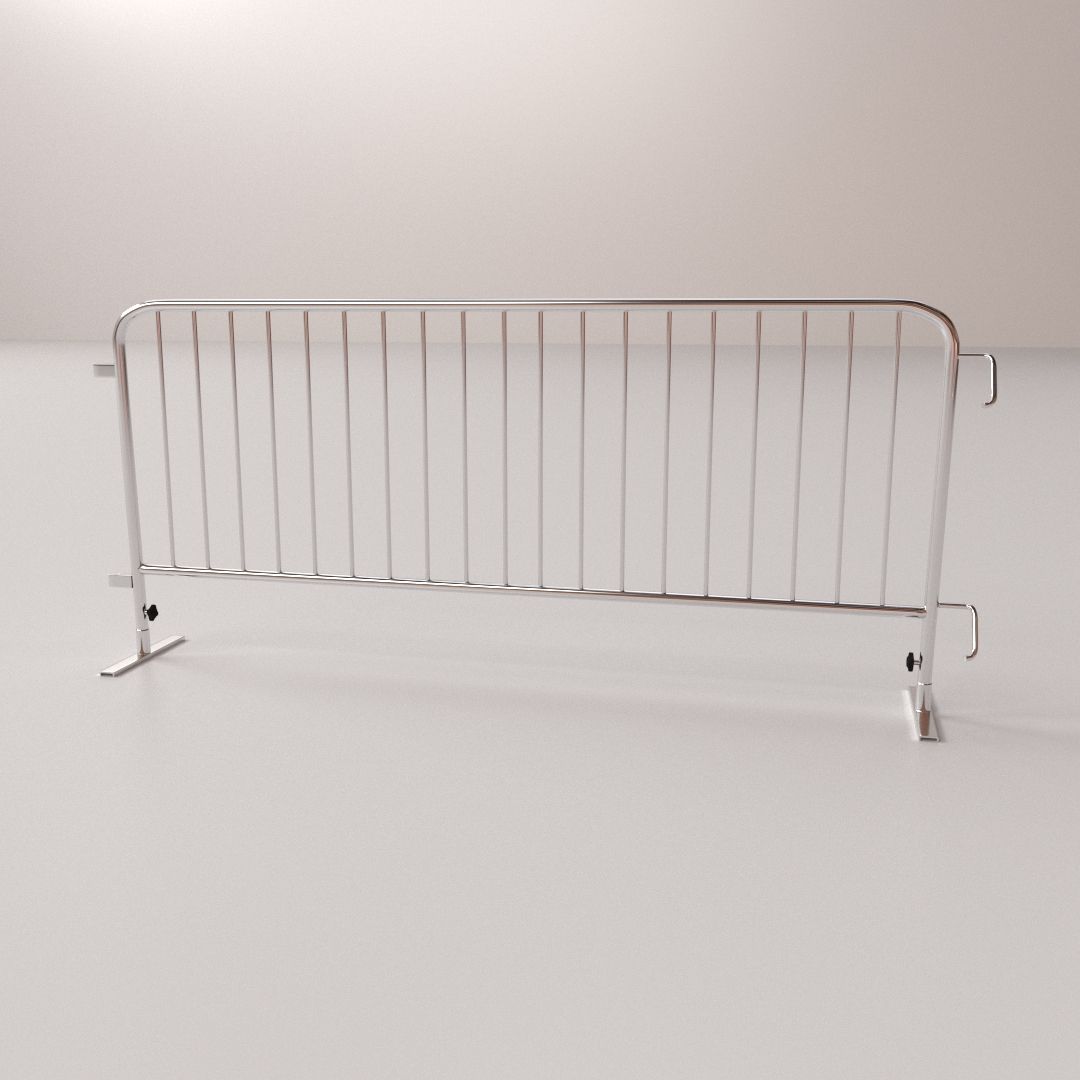
A standard blockade which can be used for a variety of purposes. It is specifically designed for use in Real-Time Games.
GENERAL
- PBR (M/R)
- Extremely Optimized!
- Unity Engine Ready
- Source Engine Ready
- Easy to change colors
Note:
Usable in most modern Game Engines as a wide variety of file formats are provided with this model, usually with a little bit of setup depending on the Engine you work with.
Model consists of 2 objects to allow for the top part to be rotated around freely. However both objects use the same material & textures.
Units are based on the Metric-system, scaled to real-world.
Pivoted appropriately for easy placement.
Transforms have been reset.
Everything is properly named & Thoroughly tested.
TEXTURE MAPS
- BaseColor
- Normal
- AO
- Metallic
- Roughness
2048 x 2048 (All of the above)
Most formats are PNG, also a TGA-32 here or there for alpha channel usage.
Photoshop PSDs are included for all texture maps.
SPECIFICATIONS
Height
1.5 Meters
Width
0.3 Meters
Length
2.6 Meters
Vertices
230
Polygons
362
Triangles
362
FILE FORMATS
+ Blend (Blender)
+ UnityPackage (Unity Engine)
+ SOURCE SDK (VALVe Source Engine)
+ FBX (Autodesk FBX)
+ 3DS (3D Studio)
+ Dae (Collada)
+ Obj (OBJ)
+ PSD (Photoshop)
ADDITIONAL INFORMATION
The UnityPackage contains a Metallic map with Roughness map stored in its Alpha channel. It also includes a basic hinge rig set up in its components (the top part will turn when collided with).
The Source Normal map has had its Green channel inverted and additionally the roughness map stored in its alpha channel. Including a perfect collision mesh for the model. The model is also of course scaled up to meet source engine scaling.
Normal map was baked from a Hi-Poly model onto a triangulated Low-Poly model. Because of that the model had to be triangulated in the .Blend but can be turned back into Quads simply by pressing ALT + J in edit mode with mesh selected. (quality of topology retained)
Aug 22, 2018
datum tillagt
Oct 07, 2025
senaste uppdateringen
recensioner
Det finns för tillfället inga recensioner för denna produkt.
Varför inte vara den första som bryter isen?