


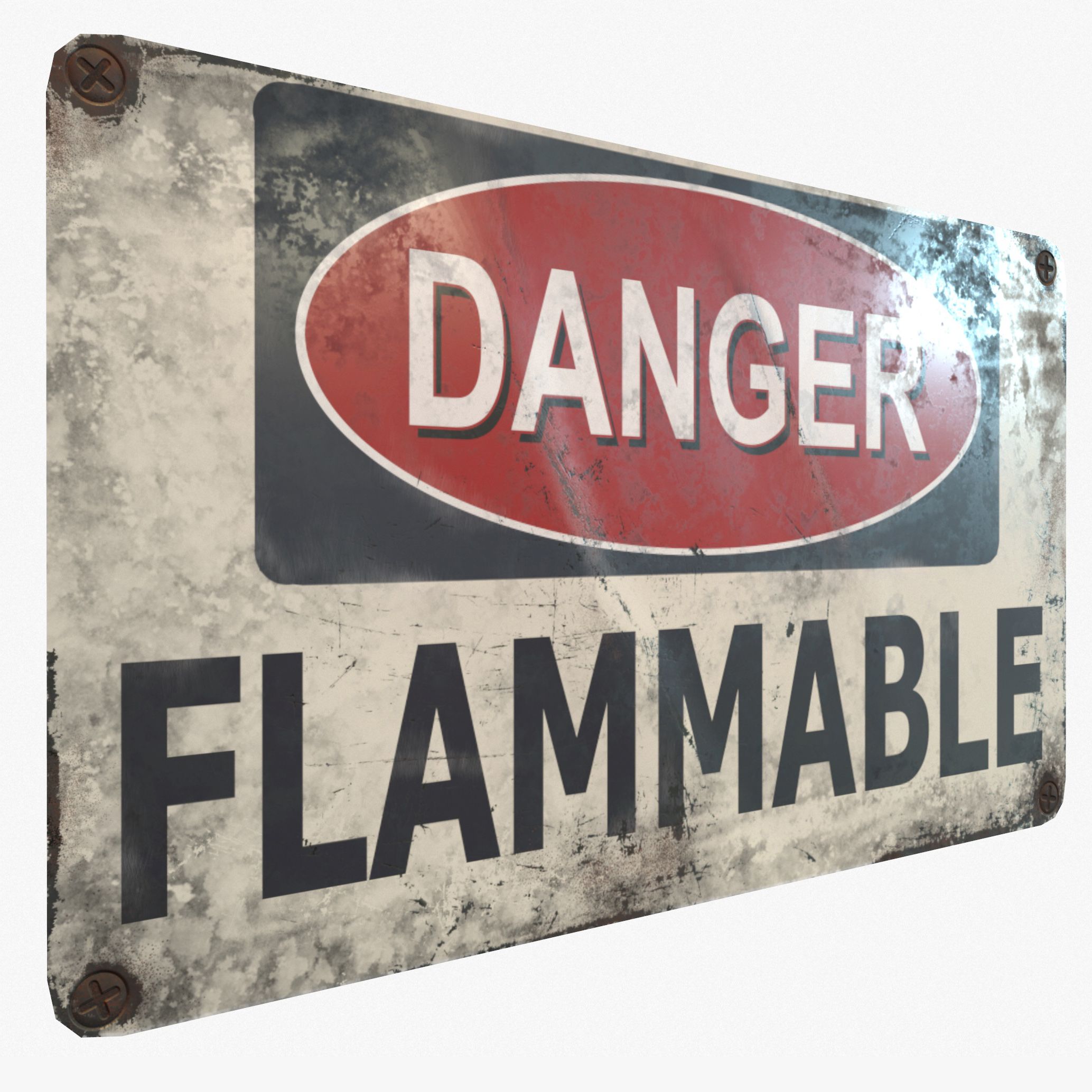




禁止闯入 3D模型
0


0
访问量

提交者
MeshMagnet
规格
- 几何polygonal
- 多边形5
- 顶点16
- 纹理Yes
- 索具化No
- 动画No
- 适合3D打印No
- 适合游戏(低多边形)No
- UV映射Yes
- 未封装UVnon-overlapping
描述
Real-Time,Game Ready, Sign: No Trespassing.
Display images were rendered in Marmoset Toolbag 3.
Includes the following 3d file types:
Max 2014 file
Maya 2015 file
.FBX 2014 (with Quad Geometry)
.OBJ 2014 file
Marmoset 3 File - (the images you see in the thumbnails are using this file)
The textures are located in the .zip file. You will also find all the program files located in the .zip folder. We recommend downloading the .zip and opening up your desired 3d format from there, the texture paths should automatically hook up that way.
Includes the following PBR texture types (BOTH Metalness and Specular workflows, perfect for Unity, Cryengine and UE4):
2048x2048: Normal Map
2048x2048: Diffuse
2048x2048: Gloss
2048x2048: Specular
2048x2048: Base Color
2048x2048: Roughness
2048x2048: Metalness
Also includes the Photoshop file of the sign itself. The Photoshop file is clean, no grunge/scratch marks like in the presentation images. This will allow you to re-texture if you so desire.
2048x2048 PSD File.
Note about textures. The Normal maps are -y, this is fine for directx. If they look flipped, just highlight the green channel in photoshop and hit ctrl+i.
If the roughness and metalness look too shiny in say, UE4, you'll have to make sure they are set to linear. Just double click the texture and uncheck the sRGB box.
You can also fix that by combining maps in an image editor like Photoshop.
UV's are flat, non-overlapping.
Units are Metric.
Game Ready!
Please click on my Username for more Game-Ready models!
Jul 30, 2020
添加日期
Sep 28, 2022
最后更新
评测
此产品当前没有评测。
为什么不做第一个评测者呢?