




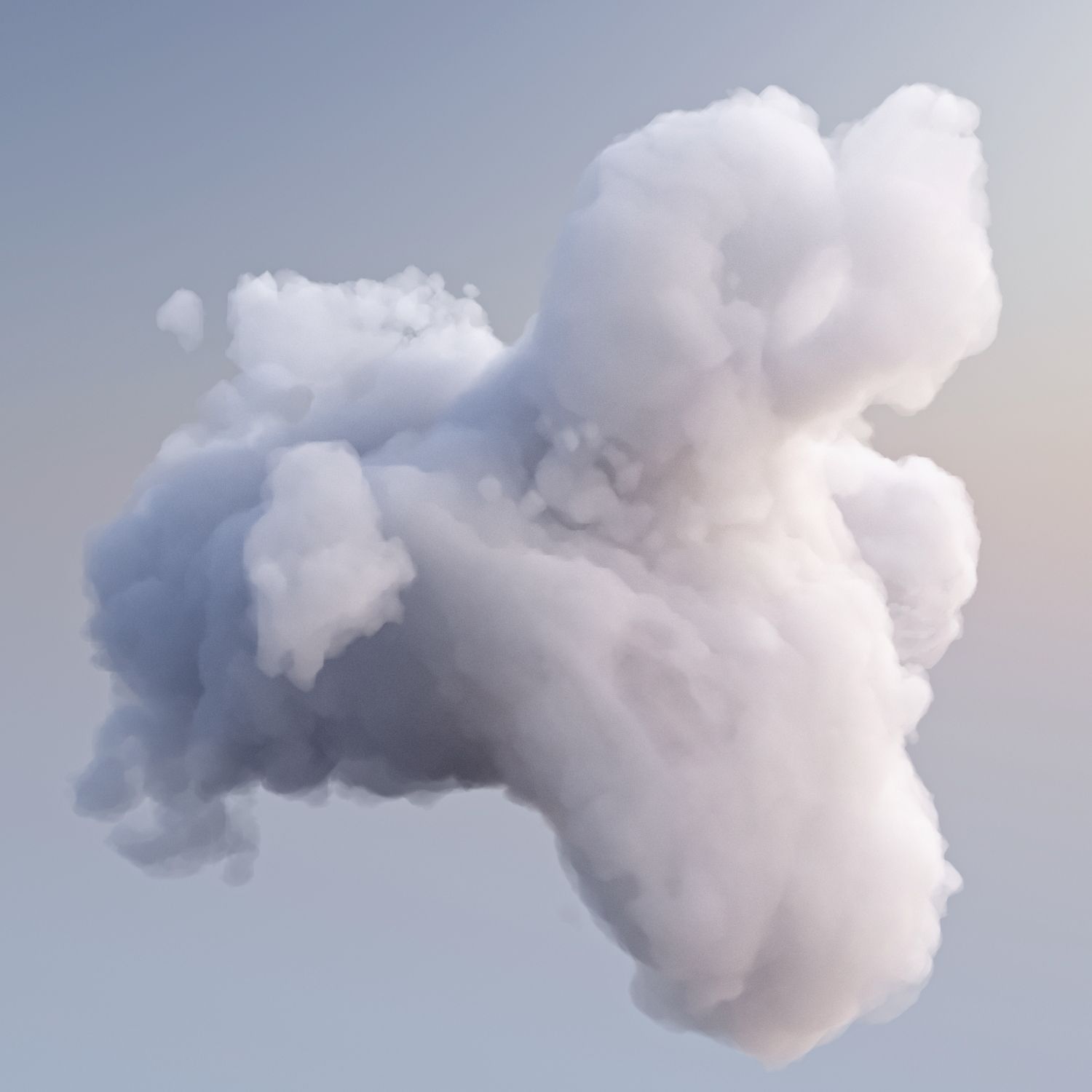


立体3D云 3D模型
0


3
访问量

提交者
POPA_3D
规格
- 几何unknown
- 多边形2
- 顶点4
- 纹理No
- 索具化No
- 动画No
- 适合3D打印No
- 适合游戏(低多边形)No
- UV映射Yes
- 未封装UVnone
描述
Effect Features:
-3d Volumetric cloud created using multiples gizmos and with standard 3ds max atmospheric effecte.
-model designed fo users that want to have 3d cloud in their scene without using 3rd party plugin.
-the model work with most render engine complatible with 3ds max atmosphers effects.
-the model was tested with scanline, mentalRay and VRay.
-the model is designed for use with big landscapes scene work fine for far and semi close - up views.
-the model size is ~2600 meters.
-the model is designed for 3dsmax 2009 or newer.
-Sample scene Included as in first thumbnail included with a light that generate shadow.
help:
============================================
-to merge the effect in your scene:
1 -open environment window(Render Menu>environment ).
2 -click merge chose the purchassed file (cloud.max)
3-select CloudEffect01 and CloudEffect02 from the popup dialog.
3 -render your scene.
-you can move the effect in your scene by moving the merged gizmos.
-you can change colors by changing the effect color from environment dialog.
============================================
Nov 11, 2019
添加日期
Sep 30, 2022
最后更新
评测
此产品当前没有评测。
为什么不做第一个评测者呢?