

Arched gateway 3D Model
0


676
visits

Submitted by
Verbaska
Specifications
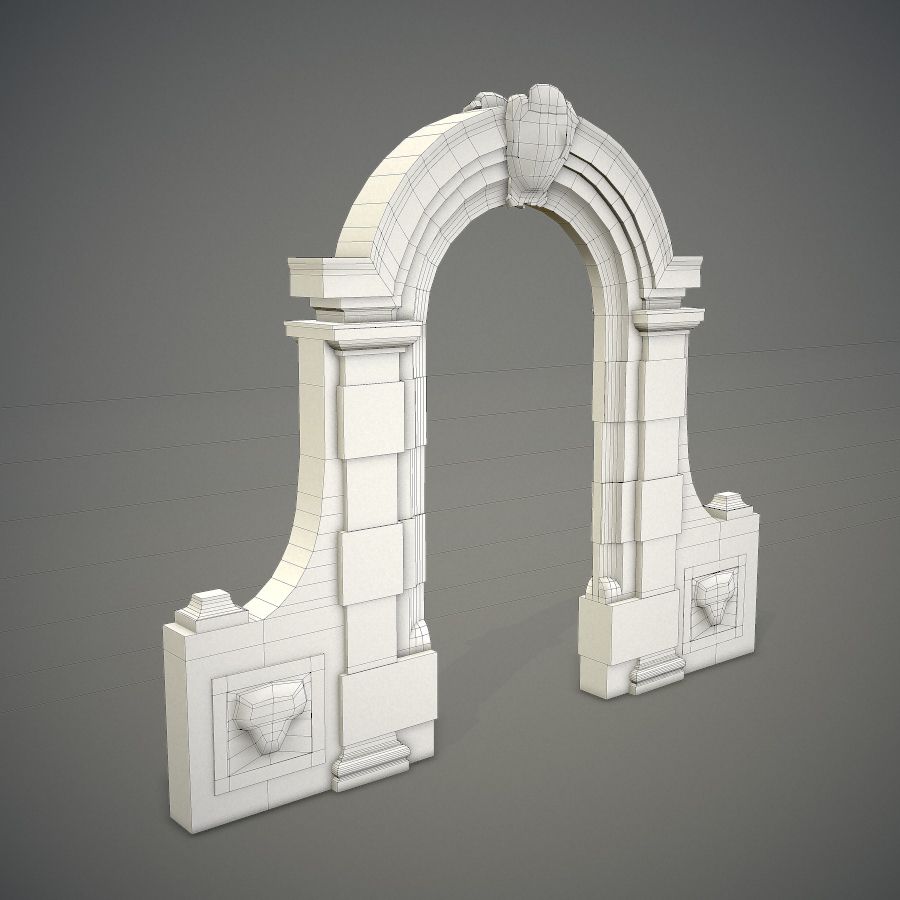
- Geometrypolygonal
- Polygons2,383
- Vertices4,322
- TexturesYes
- RiggedNo
- AnimatedNo
- 3D Printable ReadyNo
- Game Ready (low poly)No
- UV MappedYes
- Unwrapped UVsoverlapping
Description
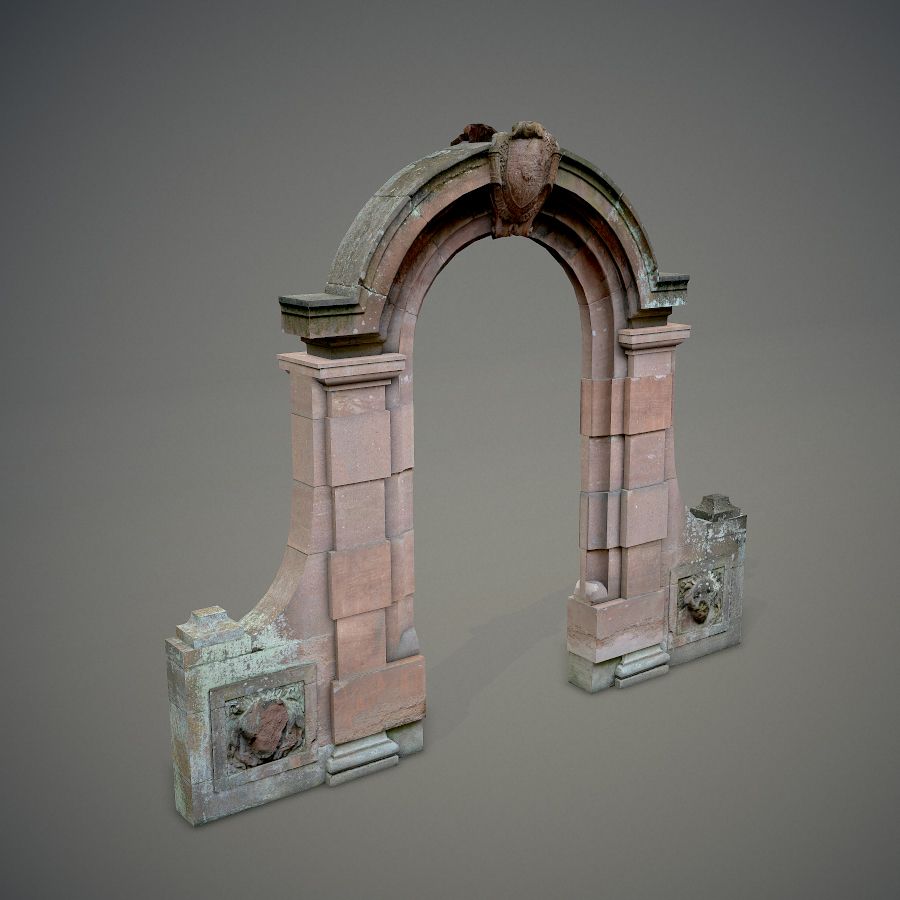
Arched red gateway. Has lion head decorations on both sides and a shield on the top. The model is double sided.
- Originally done in Blender 2.72b. Blender is an open-source 3D editor, everyone can edit this model and convert it to another formats for free.
- The texture is unique and based on author's personal photograph (had not been taken from a public texture stock website).
- No third-party plugins used.
- This model is fully unwrapped and has no untextured parts.
- Textures included:
Diffuse:
4096 x 4096 TGA x1
512 x 512 TGA x2
Normal:
512 x 512 TGA x2
Displacement:
512 x 512 TGA x2
Please export the TGA textures to the .blend folder.
All formats of this model (except .blend) have been tested in 3ds Max.
In order to use this model with Autodesk solutions, I recommend you to use the .fbx file format.
Tip: when importing .fbx to 3ds Max, please use the Autodesk Media & Entertainment import preset with Geometry->Smoothing Groups checked.
Render:
Marmoset toolbag.
Sep 17, 2018
date added
Aug 02, 2021
last update
Reviews
There are currently no reviews for this product.
Why not be the first one to break the ice?