


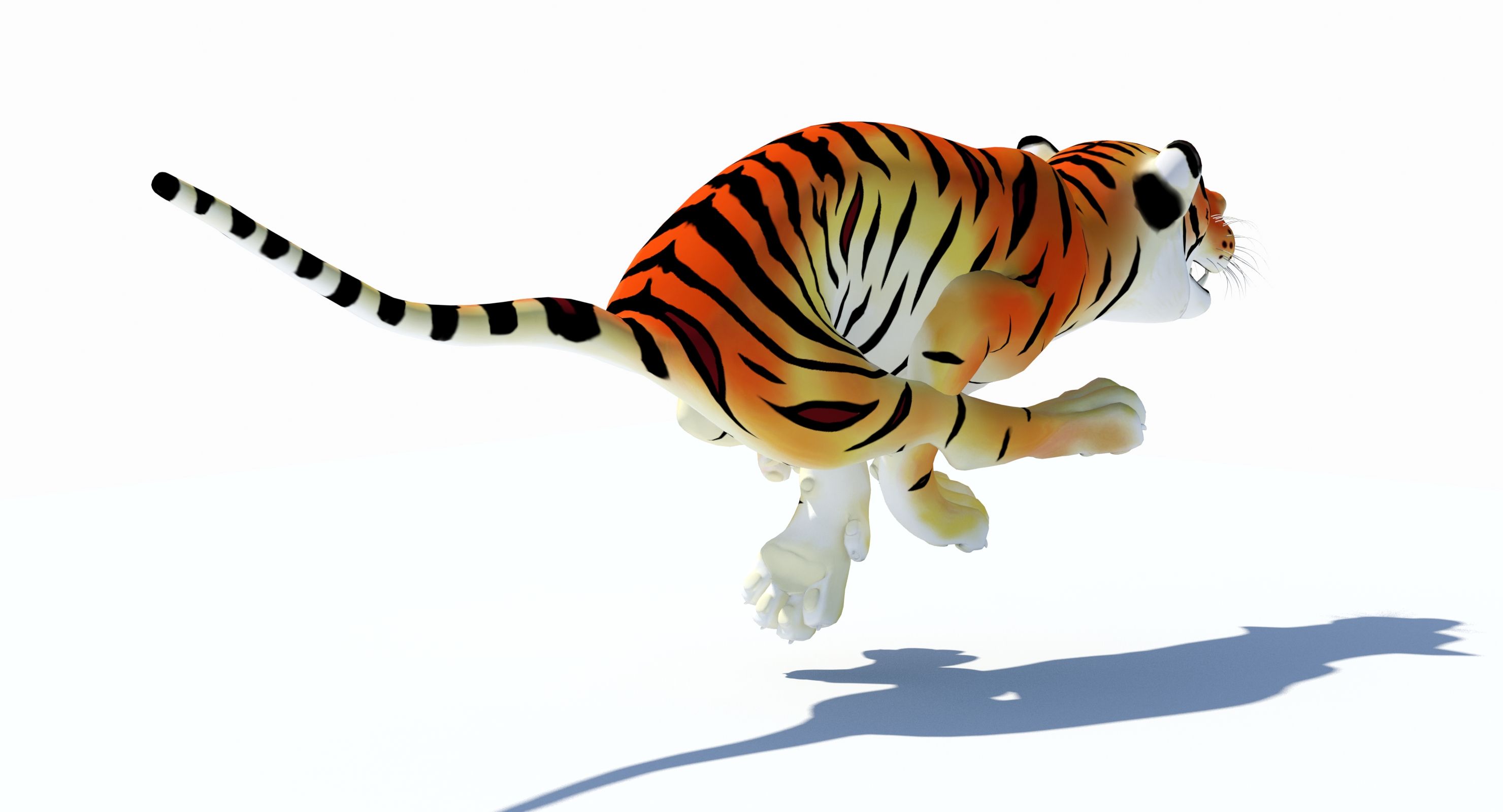
Animated Cartoon Tiger 3D Model
0




0
visits

Submitted by
PROmax3D
Specifications
- Geometrypolygonal_quads only
- Polygons8,117
- Vertices8,184
- TexturesYes
- RiggedYes
- AnimatedYes
- 3D Printable ReadyNo
- Game Ready (low poly)No
- UV MappedYes
- Unwrapped UVsnon-overlapping
Description
'Cartoon Tiger (Animated)' is a high quality 3d model to add more details and realism to your rendering projects. Fully detailed, textured model. Detailed enough for close-up renders. Comes with detailed textures.
Originally modeled in 3ds Max 2016. Final images rendered with Mental Ray.
*********************************
Textures formats and resolution:
The model is provided with high resolution texture (color maps are .png):
Tiger_Cartoon_Diffuse (2048x2048)
Tiger_Cartoon_Specular (2048x2048)
Tiger_Cartoon_Eyes_Diffuse (2048x2048)
Tiger_Cartoon_Mouth_Diffuse (2048x2048)
*********************************
Features:
- High quality polygonal model - correctly scaled accurate representation of the original objects.
- Display Unit Scale is set to Metric - Meters.
- Model resolutions are optimized for polygon efficiency (in 3ds Max the MeshSmooth function can be used to increase mesh resolution if necessary).
- All colors can be easily modified.
- Model is fully textured with all materials applied.
- All textures and materials are included and mapped in every format.
- Max models grouped for easy selection & objects are logically named for ease of scene management.
- No part-name confusion when importing several models into a scene.
- No cleaning up necessary, just drop model into your scene and start rendering.
- No special plug-in needed to open scene.
*********************************
File formats:
- 3ds Max 2016 (Contains also mental ray and standard materials scenes!)
All files are compressed in Archive.
*********************************
Rigging and Animation:
Rigging was done via CAT object.
Animation done via CAT Motion, and Animation Layers...
Frame Rate is NTSC (FPS:30)
In the Motion panel -> Layer Manager
1) Abs T_Pose
2) Abs Signature Image
3) CATMotion Layer (In CatMotion Editor (the paw icon) you will find main tow animation layers)
- Walk (01-48)
- Run (01-48)
4) +L Walk Adjustment (Local Adjustment Layer - Adjustment for walk cycle, that should be enabled only if you are using walk cycle )
5) +L Run Adjustment (Local Adjustment Layer - Adjustment for run cycle, that should be enabled only if you are using Run cycle.)
6) +L Mouth_Closed (Adjustment World - Mouth Closed)
7) +L Eyes_Closed (Adjustment World - Eyes Closed)
Note: Walk and run have their own separate adjustment layers that should be activated depending animals running or walking. You have to simply just turn on or off them.
Dec 27, 2019
date added
Oct 26, 2025
last update
Reviews
There are currently no reviews for this product.
Why not be the first one to break the ice?