-->
ArchitectureVéhiculesPersonnagesAvionMeublesélectroniqueAnimauxLes PlantesArmesDes SportsAlimentsAnatomie
Favoris
Signet supprimé

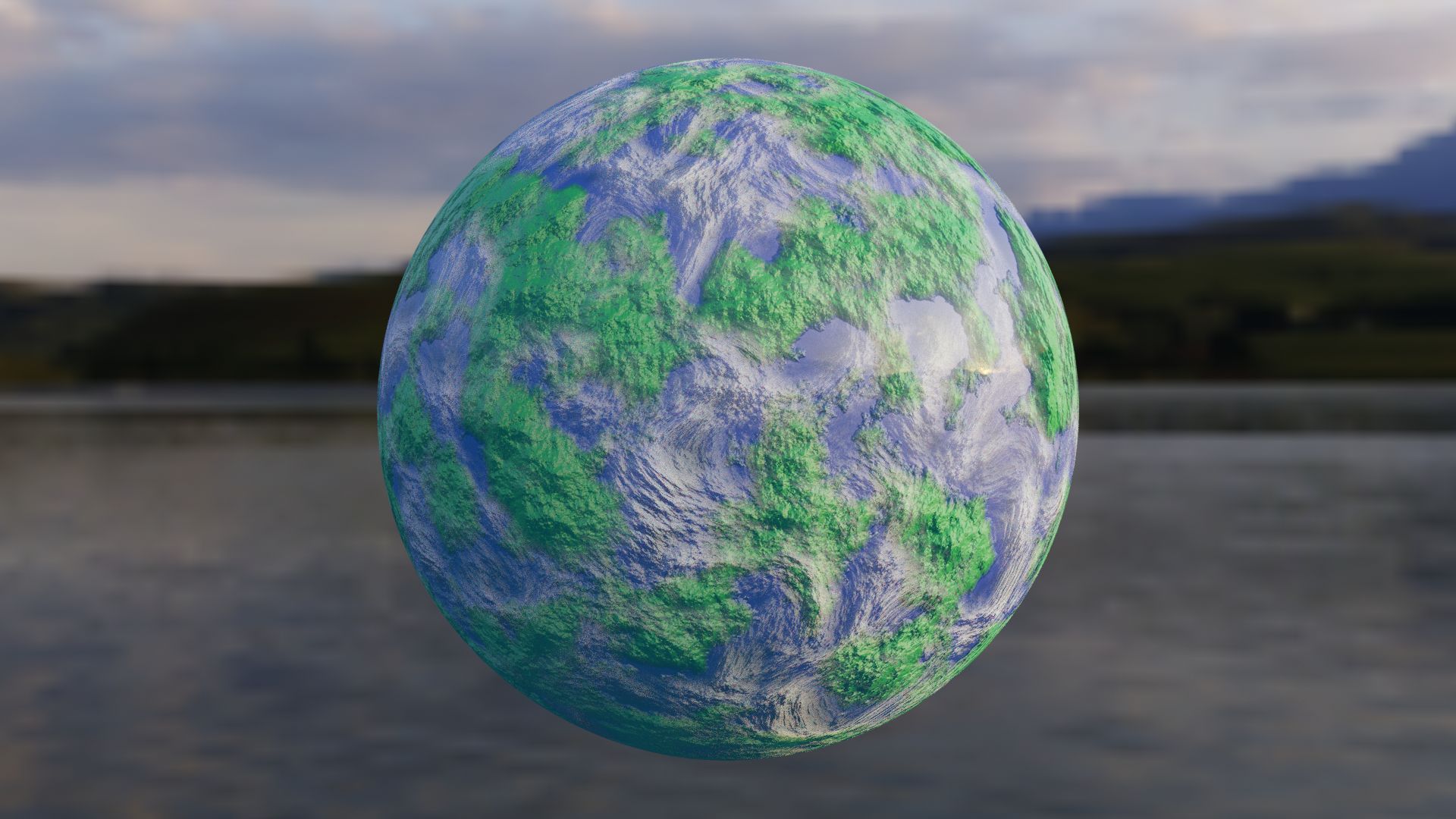
Générateur de monde simple personnalisé modèle 3D

0
Générateur de monde simple personnalisé royalty-free 3d model - Preview no. 1
Générateur de monde simple personnalisé royalty-free 3d model - Preview no. 2
Générateur de monde simple personnalisé royalty-free 3d model - Preview no. 3
Générateur de monde simple personnalisé royalty-free 3d model - Preview no. 4
Générateur de monde simple personnalisé royalty-free 3d model - Preview no. 5
Générateur de monde simple personnalisé royalty-free 3d model - Preview no. 6
Générateur de monde simple personnalisé royalty-free 3d model - Preview no. 1
Générateur de monde simple personnalisé royalty-free 3d model - Preview no. 2
Générateur de monde simple personnalisé royalty-free 3d model - Preview no. 3
Générateur de monde simple personnalisé royalty-free 3d model - Preview no. 4
Générateur de monde simple personnalisé royalty-free 3d model - Preview no. 5
Générateur de monde simple personnalisé royalty-free 3d model - Preview no. 6
Licence Libre de DroitsToutes les utilisations prolongées
Retours simples
Garantie du meilleur prix
Fonctionne hors de la boîte
0 visites
ZozyDoo

Caractéristiques

  • Géométriepolygonal_tris only
  • Des polygones7,680
  • Sommets3,842
  • Les texturesNo
  • GrééNo
  • AniméNo
  • Prêt pour l'impression 3DNo
  • Jeu Prêt (low poly)No
  • UV mappéYes
  • UV non emballésnone

Formats et fichiers

Blender
(.blend)
1 MB

cycles
Earth procedural texture(changing).blend
FBX
(.fbx)

Earth procedural texture(changing).fbx

La description

Want a world that you can bend to your own will? This procedural texture of an "Earth" can have the color, size, distortion, detail, aura, or whatever you need. The node setup is simple to understand and label. The examples here are one that resembles Earth, and then a different color of one example of a different size. the clouds can be altered together or separately to the ground as well. GLHF! - Nobody190 If you need help: *To change the color, change the color of the ColorRamp in the "World Surface" group. *To change the size, go to the "Scale" value in red, same for 'Detail" and "Distortion".
Jun 07, 2020 date ajoutée
Feb 08, 2022 dernière mise à jour

Avis

Il n'y a actuellement aucun avis sur ce produit.
Pourquoi ne pas être le premier à briser la glace?