


グレートシンフォニックティンパニ 3Dモデル
0


0
訪問

から提出された
argentum3d
仕様
- ジオメトリpolygonal_quads only
- 多角形17,833
- 頂点17,473
- テクスチャYes
- 堅いNo
- アニメ化No
- 3Dプリント可能No
- ゲームレディ(低ポリ)No
- UVマップYes
- ラップされていないUVnon-overlapping
説明
Great Symphonic Timpani
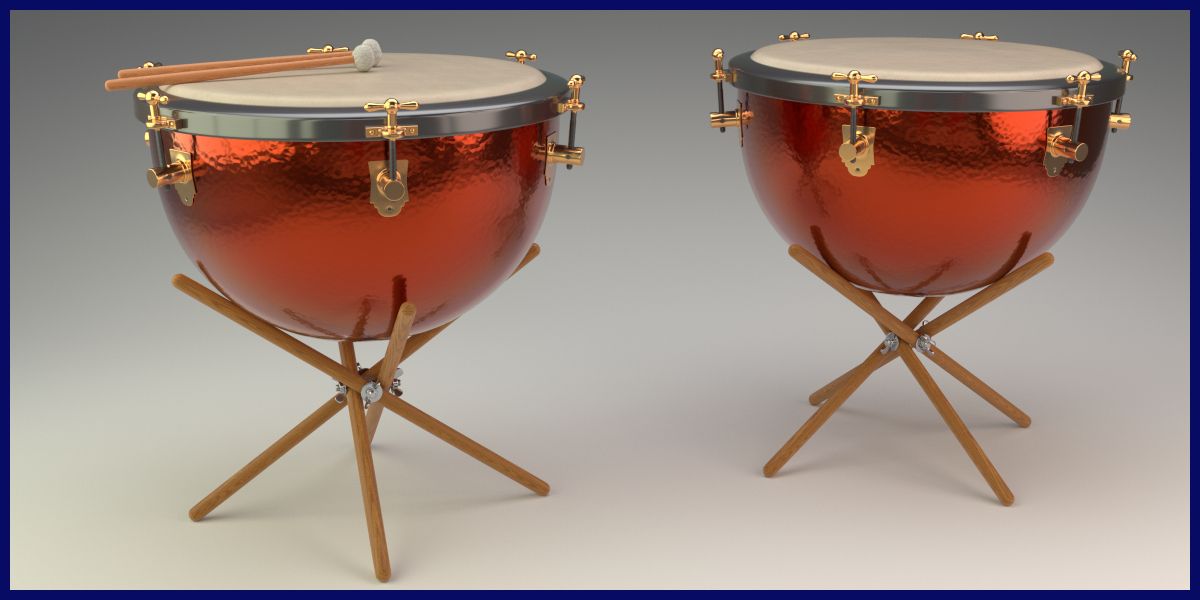
This is a full detailed Set of two Great Symphonic Timpani Drum as they where used in classic Orchestra Setups
Detailed Model, full Groups Structure
The whole Model is well organised in Groups. Each of the two drums is a single Group, and the Mallets are set up as a Group as well.
All single parts are parented to an self-named Empty for a clean model structure.
What you see is what you get - Procedural Lighting setup included, no HDRs used
the given Images in the product description are "rendered as is", not post production was applied. The Lighting Setup is fully procedural, no HDRs are used (execpt on Image four).
The achive the given lighting, just open the file and hit F12 (or z9).
User friendly Shaders
All major parts are rendered Materials of the ProdWood Shader Pack and the Metals Shader Pack. You can find more information in my portfolio.
Royalty Free use of Shader and Lighting Setup.
The Lighting Setup and all included Shaders - and the ProWood Shader as well - are released for royalty free use for other projects.
(Of course it it not allowed to resell the shaders itself of 3D Models using the Shaders).
To Import the Model into your Scene, choose "File - Append", then choose the given file, then go to Groups and insert one of the self namend groups according to your needs.
the Procedural Wood Shader and the Metals are a product on their own, you can find the full documentation in my portfolio.
May 26, 2020
追加日
Jan 17, 2026
最後の更新
レビュー
この商品のレビューはまだありません。
氷を砕いた最初の人になろう。