



Great Symphonic Timpani 3D модель
0


Бесплатная лицензияВсе расширенное использование
Простые возвращения
Гарантия лучшей цены
Работает из коробки
0
посещения

Представленный
argentum3d
Характеристики
- Геометрияpolygonal_quads only
- Полигоны17,833
- вершины17,473
- текстурыYes
- подстроенныйNo
- мультипликационныйNo
- Готов к печати в 3DNo
- Игра готова (низкополигональная)No
- UV MappedYes
- Развернутые уфnon-overlapping
Описание
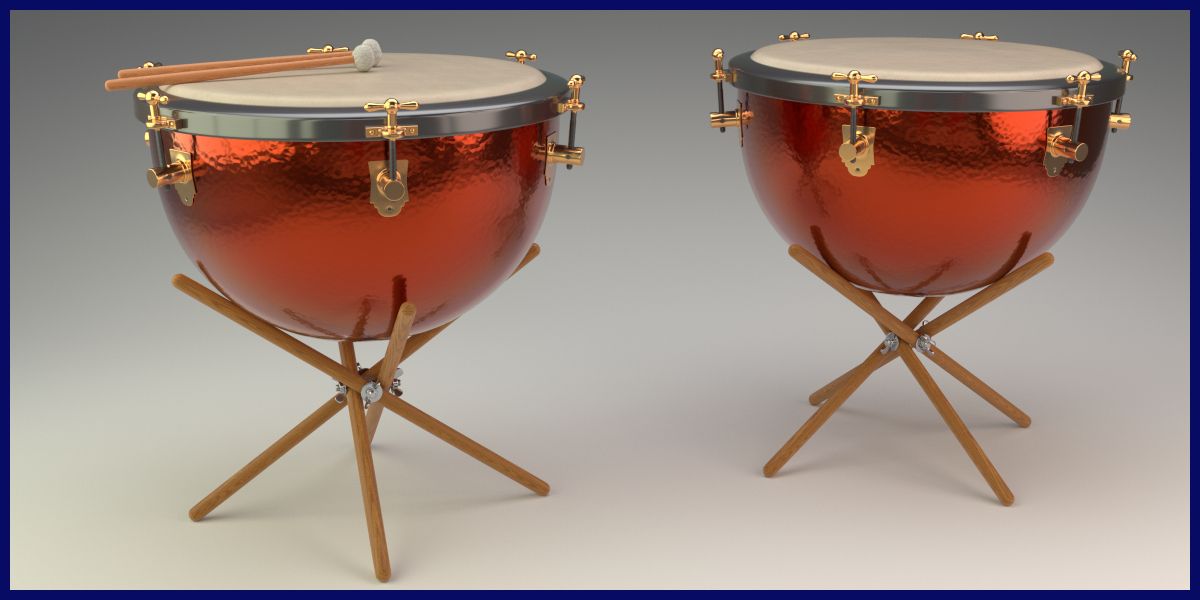
Great Symphonic Timpani
This is a full detailed Set of two Great Symphonic Timpani Drum as they where used in classic Orchestra Setups
Detailed Model, full Groups Structure
The whole Model is well organised in Groups. Each of the two drums is a single Group, and the Mallets are set up as a Group as well.
All single parts are parented to an self-named Empty for a clean model structure.
What you see is what you get - Procedural Lighting setup included, no HDRs used
the given Images in the product description are "rendered as is", not post production was applied. The Lighting Setup is fully procedural, no HDRs are used (execpt on Image four).
The achive the given lighting, just open the file and hit F12 (or z9).
User friendly Shaders
All major parts are rendered Materials of the ProdWood Shader Pack and the Metals Shader Pack. You can find more information in my portfolio.
Royalty Free use of Shader and Lighting Setup.
The Lighting Setup and all included Shaders - and the ProWood Shader as well - are released for royalty free use for other projects.
(Of course it it not allowed to resell the shaders itself of 3D Models using the Shaders).
To Import the Model into your Scene, choose "File - Append", then choose the given file, then go to Groups and insert one of the self namend groups according to your needs.
the Procedural Wood Shader and the Metals are a product on their own, you can find the full documentation in my portfolio.
May 26, 2020
Дата Добавлена
Jan 17, 2026
последнее обновление
Отзывы
На данный момент нет отзывов об этом продукте.
Почему бы не первым сломать лед?