-->
MimariAraçlarKarakterlerUçakMobilyaElektronikHayvanlarBitkilerSilahlarSpor DallarıGıdaAnatomi
Yer işareti
Yer imi kaldırıldı

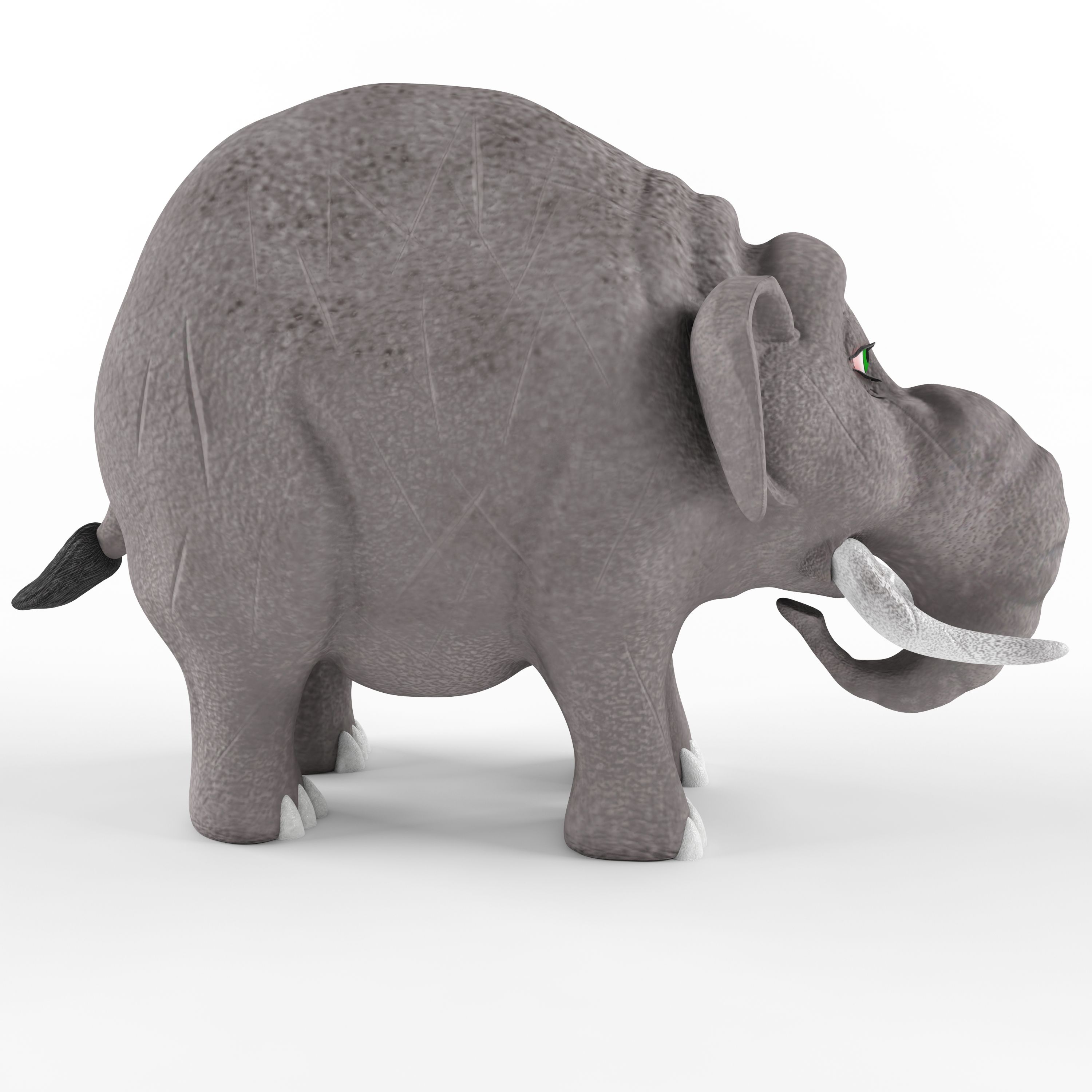
Çocuk plastik oyuncak Fil 3D model

0
Çocuk plastik oyuncak Fil royalty-free 3d model - Preview no. 1
Çocuk plastik oyuncak Fil royalty-free 3d model - Preview no. 2
Çocuk plastik oyuncak Fil royalty-free 3d model - Preview no. 3
Çocuk plastik oyuncak Fil royalty-free 3d model - Preview no. 4
Çocuk plastik oyuncak Fil royalty-free 3d model - Preview no. 5
Çocuk plastik oyuncak Fil royalty-free 3d model - Preview no. 1
Çocuk plastik oyuncak Fil royalty-free 3d model - Preview no. 2
Çocuk plastik oyuncak Fil royalty-free 3d model - Preview no. 3
Çocuk plastik oyuncak Fil royalty-free 3d model - Preview no. 4
Çocuk plastik oyuncak Fil royalty-free 3d model - Preview no. 5
Royalty Free LisansSadece editoryal
Basit iadeler
En iyi fiyat garantisi
Kutunun dışında çalışır
0 ziyaret
T1989

Özellikler

  • Geometripolygonal
  • Çokgenler34,868
  • Tepe Noktaları34,917
  • DokularYes
  • hileliNo
  • canlandırılmışNo
  • 3D Yazdırılabilir HazırNo
  • Oyuna Hazır (düşük poli)No
  • UV HaritalıYes
  • Sarılmamış UV'lernon-overlapping

Biçimler ve Dosyalar

FBX
(.fbx)
21 MB

elephant_fbx.rar
3ds Max
(.max)
20 MB

vray 3.0
elephant_max 2014.rar
3ds Max
(.max)
20 MB

vray 3.0
elephant_max 2011.rar
OBJ
(.obj)
20 MB

elephant_obj.rar
(.gltf)
47 MB

7562-gltf-extended.gltf.zip
(.gltf)
47 MB

7562-gltf-extended.glb
(.gltf)
4 MB

7562-gltf_ktx2_draco_optimized-extended.gltf.zip
(.gltf)
4 MB

7562-gltf_ktx2_draco_optimized-extended.glb
3ds Max
(.max)
51 MB

7562-max-extended.max.zip
(.usdz)
37 MB

7562-usdz-extended.usdz

Açıklama

Children's plastic toy Elephant. The beast was made on the basis of the image of an elephant named Business from the cartoon " Tri bogatyrya" The model contains 34868 polygons and 34917 vertices. The work is saved in the formats: 3d max 2011, 3d max 2014, FBX and OBJ. Textures are saved in JPEG format. The texture size is 2048x2048 and 4096x4096. Textures for FBX and OBJ files are saved in the materials library. The name of the library textures for FBX and textures_OBJ for OBJ format. In the OBJ file, the model is divided into elements. The name of each element corresponds to the name of materials from the materials library. Therefore, after importing the FBX or OBJ file, you need to open the material library via get material.
Nov 13, 2021 Ekleme Tarihi
Aug 24, 2025 son Güncelleme

Yorumlar

Bu ürün için henüz hiç yorum yapılmamış.
Neden buzu kıran ilk kişi değilsin?