-->
ArchitectureVehiclesCharactersAircraftFurnitureElectronicsAnimalsPlantsWeaponsSportsFoodAnatomy
Bookmarked
Bookmark removed

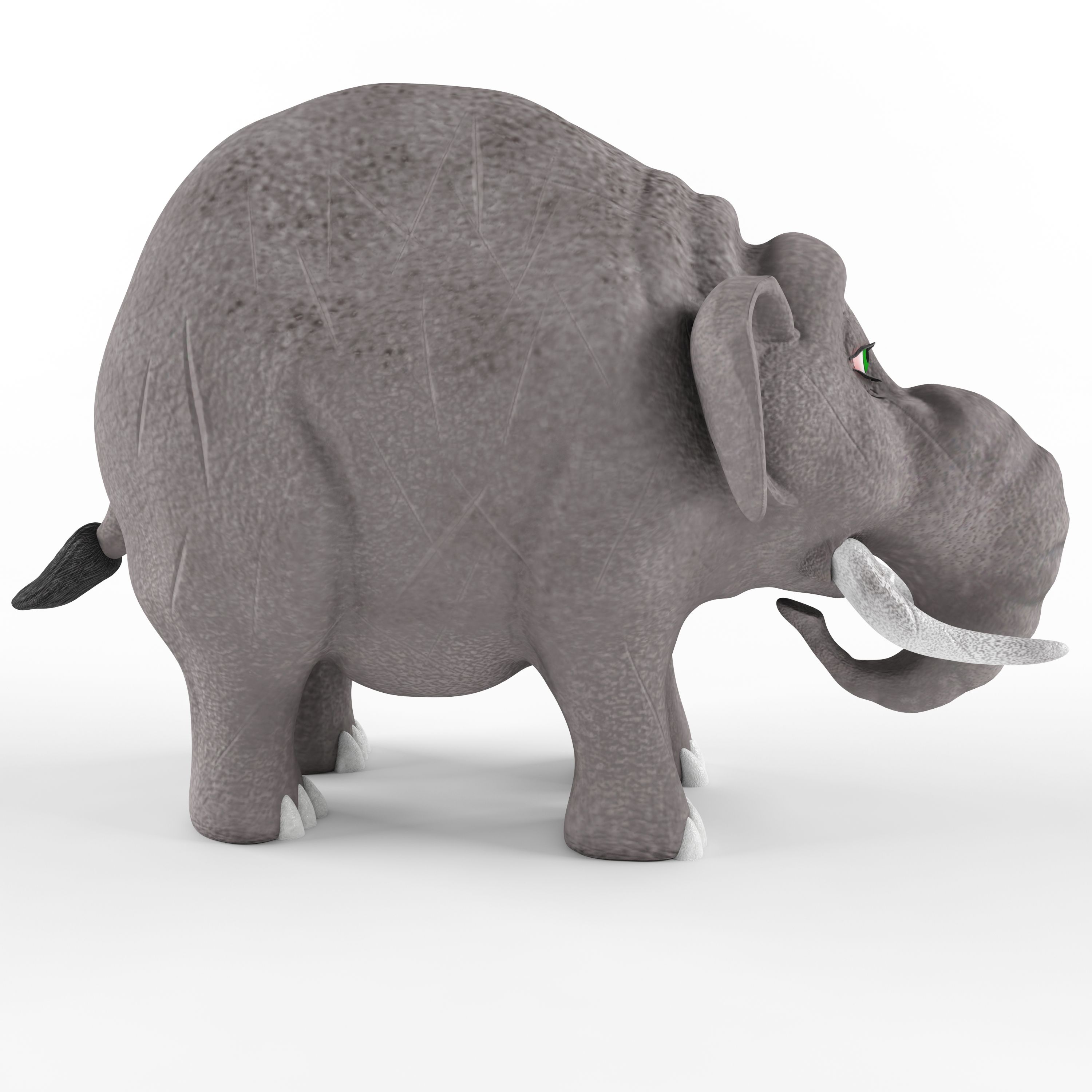
Childrens plastic toy Elephant 3D Model

0
Childrens plastic toy Elephant royalty-free 3d model - Preview no. 1
Childrens plastic toy Elephant royalty-free 3d model - Preview no. 2
Childrens plastic toy Elephant royalty-free 3d model - Preview no. 3
Childrens plastic toy Elephant royalty-free 3d model - Preview no. 4
Childrens plastic toy Elephant royalty-free 3d model - Preview no. 5
Childrens plastic toy Elephant royalty-free 3d model - Preview no. 1
Childrens plastic toy Elephant royalty-free 3d model - Preview no. 2
Childrens plastic toy Elephant royalty-free 3d model - Preview no. 3
Childrens plastic toy Elephant royalty-free 3d model - Preview no. 4
Childrens plastic toy Elephant royalty-free 3d model - Preview no. 5
Royalty Free LicenseEditorial Only
Simple returns
Best Price Guarantee
Works out of the box
0 visits
T1989

Specifications

  • Geometrypolygonal
  • Polygons34,868
  • Vertices34,917
  • TexturesYes
  • RiggedNo
  • AnimatedNo
  • 3D Printable ReadyNo
  • Game Ready (low poly)No
  • UV MappedYes
  • Unwrapped UVsnon-overlapping

Formats & Files

FBX
(.fbx)
21 MB

elephant_fbx.rar
3ds Max
(.max)
20 MB

vray 3.0
elephant_max 2014.rar
3ds Max
(.max)
20 MB

vray 3.0
elephant_max 2011.rar
OBJ
(.obj)
20 MB

elephant_obj.rar
(.gltf)
47 MB

7562-gltf-extended.gltf.zip
(.gltf)
47 MB

7562-gltf-extended.glb
(.gltf)
4 MB

7562-gltf_ktx2_draco_optimized-extended.gltf.zip
(.gltf)
4 MB

7562-gltf_ktx2_draco_optimized-extended.glb
3ds Max
(.max)
51 MB

7562-max-extended.max.zip
(.usdz)
37 MB

7562-usdz-extended.usdz

Description

Children's plastic toy Elephant. The beast was made on the basis of the image of an elephant named Business from the cartoon " Tri bogatyrya" The model contains 34868 polygons and 34917 vertices. The work is saved in the formats: 3d max 2011, 3d max 2014, FBX and OBJ. Textures are saved in JPEG format. The texture size is 2048x2048 and 4096x4096. Textures for FBX and OBJ files are saved in the materials library. The name of the library textures for FBX and textures_OBJ for OBJ format. In the OBJ file, the model is divided into elements. The name of each element corresponds to the name of materials from the materials library. Therefore, after importing the FBX or OBJ file, you need to open the material library via get material.
Nov 13, 2021 date added
Aug 24, 2025 last update

Reviews

There are currently no reviews for this product.
Why not be the first one to break the ice?