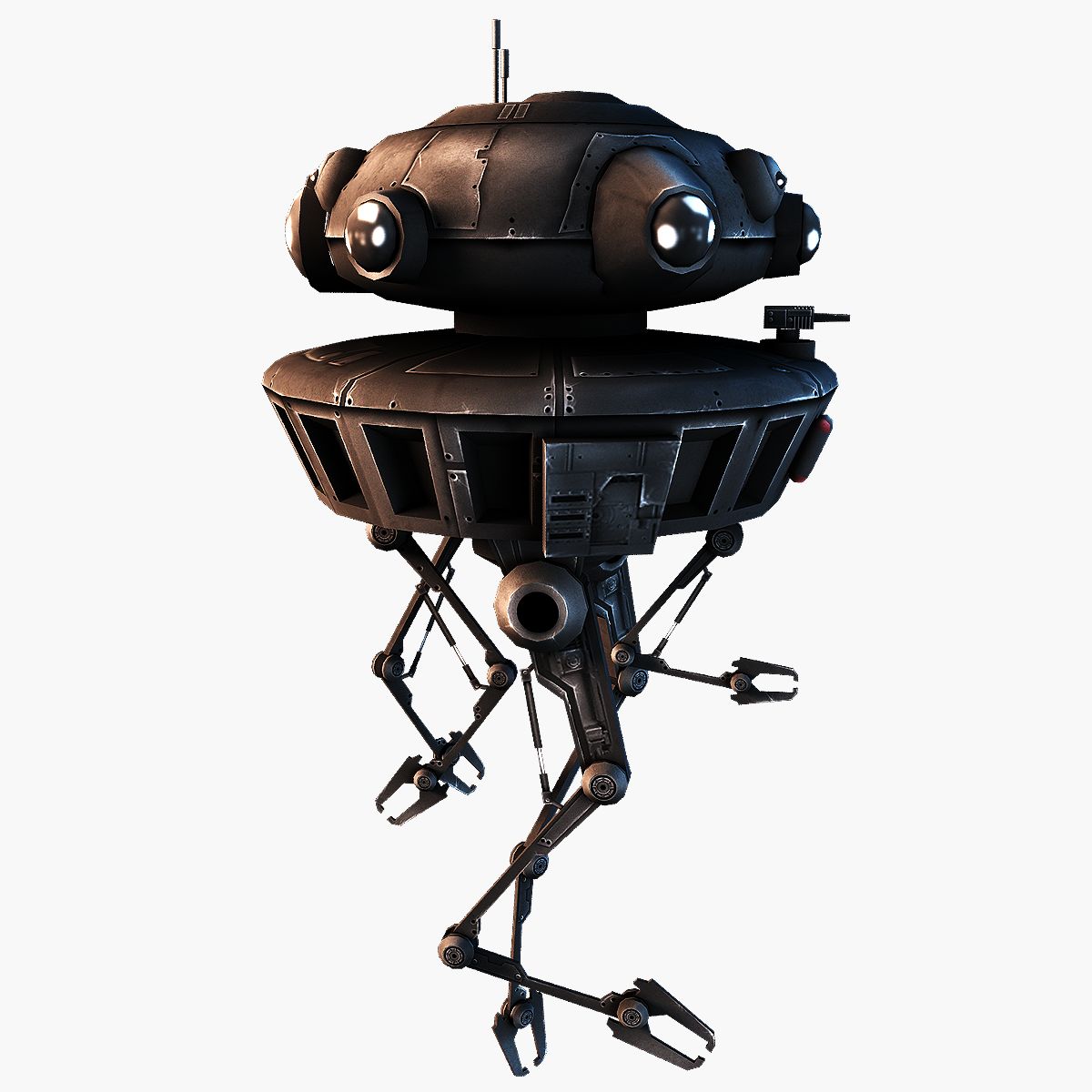




探针1 3D模型
0


0
访问量

提交者
shawnaloroc
规格
- 几何polygonal
- 多边形69,010
- 顶点36,252
- 纹理Yes
- 索具化Yes
- 动画No
- 适合3D打印No
- 适合游戏(低多边形)No
- UV映射Yes
- 未封装UVnon-overlapping
描述
Imperial hover probe for Maya 2015, Poser 9+ and Daz Studio 4.9. Features listed below:
Posable limbs.
Realistic moveable spot light and lazer beam effects.
Note the maya and fbx version is NOT RIGGED FOR ANIMATION.
__________________________________________________________________
System requirements:
Poser VERSION: Poser9+.
Daz VERSION: Daz Studio 4.9.
OBJ VERSION: A software package that can import OBJ files.
FBX VERSION: A software package that can import FBX files.
MA VERSION: Maya 2015 +
Needed Files: The contents of the package are the only needed files.
For OBJ version: Unpack zip.
The file named Probe1.obj is located in Runtime\Geometries\Shawnaloroc\Vehicles\Probe1
The textures are located in Runtime\Textures\Shawnaloroc\Probe1
FOR Poser:
Copy the Runtime folder from both the Probe1 Poser and texture zip into your Poser Runtime folder.
Probe1 may need to be rendered with smoothing off if you are using Poser 11.
For Daz:
Copy the Runtime folder from the Probe1_Textures.zip into your Daz Runtime folder, this is located inside the folder named My DAZ 3D Library.
Copy the Prop folder into your Daz Prop folder, this is located inside the folder named My DAZ 3D Library.
Copy the data folder into your Daz data folder, this is also located inside the folder named My DAZ 3D Library.
For light, beam and hover effects-
Select the bones in the hierachy named light, beam and repulse then turn on visibility.
__________________________________________________________________
=================
Files within zip:
=================
Probe1.fbx
Probe1.ma
Probe1.obj
data\Shawnaloroc\Probe1\Probe1
Probe1_36252.dsf
data\Shawnaloroc\Probe1\Probe1\Morphs\Shawnaloroc\Base
BackArm_Master1.dsf
LeftArm_Master1.dsf
Main_Master1.dsf
Main_Master2.dsf
Main_Master3.dsf
RightArm_Master1.dsf
data\Shawnaloroc\Probe1\Probe1\UV Sets\Shawnaloroc\Base
default.dsf
Documentation
License.txt
Probe1_ReadMe.txt
Props\Shawnaloroc\Probe1
Probe1.duf
Probe1.png
Runtime\Geometries\Shawnaloroc\Vehicles\Probe1
Probe1.obj
Runtime\Libraries\Character\Shawnaloroc\Vehicles\Probe1
Probe1.cr2
Probe1.png
Runtime\Textures\Shawnaloroc\Probe1
ProbeB.jpg
ProbeD.jpg
ProbeEffectsD.jpg
ProbeGlassD.jpg
ProbeLegsB.jpg
ProbeLegsD.jpg
ProbeLegsS.jpg
ProbePartsB.jpg
ProbePartsD.jpg
ProbePartsI.jpg
ProbePartsS.jpg
ProbeS.jpg
May 25, 2020
添加日期
Nov 29, 2021
最后更新
评测
此产品当前没有评测。
为什么不做第一个评测者呢?