-->
Die ArchitekturFahrzeugeZeichenFlugzeugMöbelElektronikTierePflanzenWaffenSportLebensmittelAnatomie
Vorgemerkt
Lesezeichen entfernt

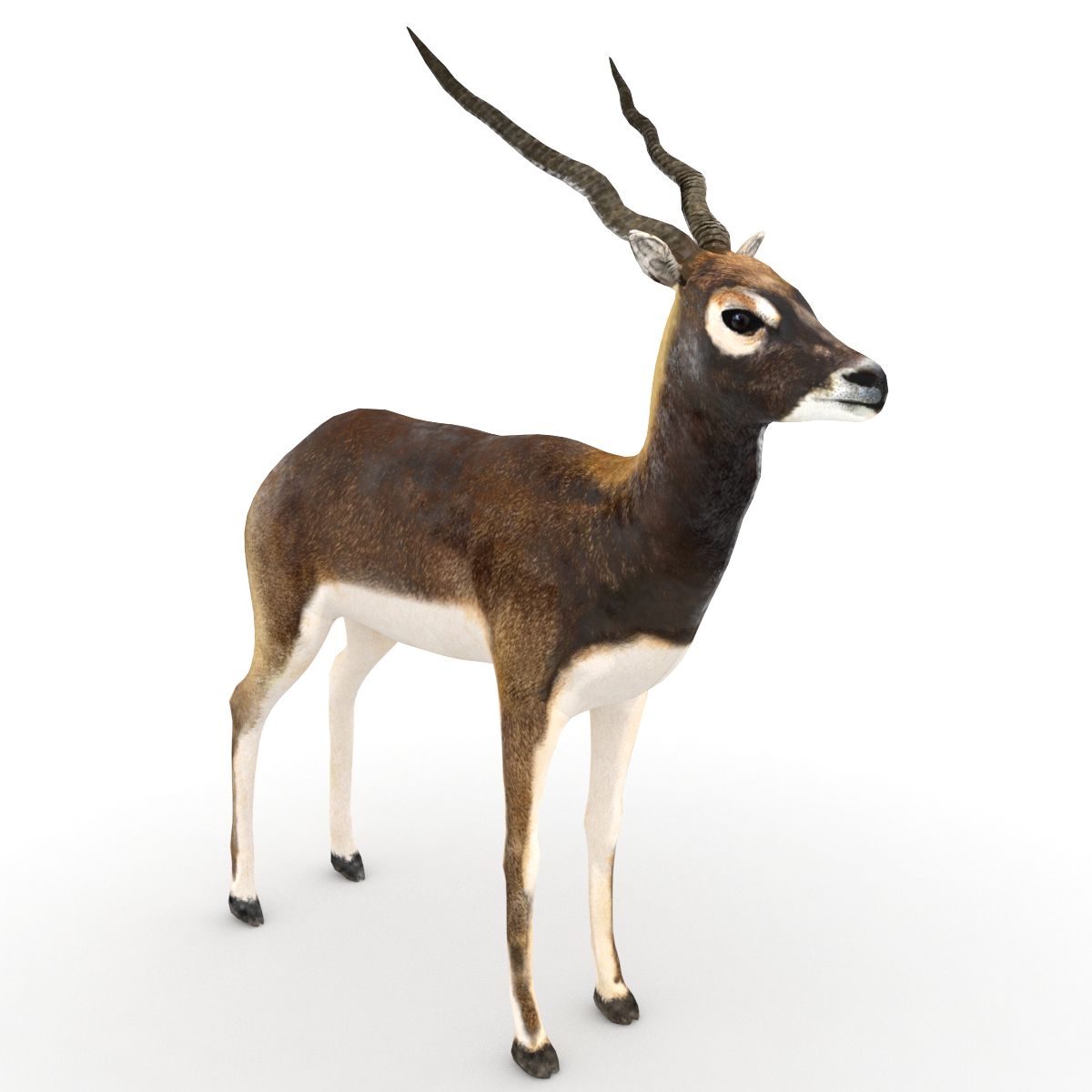
schwarzer Bock 3D-Modell

0
schwarzer Bock royalty-free 3d model - Preview no. 1
schwarzer Bock royalty-free 3d model - Preview no. 2
schwarzer Bock royalty-free 3d model - Preview no. 3
schwarzer Bock royalty-free 3d model - Preview no. 4
schwarzer Bock royalty-free 3d model - Preview no. 5
schwarzer Bock royalty-free 3d model - Preview no. 6
schwarzer Bock royalty-free 3d model - Preview no. 7
schwarzer Bock royalty-free 3d model - Preview no. 8
schwarzer Bock royalty-free 3d model - Preview no. 9
schwarzer Bock royalty-free 3d model - Preview no. 1
schwarzer Bock royalty-free 3d model - Preview no. 2
schwarzer Bock royalty-free 3d model - Preview no. 3
schwarzer Bock royalty-free 3d model - Preview no. 4
schwarzer Bock royalty-free 3d model - Preview no. 5
schwarzer Bock royalty-free 3d model - Preview no. 6
schwarzer Bock royalty-free 3d model - Preview no. 7
schwarzer Bock royalty-free 3d model - Preview no. 8
schwarzer Bock royalty-free 3d model - Preview no. 9
Royalty Free LicenseAlle erweiterten Anwendungen
Einfache Rückgabe
Best-Preis-Garantie
Funktioniert aus dem Kasten heraus
0 Besuche
vicmax

Spezifikationen

  • Geometriepolygonal
  • Polygone9,000
  • Scheitelpunkte9,000
  • TexturenYes
  • ManipuliertenYes
  • AnimiertYes
  • Bereit zum Drucken in 3DNo
  • Spielbereit (low poly)No
  • UV-kartiertYes
  • Unverpackte UVsnon-overlapping

Formate & Dateien

Softimage
(.xsi)
3 MB

mentalray 2
black buck xsi.rar
OBJ
(.obj)
3 MB

black buck obj.rar
3ds Max
(.max)
3 MB

default_scanline
black buck max.rar
Blender
(.blend)
3 MB

black buck.rar

Beschreibung

3d model of a black buck modeled and rendered in max2008. The Blender version of the model has been rigged and animated with auto IK for 36 frames. A preview video is also being provided. The blender rig is simple. No IK applied to any part. Just enable the auto-ik button in blender and you are ready to animate. If by any chance you mess up the rig, press alt+r and alt+g to revert to the rest position of the model. Blender supports FBX export. If you wish to transfer this rig to max or maya you you export it as fbx and import into max or maya. You could download the present version of Blender from the Blender website.
Nov 12, 2021 Datum hinzugefügt
Feb 21, 2022 letztes Update

Bewertungen

Es liegen noch keine Bewertungen für dieses Produkt vor.
Warum nicht der erste sein, der das Eis bricht?