-->
архитектуратранспортные средстваперсонажисамолетмебельэлектроникаживотныерастенияоружиеспортивныйпитаниеанатомия
Отмеченный
Закладка удалена

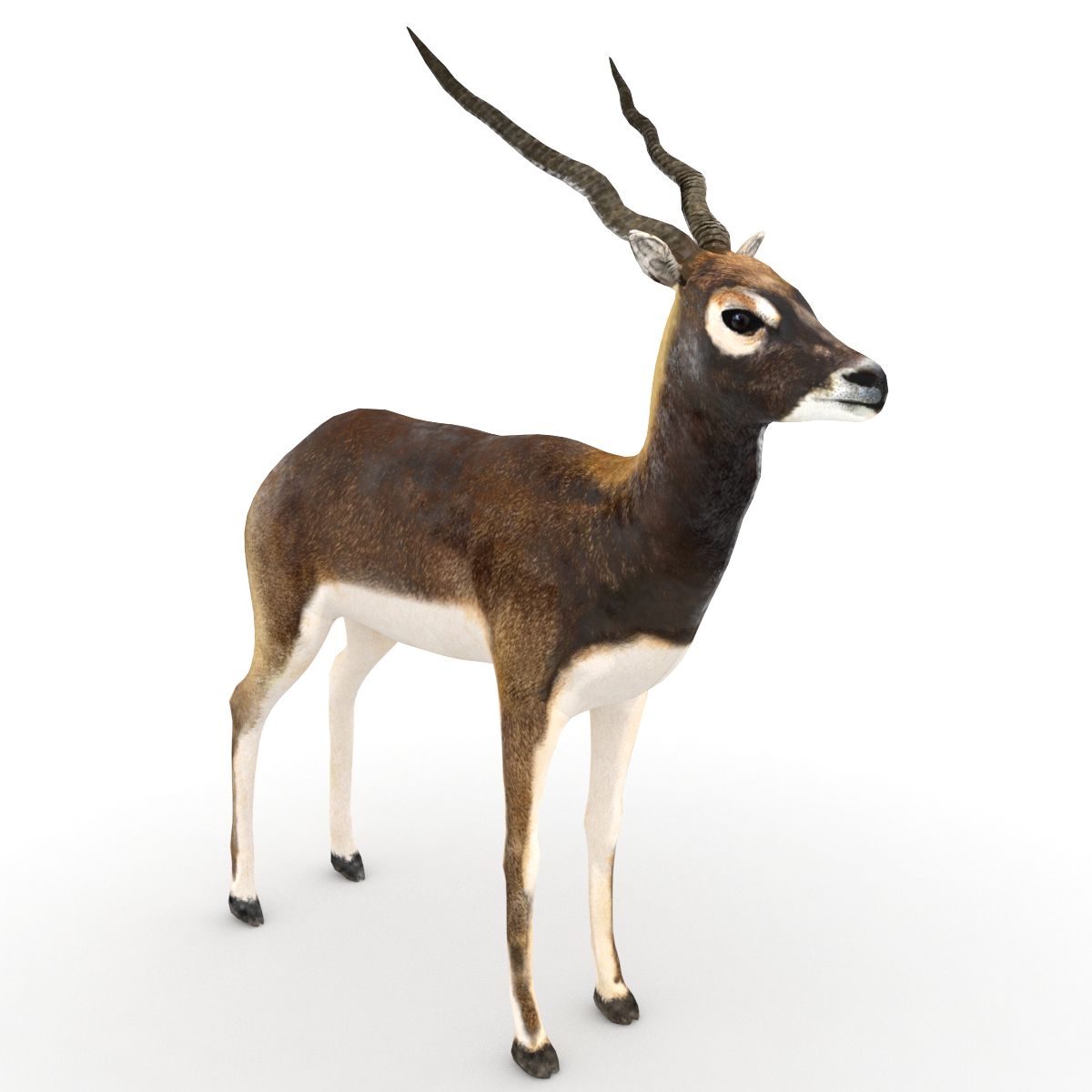
черный олень 3D модель

0
черный олень royalty-free 3d model - Preview no. 1
черный олень royalty-free 3d model - Preview no. 2
черный олень royalty-free 3d model - Preview no. 3
черный олень royalty-free 3d model - Preview no. 4
черный олень royalty-free 3d model - Preview no. 5
черный олень royalty-free 3d model - Preview no. 6
черный олень royalty-free 3d model - Preview no. 7
черный олень royalty-free 3d model - Preview no. 8
черный олень royalty-free 3d model - Preview no. 9
черный олень royalty-free 3d model - Preview no. 1
черный олень royalty-free 3d model - Preview no. 2
черный олень royalty-free 3d model - Preview no. 3
черный олень royalty-free 3d model - Preview no. 4
черный олень royalty-free 3d model - Preview no. 5
черный олень royalty-free 3d model - Preview no. 6
черный олень royalty-free 3d model - Preview no. 7
черный олень royalty-free 3d model - Preview no. 8
черный олень royalty-free 3d model - Preview no. 9
Бесплатная лицензияВсе расширенное использование
Простые возвращения
Гарантия лучшей цены
Работает из коробки
0 посещения
vicmax

Характеристики

  • Геометрияpolygonal
  • Полигоны9,000
  • вершины9,000
  • текстурыYes
  • подстроенныйYes
  • мультипликационныйYes
  • Готов к печати в 3DNo
  • Игра готова (низкополигональная)No
  • UV MappedYes
  • Развернутые уфnon-overlapping

Форматы и файлы

Softimage
(.xsi)
3 MB

mentalray 2
black buck xsi.rar
OBJ
(.obj)
3 MB

black buck obj.rar
3ds Max
(.max)
3 MB

default_scanline
black buck max.rar
Blender
(.blend)
3 MB

black buck.rar
Blender

blackbuck_trot0001-0036.avi
Blender

blackbuck_trot_20001-0036.avi

Описание

3d model of a black buck modeled and rendered in max2008. The Blender version of the model has been rigged and animated with auto IK for 36 frames. A preview video is also being provided. The blender rig is simple. No IK applied to any part. Just enable the auto-ik button in blender and you are ready to animate. If by any chance you mess up the rig, press alt+r and alt+g to revert to the rest position of the model. Blender supports FBX export. If you wish to transfer this rig to max or maya you you export it as fbx and import into max or maya. You could download the present version of Blender from the Blender website.
Nov 12, 2021 Дата Добавлена
Feb 21, 2022 последнее обновление

Отзывы

На данный момент нет отзывов об этом продукте.
Почему бы не первым сломать лед?