-->
建築乗り物キャラクター航空機家具エレクトロニクス動物たち植物兵器スポーツのフード解剖学
ブックマーク済み
ブックマークを削除しました

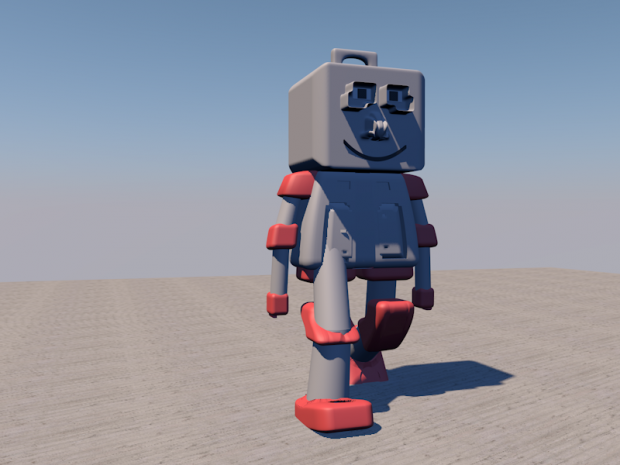
プラスチックロボット 3Dモデル

6
プラスチックロボット royalty-free 3d model - Preview no. 1
プラスチックロボット royalty-free 3d model - Preview no. 2
プラスチックロボット royalty-free 3d model - Preview no. 1
プラスチックロボット royalty-free 3d model - Preview no. 2
個人使用ライセンス
6,859 訪問
943 ダウンロード
graphiczous

仕様

  • ジオメトリPolygon Mesh
  • 多角形0
  • 頂点0
  • テクスチャNo
  • 材料No
  • 堅いNo
  • アニメ化No
  • 3Dプリント可能No
  • ゲームレディ(低ポリ)No
  • UVマップNo
  • ラップされていないUVUnknown

フォーマットとファイル

OBJ, Cinema 4D
(.obj, .c4d)

mwgetebuftog-robot2.rar

説明

With Textures = Yes
Rigged = No

Jun 01, 2016 追加日
Nov 20, 2019 最後の更新

コメント

あなたのコメントを投稿するにはする必要があります
The little 'like' heart doesn't seem to ever work on this site so i thought I'd express my appreciation for your efforts here in the comments.
haremcinema 5年前 返信2
where can i download tutorial am a begginner
numba 11年前 返信2
Under the image,there will be a blue button, click it and wait
graphiczous 11年前 返信2
Hi, can you tell me how you create the texture for each side of your model? I mean on one jpg or png file.
benchabin 11年前 返信2
Are you talking about shadows? or the floor? I turned on shadows using a light >> Shadows >> None to Area, but I found the floor texture online, also, the sky is a physical sky that can be edited in its properties (Time and sky)
graphiczous 11年前 返信2
利用可能なファイル