-->
建筑车辆人物飞行器家具电子产品动物植物武器体育食品解剖学
已加入书签
书签已删除

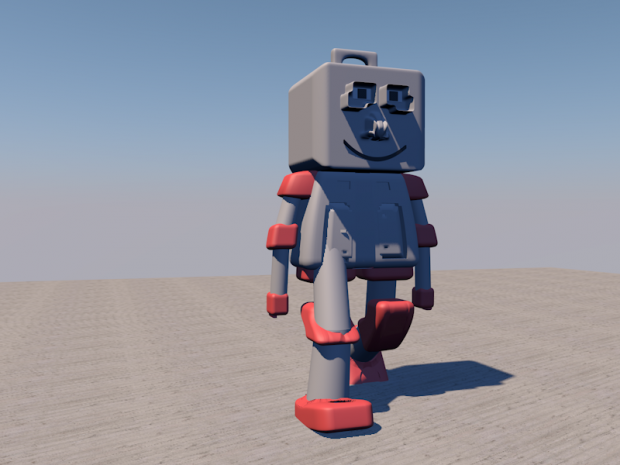
塑料机器人 3D模型

6
塑料机器人 royalty-free 3d model - Preview no. 1
塑料机器人 royalty-free 3d model - Preview no. 2
塑料机器人 royalty-free 3d model - Preview no. 1
塑料机器人 royalty-free 3d model - Preview no. 2
0
00
个人使用许可
6,859 访问量
943 下载
graphiczous

规格

  • 几何Polygon Mesh
  • 多边形0
  • 顶点0
  • 纹理No
  • 物料No
  • 索具化No
  • 动画No
  • 适合3D打印No
  • 适合游戏(低多边形)No
  • UV映射No
  • 未封装UVUnknown

格式和文件

OBJ, Cinema 4D
(.obj, .c4d)

mwgetebuftog-robot2.rar

描述

With Textures = Yes
Rigged = No

Jun 01, 2016 添加日期
Nov 20, 2019 最后更新

评论

要提交你的评论,你需要
The little 'like' heart doesn't seem to ever work on this site so i thought I'd express my appreciation for your efforts here in the comments.
haremcinema 5 年前 回复
where can i download tutorial am a begginner
numba 11 年前 回复
Under the image,there will be a blue button, click it and wait
graphiczous 11 年前 回复
Hi, can you tell me how you create the texture for each side of your model? I mean on one jpg or png file.
benchabin 11 年前 回复
Are you talking about shadows? or the floor? I turned on shadows using a light >> Shadows >> None to Area, but I found the floor texture online, also, the sky is a physical sky that can be edited in its properties (Time and sky)
graphiczous 11 年前 回复