-->
архитектуратранспортные средстваперсонажисамолетмебельэлектроникаживотныерастенияоружиеспортивныйпитаниеанатомия
Отмеченный
Закладка удалена

Пластиковый робот 3D модель

6
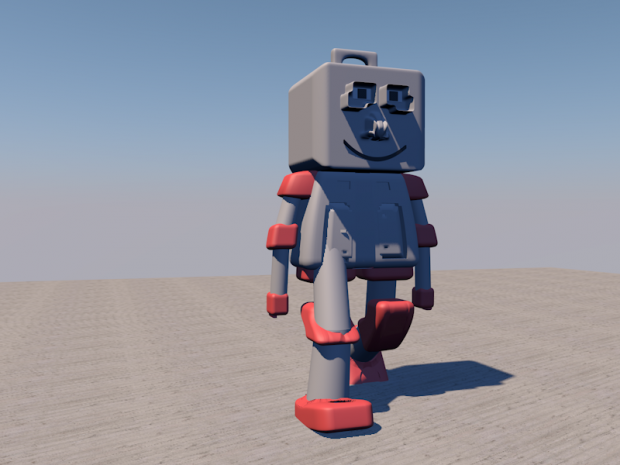
Пластиковый робот royalty-free 3d model - Preview no. 1
Пластиковый робот royalty-free 3d model - Preview no. 2
Пластиковый робот royalty-free 3d model - Preview no. 1
Пластиковый робот royalty-free 3d model - Preview no. 2
Лицензия на персональное использование
6,859 посещения
943 загрузок
graphiczous

Характеристики

  • ГеометрияPolygon Mesh
  • Полигоны0
  • вершины0
  • текстурыNo
  • материалыNo
  • подстроенныйNo
  • мультипликационныйNo
  • Готов к печати в 3DNo
  • Игра готова (низкополигональная)No
  • UV MappedNo
  • Развернутые уфUnknown

Форматы и файлы

OBJ, Cinema 4D
(.obj, .c4d)

mwgetebuftog-robot2.rar

Описание

With Textures = Yes
Rigged = No

Jun 01, 2016 Дата Добавлена
Nov 20, 2019 последнее обновление

Комментарии

Чтобы оставить свой комментарий вам нужно будет
The little 'like' heart doesn't seem to ever work on this site so i thought I'd express my appreciation for your efforts here in the comments.
haremcinema 5 лет назад Reply2
where can i download tutorial am a begginner
numba 11 лет назад Reply2
Under the image,there will be a blue button, click it and wait
graphiczous 11 лет назад Reply2
Hi, can you tell me how you create the texture for each side of your model? I mean on one jpg or png file.
benchabin 11 лет назад Reply2
Are you talking about shadows? or the floor? I turned on shadows using a light >> Shadows >> None to Area, but I found the floor texture online, also, the sky is a physical sky that can be edited in its properties (Time and sky)
graphiczous 11 лет назад Reply2
Доступные файлы