




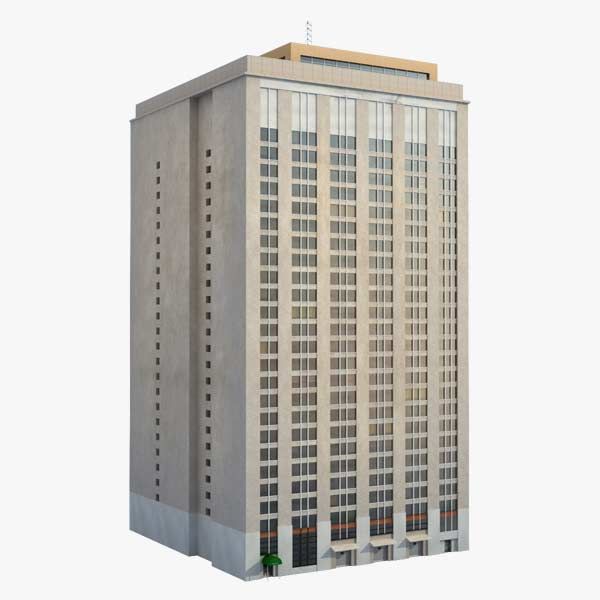



Budynek BGE Model 3D
105


Licencja do użytku osobistego
19,426
Odwiedziny
4,378
pliki do pobrania

Przesłane przez
3dhaupt
Specyfikacje
- Geometria- Geometrie -
- Wieloboki0
- Wierzchołki0
- TeksturyYes
- MateriałyYes
- RiggedYes
- OżywionyYes
- Gotowy do druku 3DNo
- Game Ready (low poly)Yes
- Mapowanie UVYes
- Nieopakowane UV- Unverpackte UVs -
Opis
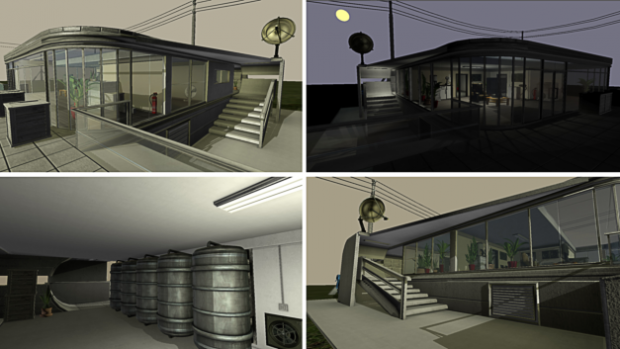
This is my BGE-Playground,
which I had created in Blender from 17.11.2013 to 10.12.2013
for fun.
 Video - BGE Test Building 1.0
Basic control:
Fun with Suspend and Restore Dynamics
Building Update (just added some old 3d Models)
Building Update (controllable ceiling lights and doors)
You can use my 3d-model only for non-commercial, personal/private and editorial use!
Made by Dennis Haupt aka 3DHaupt
3DHaupt.com
---
My name is Dennis Haupt.
3D-artist for modeling, texturing, rigging and animation since 2008.
My favorite software is Blender 3d but I also work with 3d-Coat or other 3d/2d-programs.
Location: Germany - Thuringia - Ilmenau
---
System:
Alienware 18: Intel(R) Core(TM) i7-4930MX CPU @ 3.00GHz NVIDIA GeForce GTX 780M x2 (SLI) 32,0 GB RAM
---
Basic control:
- W-Key - move forward
- S-Key - move back
- A-Key - move to the left
- D-Key - move to the right
- F-Key - jump
- Left Mouse Button - activate the lights
- E-Key - open Doors
- Left-Shift-Key - zoom in and out
- Space-Key - hold to run
- Right Mouse Button -throw the green navigation spheres which interact with the navigation mesh and tries to follow the PlayerBox-Object
- E-Key - throw the red navigation spheres which do not interact with the navigation mesh and tries to follow the PlayerBox-Object
- T-Key - throw the blue spheres which flee from the PlayerBox-Object
- Z-Key - throw the metallic spheres which lose their dynamics on 3 meters distance to the PlayerBox-Object
- G-Key - throw a simple sphere without special properties
- H-Key - throw the soft body object number 1, a softbody plane
- J-Key - throw the soft body object number 2, a softbody cube
- B-Key - throw a destructible box
- Q-Key - restores the dynamics of all the objects which have suspended their dynamics
- you can control the daylight/daytime by pressing the + and - key right to the Numpad.
- you can activate and deactivate the standard 2D-filter by pressing 1,2,3,4,5,6,7,8,9,0-key on the Numpad
Fun with Suspend and Restore Dynamics
Building Update (just added some old 3d Models)
Building Update (controllable ceiling lights and doors)
You can use my 3d-model only for non-commercial, personal/private and editorial use!
Made by Dennis Haupt aka 3DHaupt
3DHaupt.com
---
My name is Dennis Haupt.
3D-artist for modeling, texturing, rigging and animation since 2008.
My favorite software is Blender 3d but I also work with 3d-Coat or other 3d/2d-programs.
Location: Germany - Thuringia - Ilmenau
---
System:
Alienware 18: Intel(R) Core(TM) i7-4930MX CPU @ 3.00GHz NVIDIA GeForce GTX 780M x2 (SLI) 32,0 GB RAM
---
Jul 04, 2016
Data dodania
Nov 20, 2019
Ostatnia aktualizacja
Komentarze