






Keratin Protein Molecule [3TNU] 3D Model
0
![Keratin Protein Molecule [3TNU] royalty-free 3d model - Preview no. 1](https://preview.free3d.com/img/2015/05/2146727764282049874/87wkfoxv.jpg)
![Keratin Protein Molecule [3TNU] royalty-free 3d model - Preview no. 2](https://preview.free3d.com/img/2015/05/2146727764282049874/yrgexbde.jpg)
![Keratin Protein Molecule [3TNU] royalty-free 3d model - Preview no. 3](https://preview.free3d.com/img/2015/05/2146727764282049874/2b26h0fy.jpg)
![Keratin Protein Molecule [3TNU] royalty-free 3d model - Preview no. 4](https://preview.free3d.com/img/2015/05/2146727764282049874/fx64duqp.jpg)
![Keratin Protein Molecule [3TNU] royalty-free 3d model - Preview no. 5](https://preview.free3d.com/img/2015/05/2146727764282049874/obarc1e2.jpg)
34
visits

Submitted by
Thunderossa
Specifications
- Geometrypolygonal
- Polygons1,449,600
- Vertices727,820
- TexturesNo
- RiggedNo
- AnimatedNo
- 3D Printable ReadyNo
- Game Ready (low poly)No
- UV MappedYes
- Unwrapped UVsnone
Description
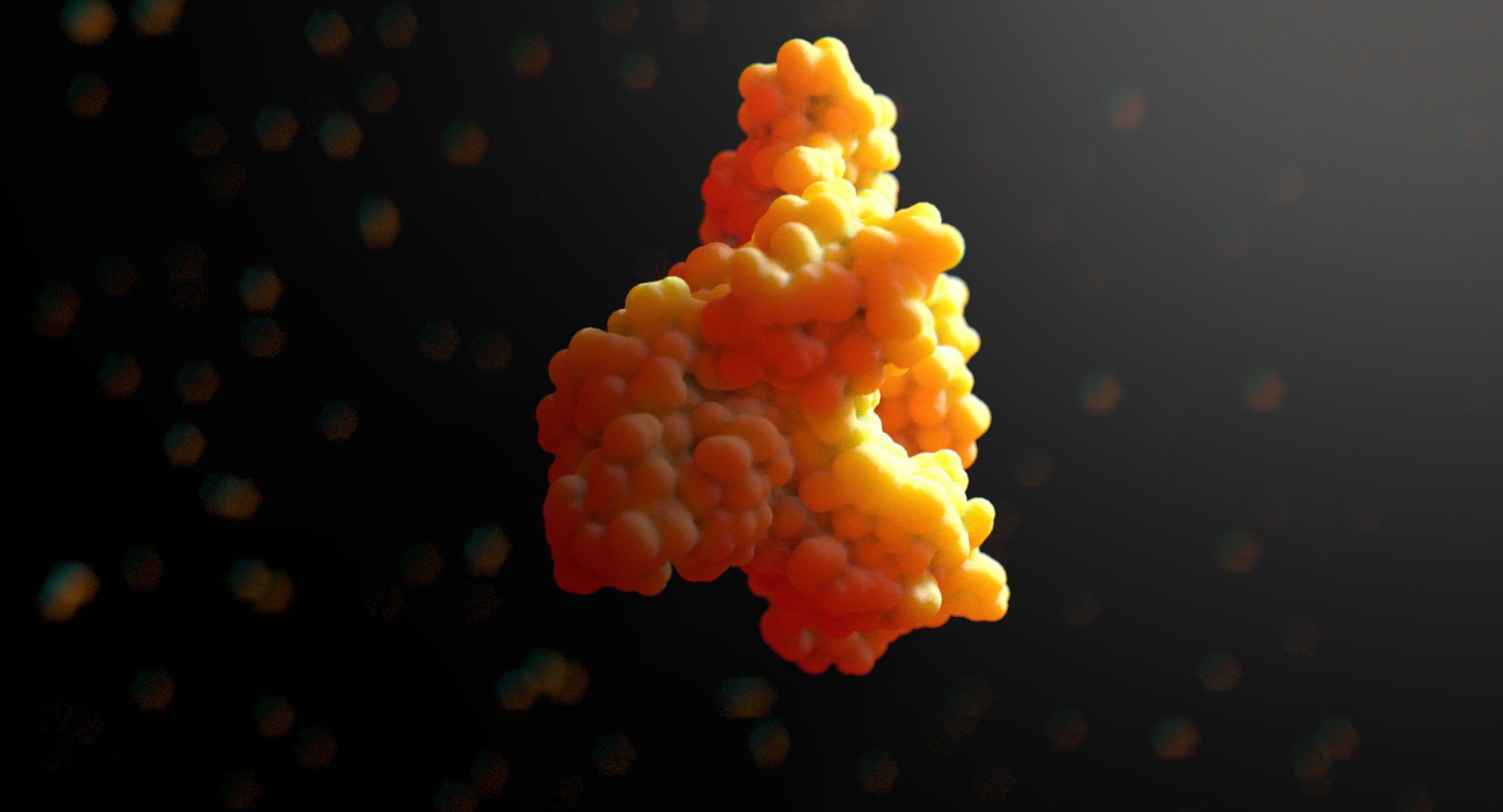
3TNU Keratin Model by Thunderossa
Polys: 1,449,600
Verts: 727,820
Animated: No
Included Files:
Keratin.max (v. 2011)
Keratin-Front.png
Keratin-Left.png
Keratin-Perspective.png
Keratin-Pretty.jpg
Keratin-Top.png
Atomic Structure of this model:
Carbon 921 (Grey)
Nitrogen 273 (Blue)
Oxygen 304 (Red)
Sulfer 12 (Yellow)
NOTES:
Keratin is the fibrous organic protein substance that makes up our hair & fingernails. This model is just one molecule.
I left this model in it's basic form so that you could manipulate it to your needs. It's extremely heavy on the polygon count, so you may want to optimize. I created this model when I was making videos for a vitamin company. Steps to optimize are below.
THERE MAY BE A STRAY ATOM OR TWO. This was my original and I've since manipulated it several different ways for various uses. This is why you'll want to progressively save.
TIPS:
As you edit the file, you'll want to progressively save. ie Keratin-001.max, Keratin-002.max etc. Or Keratin-001-start.max, Keratin-002-attach-Carbon-01.max, Keratin-003-attach-Nitrogen.max, etc.
Because of the heavy poly count, you may want to create single renders and layer them appropriately in your image editing programs.
What I did to optimize:
1. Select a Carbon atom.
2. Convert that Sphere to Editible Mesh.
3. In the roll-out menu: Attach from List (Select ALL the Carbon atoms)
4. Repeat for Nitrogen, Oxygen, and Sulfer. (Progressively save!!)
5. either pro-optimize each group or attach all and optimize the entire model.
Oct 04, 2019
date added
Feb 20, 2022
last update
Reviews
There are currently no reviews for this product.
Why not be the first one to break the ice?