




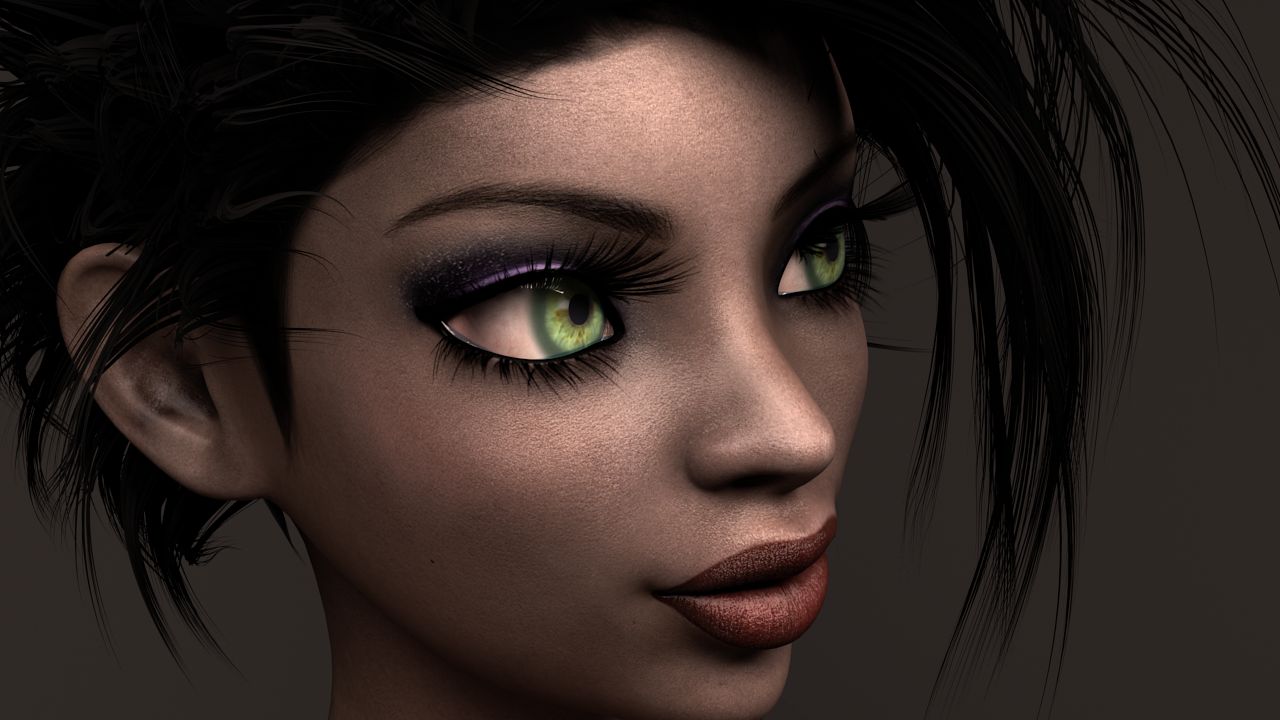


Female_Mage Modello 3D
0


Licenza RoyaltyTutti gli usi estesi
Ritorni semplici
Miglior prezzo garantito
Funziona fuori dalla scatola
0
visite

Inviato da
honglong99
specificazioni
- Geometriapolygonal_quads/tris
- poligoni60,000
- vertici35,000
- TexturesYes
- riggedNo
- AnimatoNo
- Prontabile in 3DNo
- Gioco pronto (low poly)No
- UV mappatoYes
- UV non avvoltooverlapping
Descrizione
Maya: 2016
Material : PBR material
Type: Game
Texture size: 2048x2048
Folders included:
+ Maya: .ma , .mb files
+mesh: . obj, .mtl, .fbx
+ Textures: .png, .tga
Note:
- I seperated Model into : Hair, Eyes, Body, Teeth, Cloth (upper), Pant ( lower) , Boots, Girmoire. That's why we have a lot of textures. I think it's good for modifying model when you want.
- Roughness and Glossness ( Smoothness ) are same slot. But it depends on what your engine uses. If it writes "Roughness" >>> you don't need INVERT . If it writes " Glossness" >>> Please check INVERT.
- Normal: some engines use DirectX Normal, some engines use OpenGL Normal. If you assign Normal and feel wrong direction >>>> Just "FLIP Y"
- You should check both OBJ and FBX.
- NO RIGGING ( I'm an amateur RIGGING, I only rig for my pose and render for my artwork)
Dec 18, 2019
Data aggiunta
Oct 14, 2021
ultimo aggiornamento
Recensioni
Al momento non ci sono commenti per questo prodotto.
Perché non essere il primo a rompere il ghiaccio?